

What is a mailing list?
A mailing list is a group of email addresses with one shared address. When you send a message to that shared address, everyone in the group gets a copy. It is like a class noticeboard. One note reaches all the students.
cPanel uses a tool called Mailing Lists for this. It may not be on every plan. Ask Hostvento support if you cannot see it. Also note that a mailing list is not for spam. Only add people who agreed to get your messages.
Before you start
- Have an email domain on your hosting account.
- Collect the addresses you want to add.
- Pick a name for the list, such as
news.
Create the list
- Log in to cPanel.
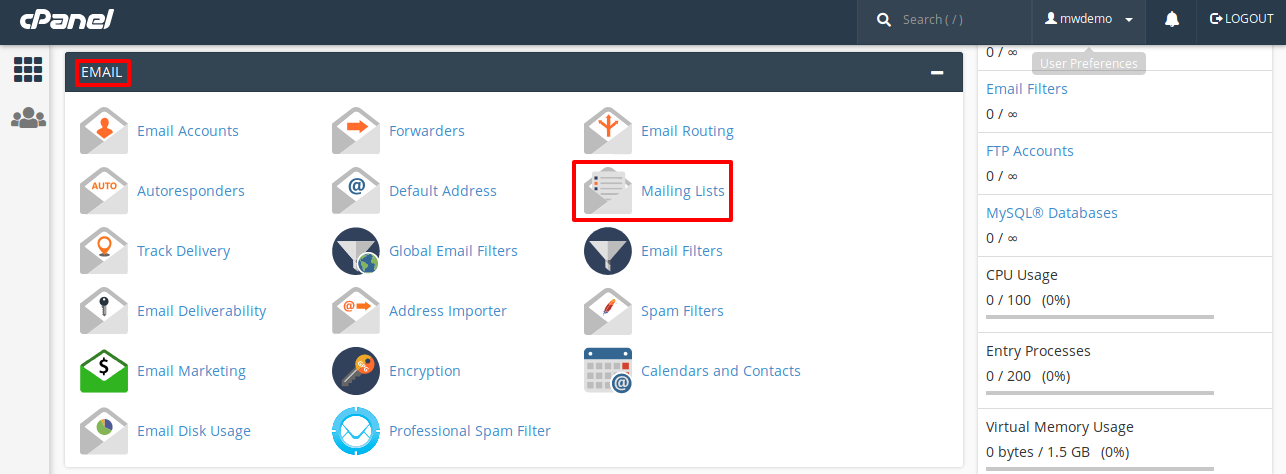
- In the Email section, click Mailing Lists.
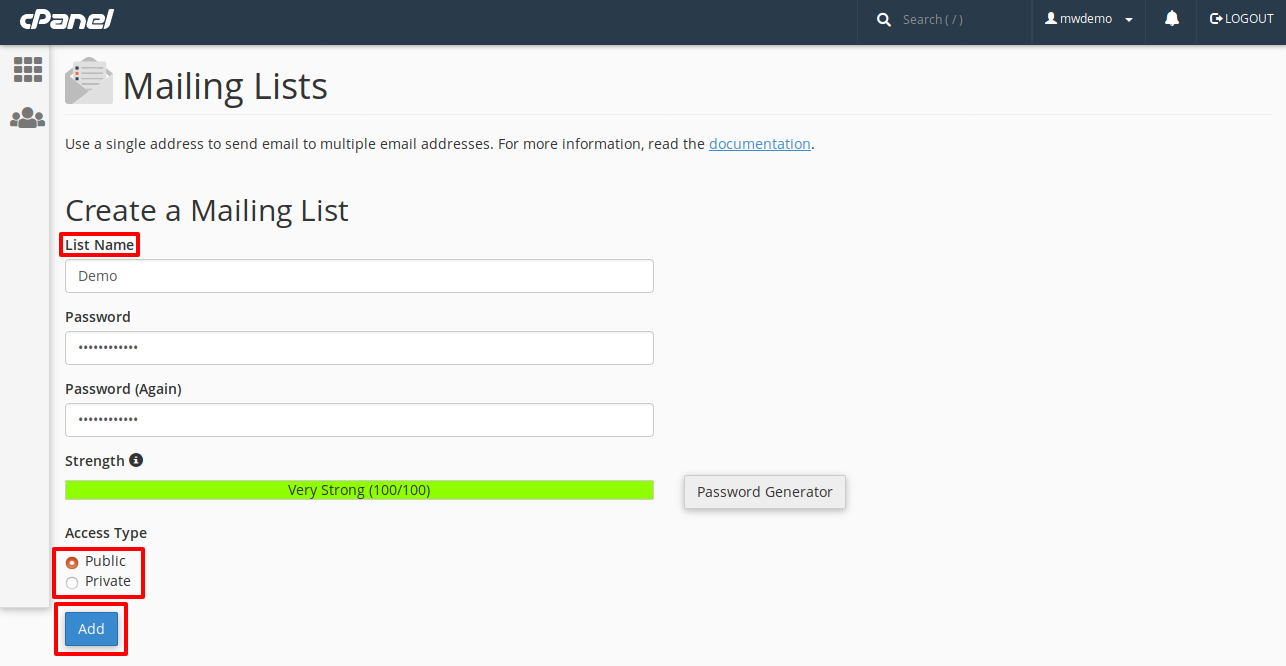
- Type a name in the List Name box.
- Choose your domain from the Domain menu.
- Type a password for the list. You need it to manage the list later.
- Choose the access type. Public lets anyone see the list. Private hides it. Private is usually better.
- Click Add Mailing List.
Your list address is now news@yourdomain.com.
Add people
- In the Mailing Lists page, find your list.
- Click Add Delivery.
- Pick Add Members or type the addresses. Put one address on each line.
- Click Add Members.
You can also click Modify to remove people or change the settings.
Send a message
- Open your email program or Webmail.
- Write a new message.
- In the To box, type your list address.
- Send it. Everyone on the list gets it.
Good to know
- Sending lots of mail can hit limits on your hosting. Ask Hostvento support what the limits are.
- Remove addresses that bounce. A bounce is a message that comes back because the address is wrong.
- Add an unsubscribe note to your messages.
Tip: For large newsletters, a special email service is often a better fit than a cPanel list.
Quick recap
- A mailing list sends one message to many people.
- Open Mailing Lists in cPanel and click Add Mailing List.
- Add members with Add Delivery.
- Send to the list address.