

What does the error mean?
Every device online has an IP address. An IP address is like a home address for your internet connection. When you log in to cPanel, it remembers your IP address. This is a safety rule. If your address changes in the middle of a session, cPanel thinks someone else may have taken your login. So it logs you out and shows "IP address has changed!"
The rule protects you. But it can annoy you if your address changes for normal reasons.
Common causes
- Your internet provider gives you a new address from time to time.
- You use a VPN that switches servers.
- You use mobile data and move between networks.
- Your office uses several internet lines.
- A proxy service sends your traffic through different addresses.
Quick fixes
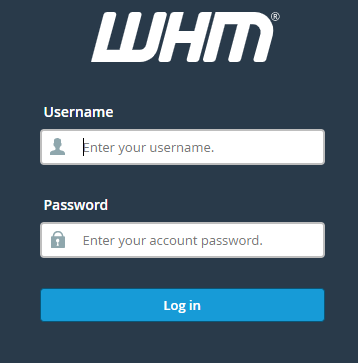
- Log in to cPanel again. This starts a new session with your new address.
- Turn off your VPN or proxy and log in again.
- Move to a steady connection, like home Wi-Fi, instead of mobile data.
- Close all other cPanel tabs. Then log in once.
- Clear cookies for the cPanel address. Cookies are small notes your browser keeps about a site. A broken one can cause login loops.
Server owner settings (WHM, root access)
If you own the server, you can change this rule in WHM. Root access is needed. The setting changes how strict the server is.
- Log in to WHM.
- Search for Tweak Settings.
- Open the Security tab.
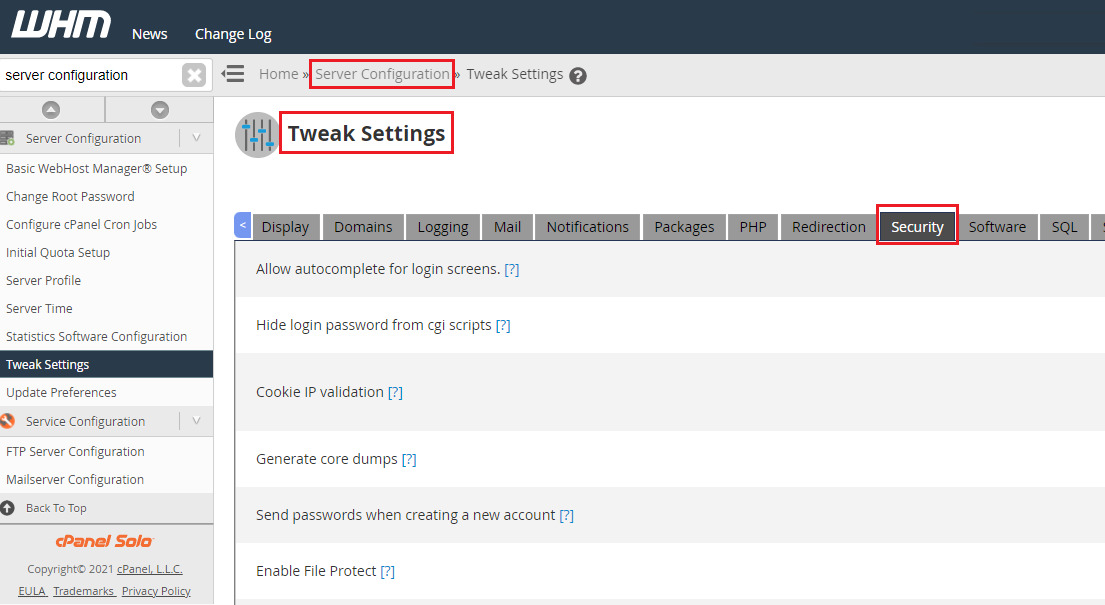
- Look for the setting about requiring the same IP address for a session. The exact wording may differ by version.
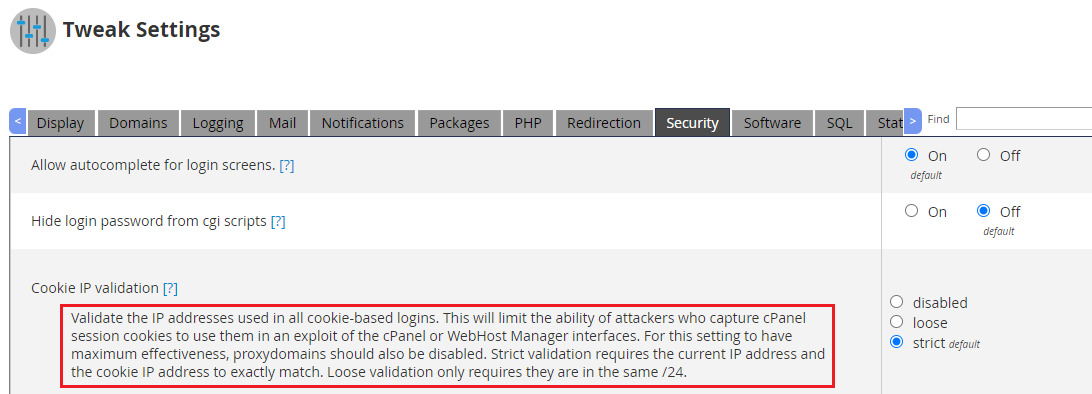
- Change it, then click Save.
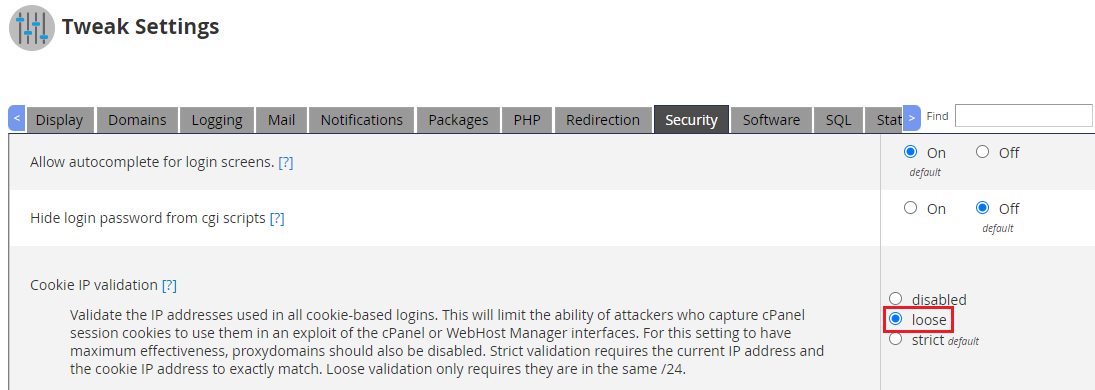
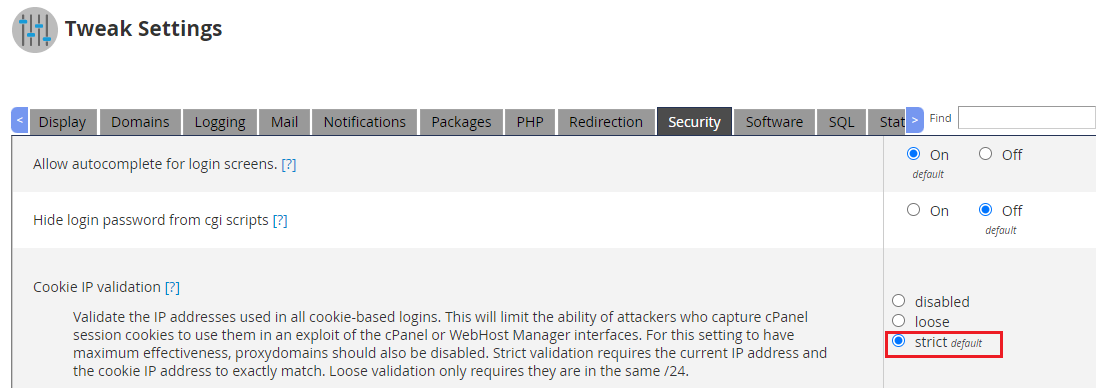
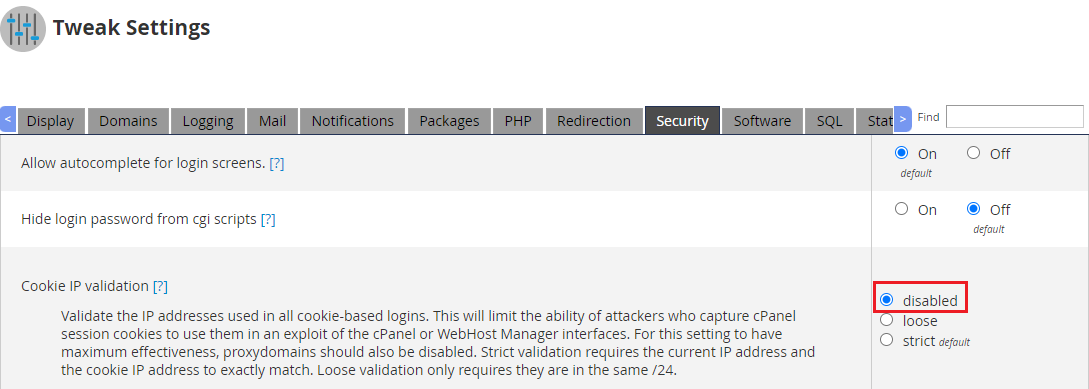

Warning: Turning this check off lowers your security. A stolen session could be used from another place. Think twice before you do it. If you do, use strong passwords and two-factor login.
If you are on shared hosting
You cannot change the server rule. Use the quick fixes. If the error keeps coming back, open a ticket at https://secure.hostvento.com/submitticket.php. Say when it happens and which network you use.
Quick recap
- The error appears when your IP address changes during a session.
- It is a safety feature, not a fault.
- Log in again, turn off the VPN and use a steady connection.
- Server owners can relax the rule in WHM, but it lowers security.