

What is ionCube?
ionCube is a tool that scrambles PHP code. PHP is the language many websites use. Software makers scramble their code to protect it. To run scrambled code, your server needs the ionCube Loader. The loader is like a key that unscrambles the code as it runs.
If you see "The file requires the ionCube PHP Loader", the loader is missing or off.
Shared hosting: use cPanel
On shared hosting, you can often pick the loader yourself.
- Log in to cPanel.
- In the Software section, click Select PHP Version. Some plans call it MultiPHP Manager or PHP Selector.
- Click Extensions.
- Find ioncube or a name like
ioncube_loaderin the list. - Tick the box to switch it on.
- Save. Reload your site.
If you do not see it, ask Hostvento support to enable it.
VPS or dedicated server (root access)
Take a backup first. A wrong PHP change can take sites offline.
- Log in to WHM.
- Search for EasyApache 4.
- Click Customize on your current profile.
- Open PHP Extensions.
- Search for
ioncube. Switch on the loader for the PHP versions you use. The name looks likeea-php81-php-ioncube13. The numbers match your PHP version.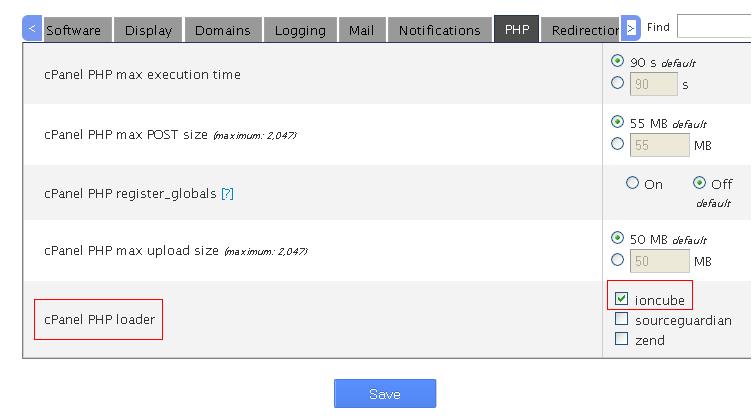
- Click through to Review and then Provision.
- Wait for the build to finish.
You can also install it from the command line.
dnf install ea-php81-php-ioncube13This installs the loader for PHP 8.1. Use yum on older systems and change the version number to match yours.
Check it works
- In SSH, run this.
It prints the PHP version. The text should mention ionCube Loader./opt/cpanel/ea-php81/root/usr/bin/php -v - Or make a file with
<?php phpinfo(); ?>and look for "ionCube" on the page. Delete the file after your test.
Tip: After you change PHP versions, the loader must be on for the new version too.
Quick recap
- ionCube Loader runs scrambled PHP files.
- On shared hosting, switch it on in Select PHP Version.
- On a server, use EasyApache 4 in WHM.
- Check with
php -v.