

What is this plugin?
WordPress is a popular tool for building websites. A plugin is a small add-on that gives WordPress new powers. All-in-One WP Migration packs your pages, pictures, settings and database into one file. A database is where your posts and settings are stored, like a big filing cabinet. You then open that file on the new site.
This is a third-party plugin. It is not made by Hostvento. Its free version may limit file size. If your site is large, ask Hostvento support for advice.
Before you start
- Have a fresh WordPress installed on the new hosting. Use the same WordPress version if you can.
- Have your login details for both sites.
- Make a separate backup of the old site. Do not skip this.
Warning: The import replaces everything on the new WordPress site. Only import into a site you are happy to overwrite.
Step 1: Export the old site
- Log in to the WordPress dashboard of your old site. This is usually at
yourdomain.com/wp-admin. - Click Plugins, then Add New.
- Search for All-in-One WP Migration.
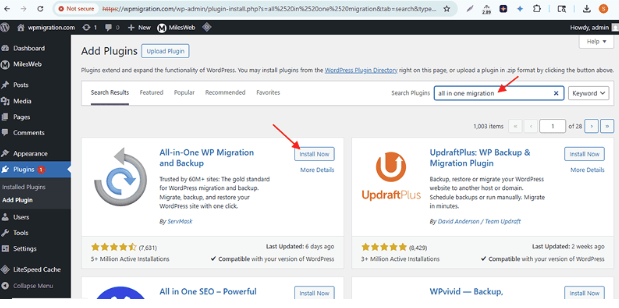
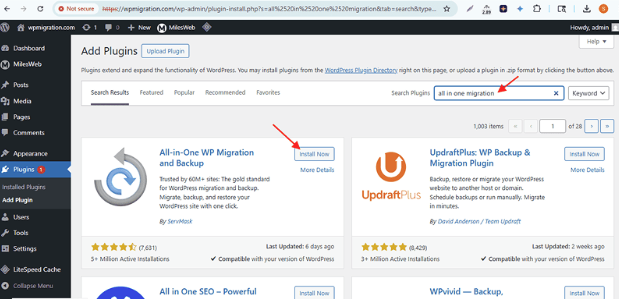
- Click Install Now, then Activate.
- In the left menu, click All-in-One WP Migration, then Export.
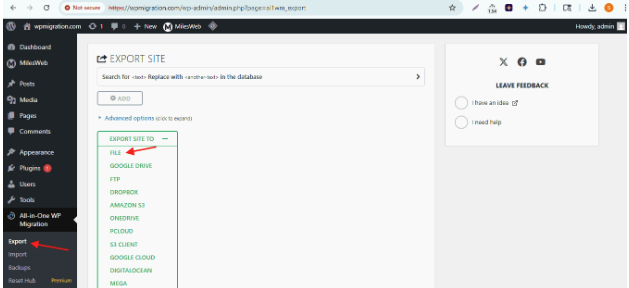
- Click Export To and choose File.
- Wait until it finishes. Click the Download button.
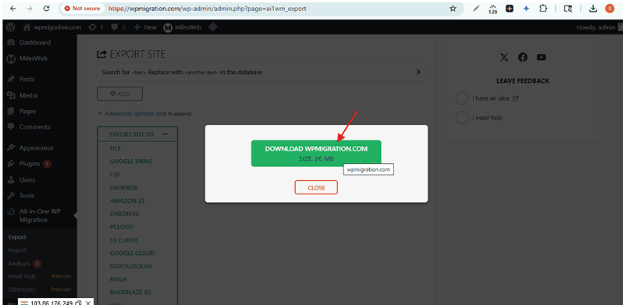
- Save the file. It ends in
.wpress.
Step 2: Import into the new site
- Log in to the dashboard of the new WordPress site.
- Install and activate the same plugin, as in Step 1.
- Click All-in-One WP Migration, then Import.
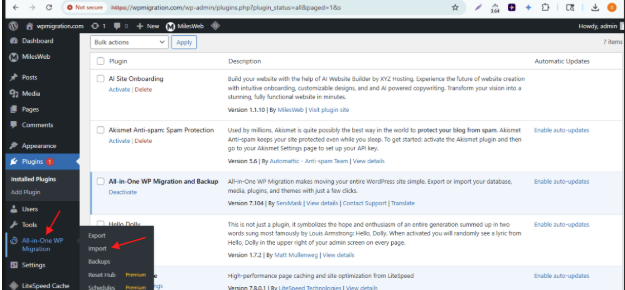
- Click Import From, then File.
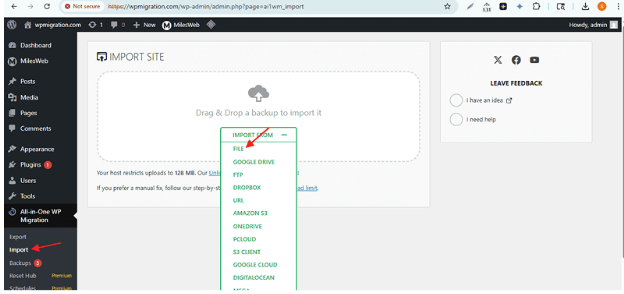
- Choose your
.wpressfile. - When asked, click Proceed to confirm the overwrite.
- Wait until you see a success message. Click Finish.
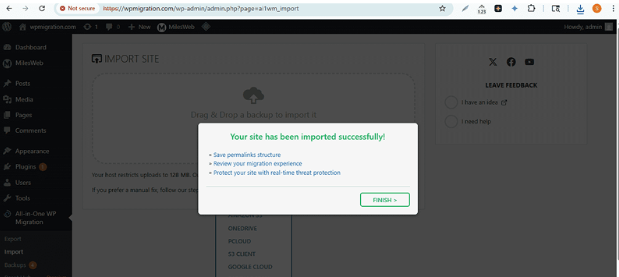
Your login may change. Use the username and password from the old site.
Step 3: Save permalinks
Permalinks are the web address style of your pages.
- Go to Settings, then Permalinks.
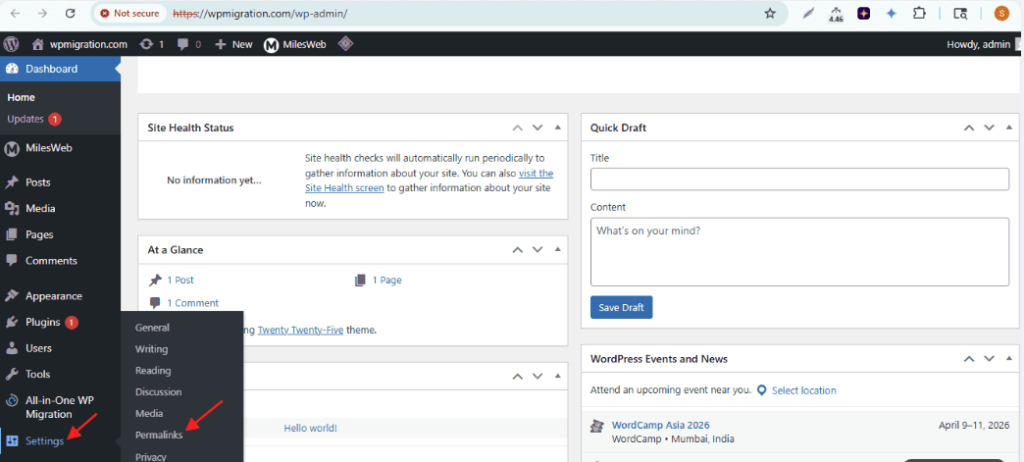
- Click Save Changes without changing anything.
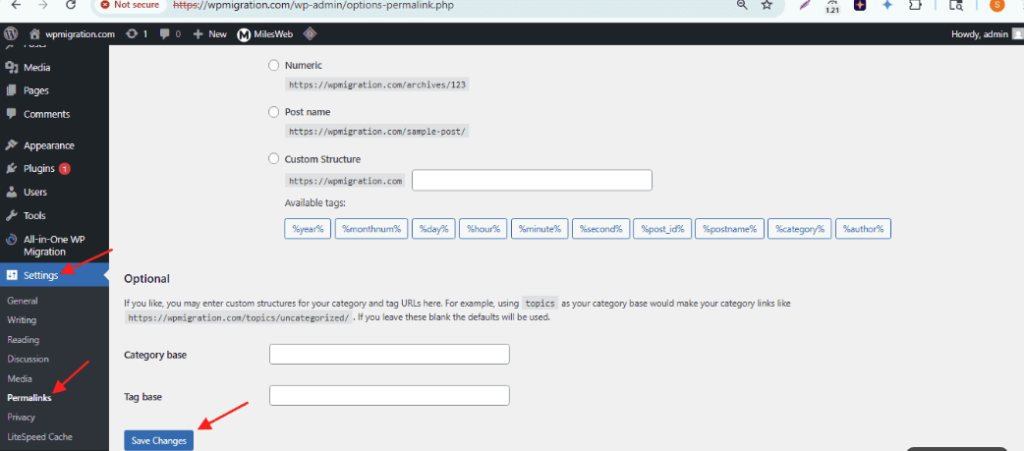
This fixes many "page not found" errors after a move.
Step 4: Point your domain
If the domain still points to the old host, visitors see the old site. Update your domain's DNS or nameservers to the new host. DNS is like a phone book for the internet. Get the right values from your welcome email or ask Hostvento support.
Quick recap
- Install All-in-One WP Migration on both sites.
- Export the old site to a
.wpressfile. - Import the file into the new site.
- Save Permalinks and check your pages.
- Point the domain to the new host last.