

What is DirectAdmin?
DirectAdmin is a control panel. A control panel is a web page where you manage your hosting with clicks, not code. You can add email accounts, upload files, make databases and more. It is like the dashboard of a car.
What you need
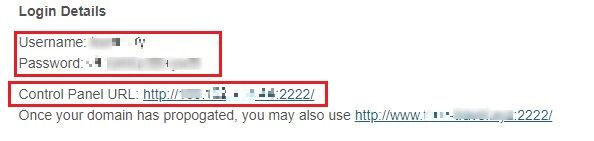
- Your DirectAdmin user name.
- Your password.
- The address of the panel.
Hostvento sends these in your welcome email. If you cannot find it, check your client area at https://secure.hostvento.com/clientarea.php. Open Services and click your hosting service. You can also ask support.
Steps
- Open your web browser.
- Type the DirectAdmin address in the address bar. It usually looks like
https://yourdomain.com:2222orhttps://server-ip:2222. The 2222 is the port. A port is like a numbered door on a server. - Press Enter.
- If the browser shows a security warning, check that the address is right. Then choose to continue. This can happen when you use the IP address.
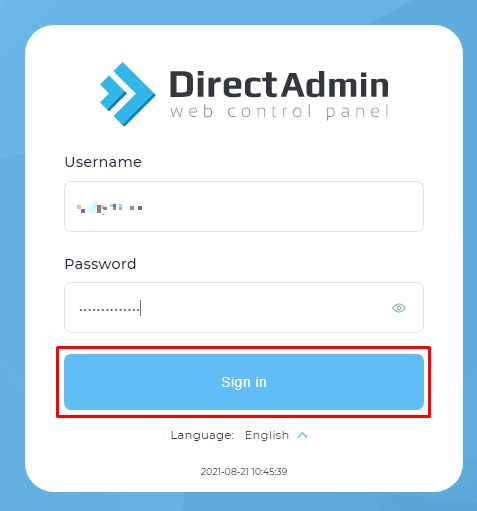
- Type your Username.
- Type your Password.
- Click Login.
You now see the main page of DirectAdmin with icons for each tool.
If you cannot log in
- Check for typing mistakes. Passwords are case sensitive, so capital letters matter.
- Make sure the address ends with
:2222. - Try another browser or a private window.
- Use the forgot password link on the login page if it is shown. It sends a reset link to the email set on your account.
- Too many wrong tries can block your IP for a while. Wait and try again, or ask support.
Tip: Bookmark the page. Do not share your password with anyone.
Still stuck? Open a ticket at https://secure.hostvento.com/submitticket.php.
Quick recap
- DirectAdmin is a control panel for your hosting.
- Go to your panel address on port 2222.
- Enter your user name and password, then click Login.
- Your welcome email has the login details.