What is a domain?
A domain is the name of a website, like example.com. People type it to find you. Adding a domain to DirectAdmin gives it a folder and settings on your hosting. Each domain gets its own website files.
Your plan must allow more than one domain. If the option is missing, ask Hostvento support whether your plan allows it.
Before you start
- You must own the domain. Buy or register it first if you do not.
- Know where its nameservers point. Nameservers tell the internet where your site lives. For the site to show on this hosting, the domain must use the nameservers from your welcome email.
Steps
- Log in to DirectAdmin. Your welcome email has the address and login.
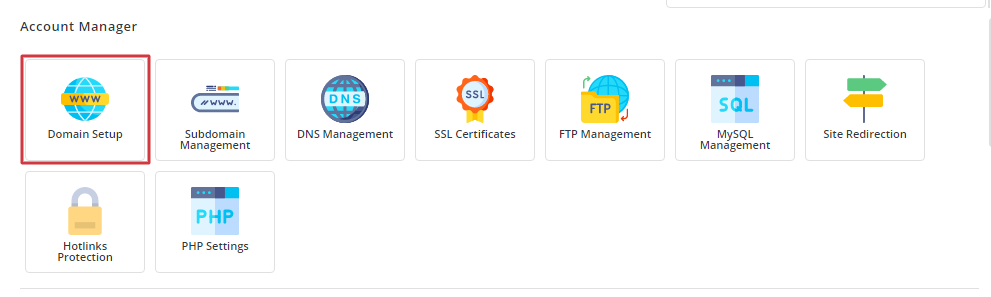
- Look for Account Manager and open Domain Setup. In some skins the link is called Domain Administration. Use the search box if you cannot see it.
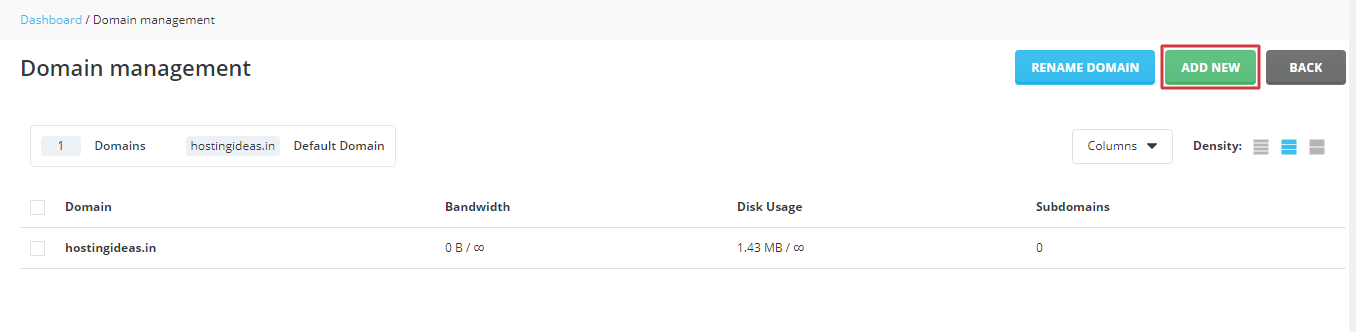
- Click Add Another Domain, or the Create Domain button.
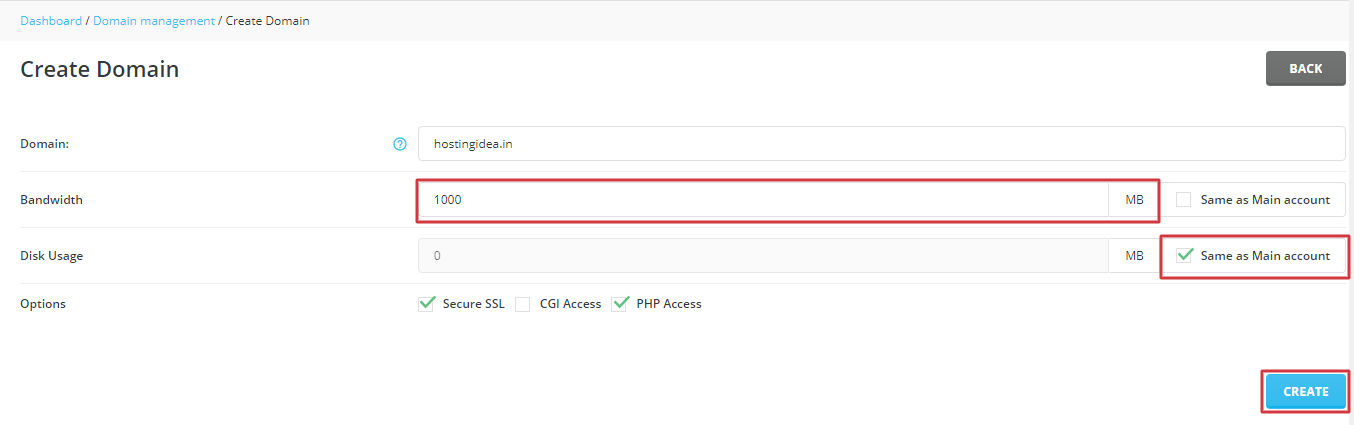
- Type the domain name in the box. Write only the name, like
example.com. Do not addwwworhttp. - Check the options on the page. The usual ones are:
- Bandwidth: how much data visitors may use. Leave it as it is if unsure.
- Disk space: how much storage the domain may use.
- SSL: this turns on https, the lock in the browser. Tick it if offered.
- PHP and CGI: leave on for most sites.
- Click Create.
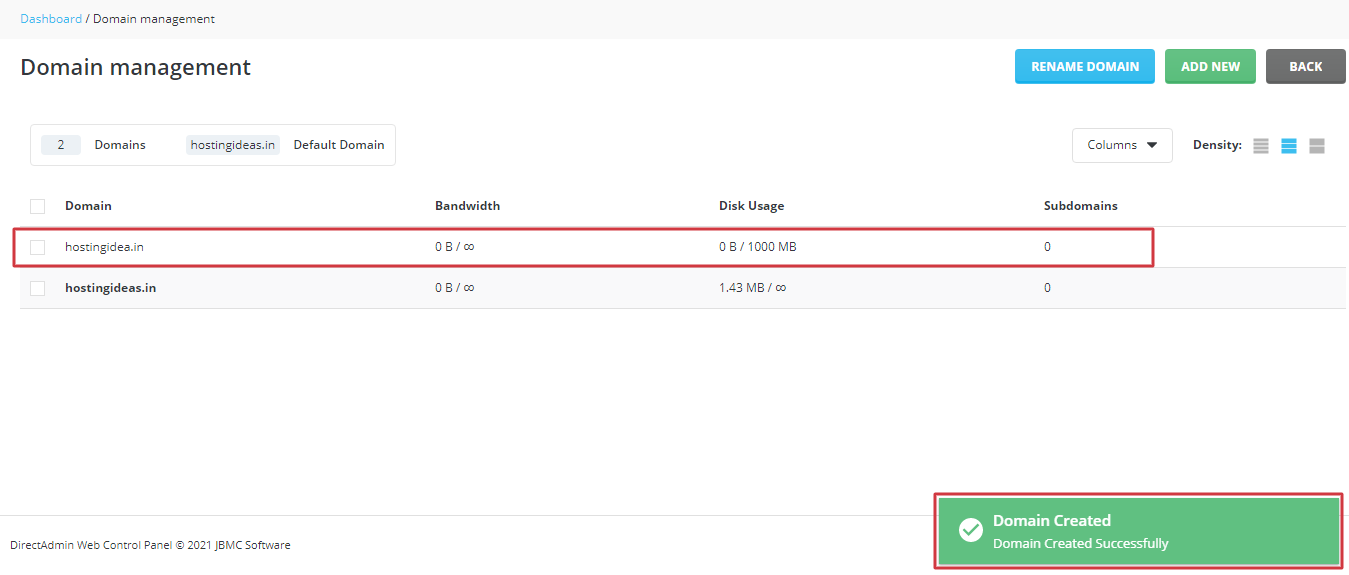
DirectAdmin shows the new domain in your list. Its files go in a folder like domains/example.com/public_html. Upload your site there.
Point the domain
- Go to the place where you manage the domain's nameservers.
- Enter the nameservers from your welcome email.
- Wait. It can take up to a day to spread.
Tip: If you are unsure about the nameservers, ask support before changing them. A wrong change can take a live website offline.
Contact support at https://secure.hostvento.com/submitticket.php.
Quick recap
- Adding a domain gives it its own folder on your hosting.
- Open Domain Setup and add the name.
- Upload files to its
public_htmlfolder. - Point the domain's nameservers at your hosting.