

What is this about?
An email password lets you open one mailbox, such as info@example.com. An FTP password lets you upload files to your website. FTP is a way to send files from your computer to your hosting. Normally you change these inside DirectAdmin, the control panel for your hosting.
Option 1: The webmail password page
Some servers let mailbox owners change their own password. They do this without the main panel login. It works only if your host has turned it on.
- Open your webmail page. Your welcome email or support can tell you the address.
- Log in with your email address and current password.
- Open Settings.
- Look for a Password section.
- Type your old password once. Type the new one twice.
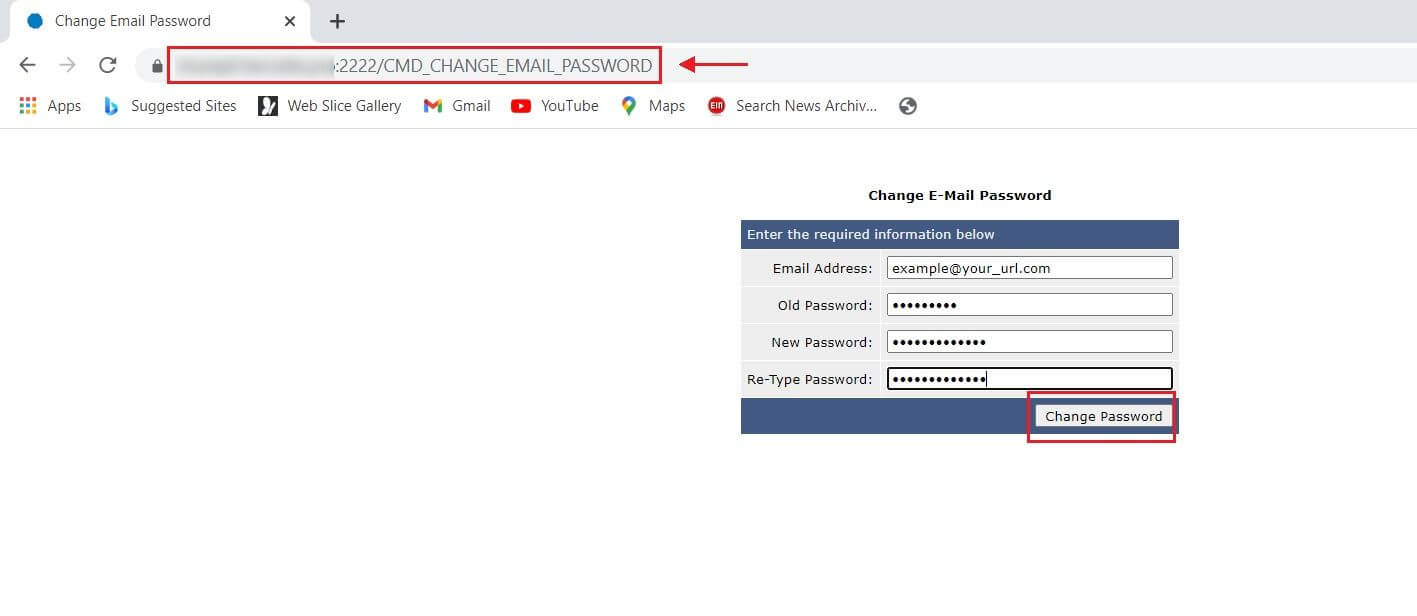
- Click Save.
This only works if you still know the current password. The same webmail tools may not exist for FTP.
Option 2: Reset your DirectAdmin login first
If the real problem is a lost panel password, fix that first. Then you can change the other passwords inside the panel.
- Go to the DirectAdmin login page.
- Look for a Forgot password link. If there is one, follow it.
- Check the email address on your account for a reset message.
- If there is no link, open a support ticket at https://secure.hostvento.com/submitticket.php.
- Support will check that you own the account and help you get back in.
Option 3: Ask support
If you cannot log in anywhere, support can reset the email or FTP password for you. Say which address or FTP account you mean. You may need to prove you are the owner.
Quick recap
- Webmail settings may let you change an email password, if your server allows it.
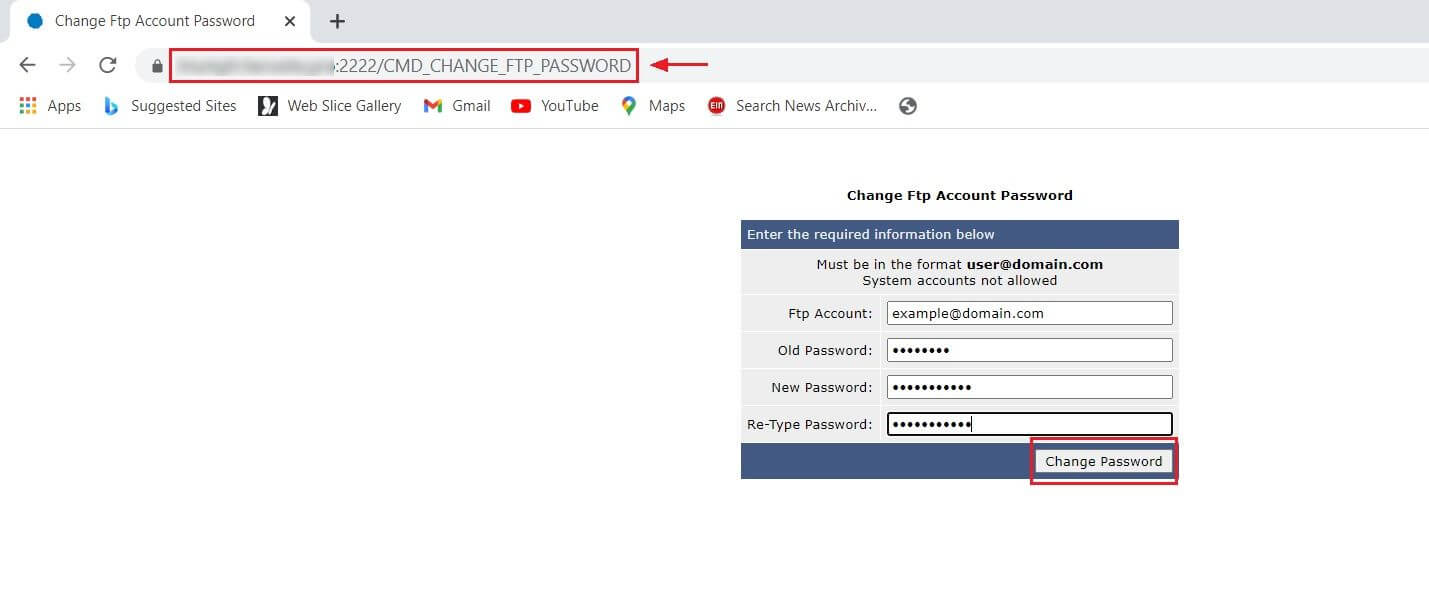
- FTP passwords are normally changed inside DirectAdmin.
- Try the forgot password link for your panel login.
- Open a support ticket if you are locked out.
- Update the password in all your apps afterwards.