

What are security questions?
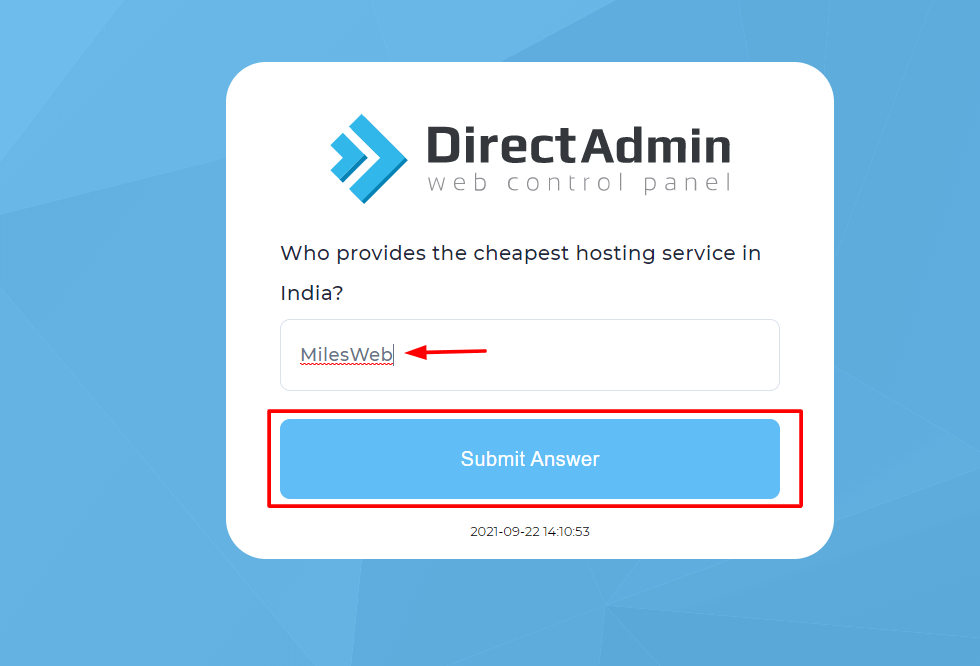
A security question is a secret question only you can answer, like the name of your first school. The panel asks it as an extra check when you log in or when you reset a password. It is like a second lock on a door. Menu names change between DirectAdmin versions and skins, so this guide tells you where to look. Some servers do not turn the option on. If you do not see it, ask Hostvento support.
Steps
- Log in to DirectAdmin. Your welcome email has the address and your details.
- Click your user name in the top corner, or open Account Manager.
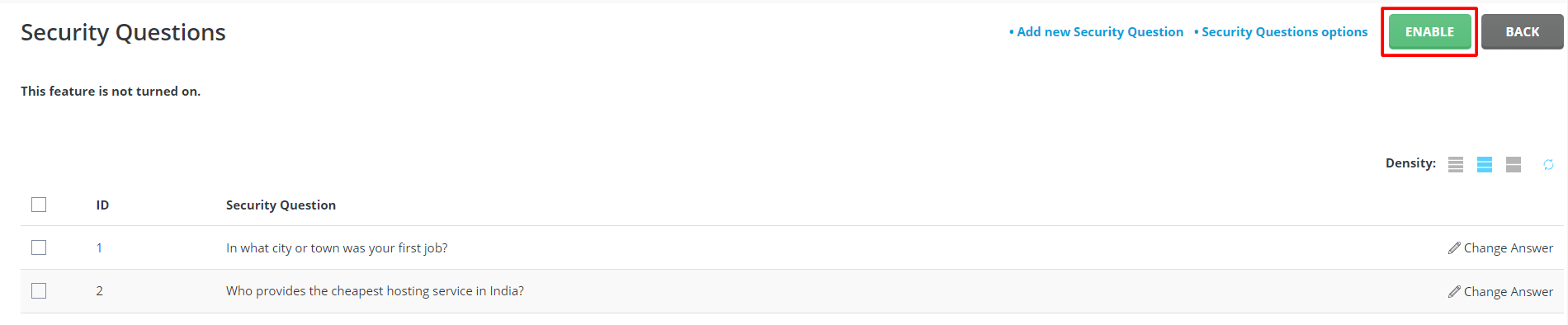
- Look for a page about login or account security. Try names like Login Keys, Security Questions or Two-Step Authentication. The search box at the top helps.
- Open Security Questions.
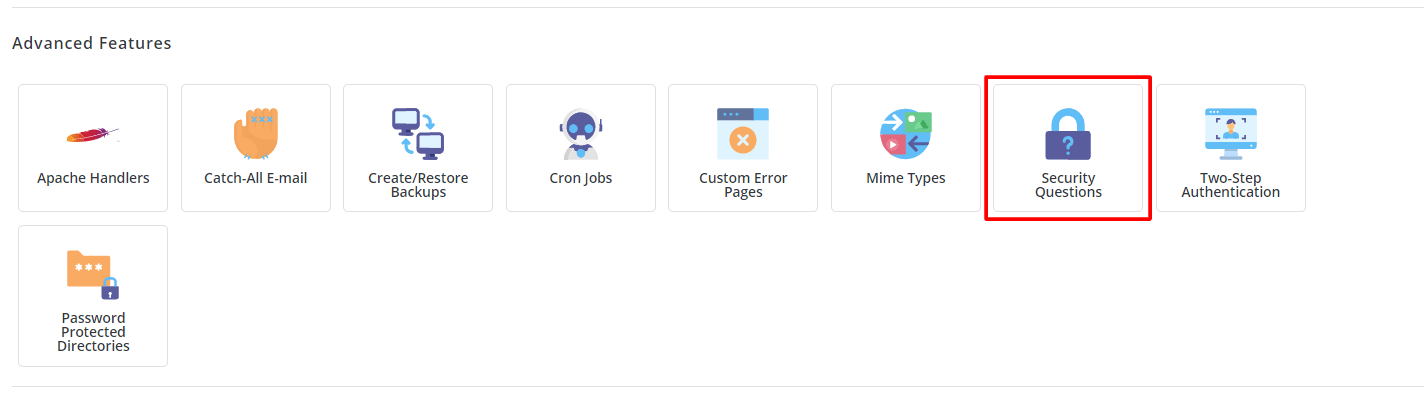
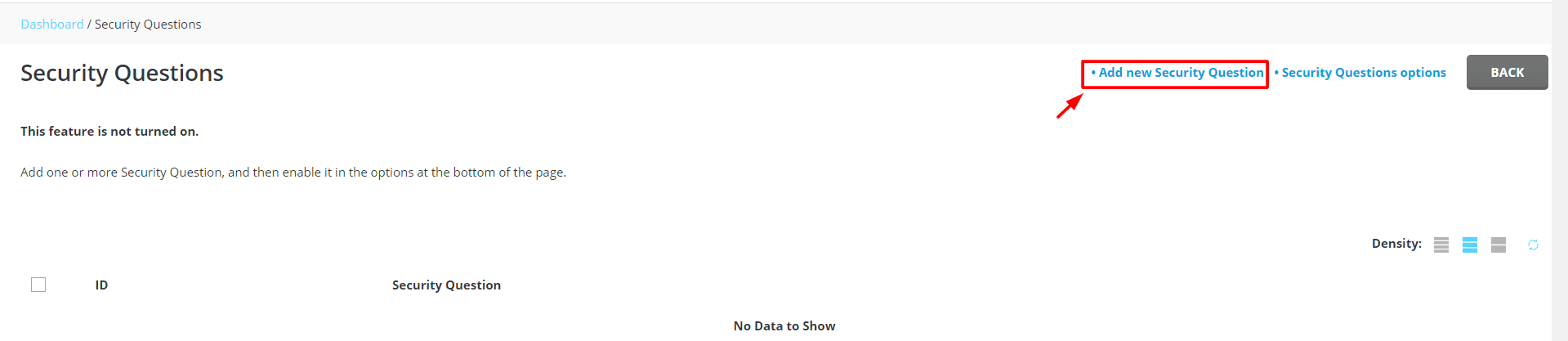
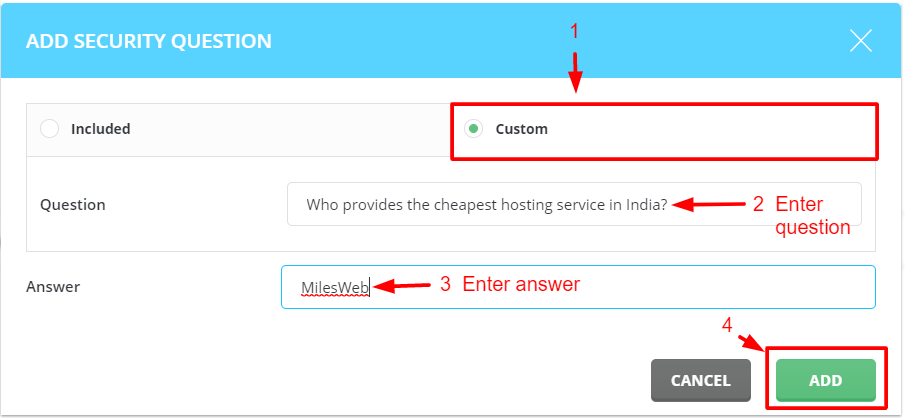
- Pick a question from the list, or type your own if the page allows it.
- Type an answer you will remember. Make it something others cannot guess.
- Repeat for each question the page asks for.
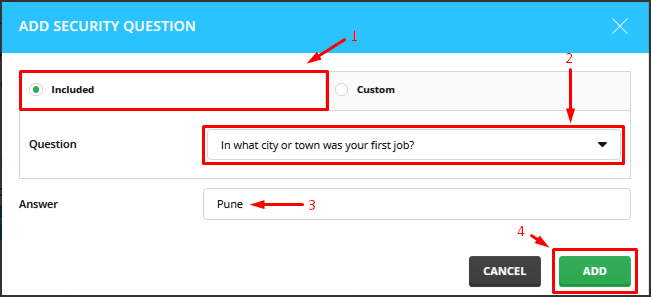
- Type your current password if the page asks to confirm.
- Click Save.
Tips for good answers
- Avoid answers people can find on your social media.
- Keep the spelling the same every time. Some systems care about capital letters.
- Write the answers in a safe place, such as a password manager. A password manager is an app that stores passwords for you.
- Do not share your answers.
Better protection: two-step login
Many DirectAdmin versions also have two-step login. After your password, you type a code from a phone app. Even if someone knows your password, they cannot get in. Look for Two-Step Authentication on the same page.
Tip: Keep a note of recovery codes if the panel gives you any. Without them you may be locked out.
Locked out? Open a ticket at https://secure.hostvento.com/submitticket.php.
Quick recap
- Security questions add an extra check on your account.
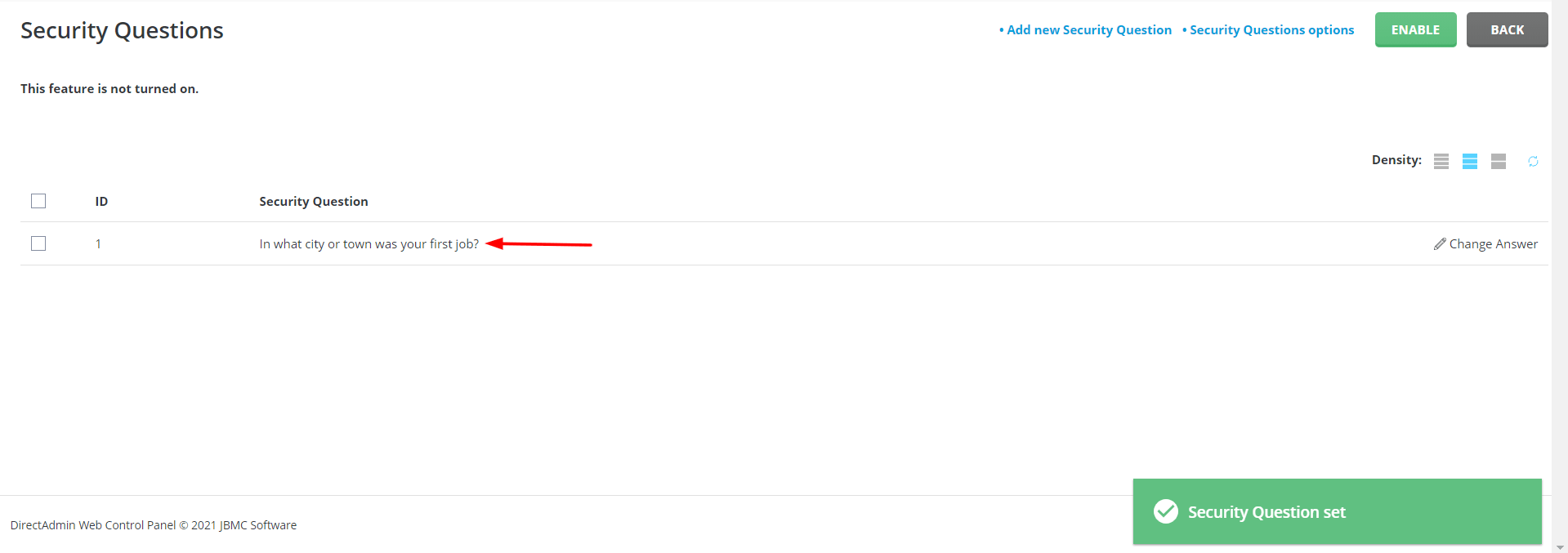

- Look under your account or login settings.
- Choose questions with answers only you know, then save.
- Think about two-step login too.