

What is a catch-all email?
Say someone writes to sales@yourdomain.com, but that address does not exist. Normally the mail bounces back. A catch-all is a rule that says: send every such mail to one mailbox instead. It is like a post office box for all letters with a wrong address.
It helps when people mistype an address. But it also catches spam, so the box can fill up fast.
Steps
- Log in to DirectAdmin. Your welcome email has the address and your details.
- Open E-Mail Manager. Use the search box if you cannot see it.
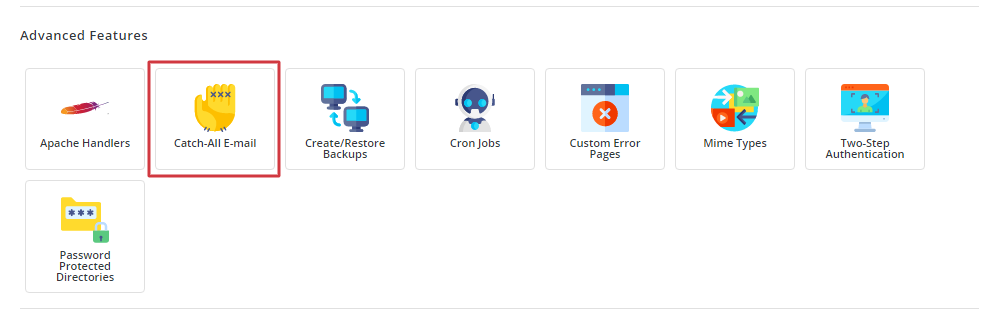
- Click Catch-All E-Mail. On some versions it is named Default Address.
- Choose the domain if the panel asks.
- Pick what to do with the mail. The usual choices are:
- Fail: bounce the mail back to the sender. This is the normal setting.
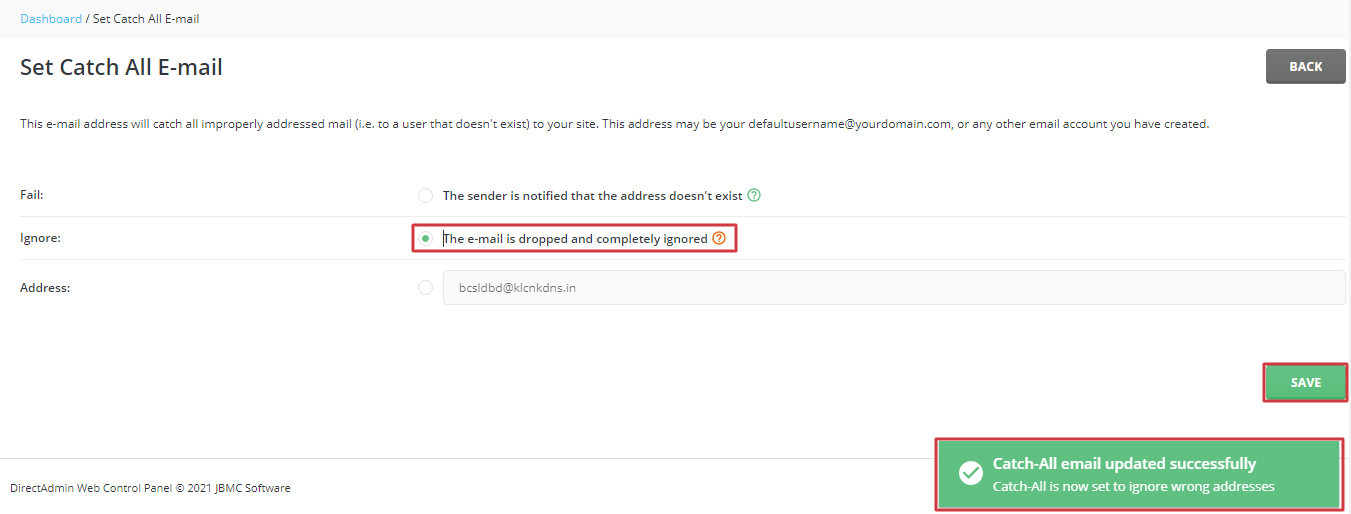
- Blackhole: throw it away without a message.
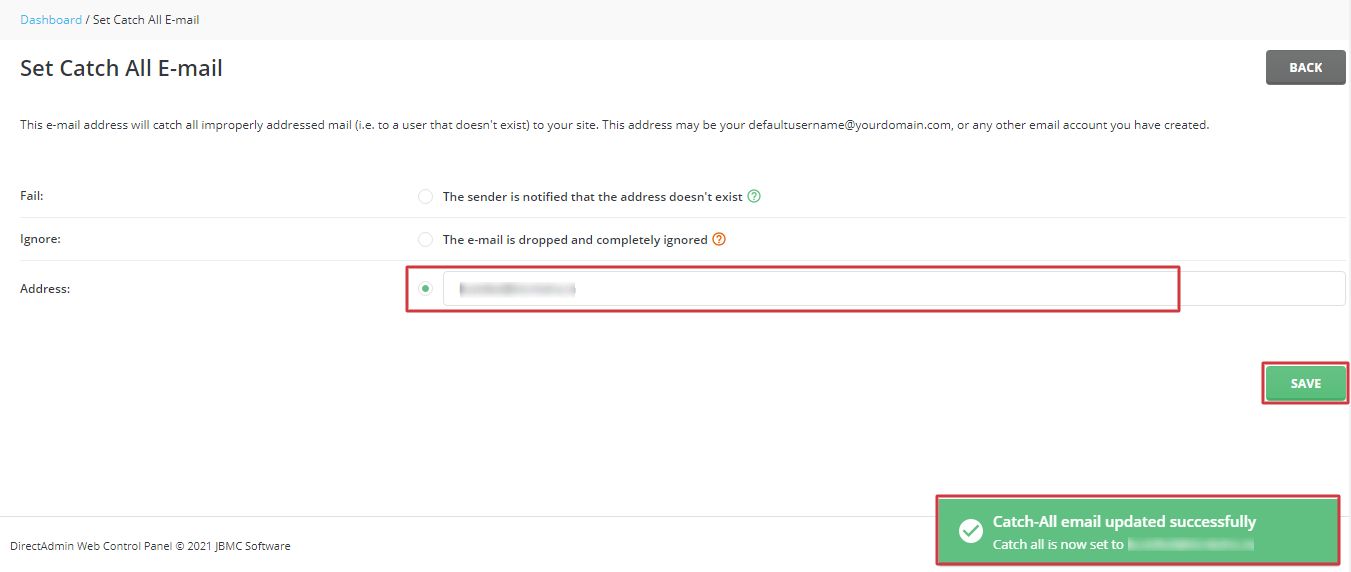
- Address: send it to one mailbox.
- Choose the address option. Type the full email address that should get the mail, like
info@yourdomain.com. This address must already exist.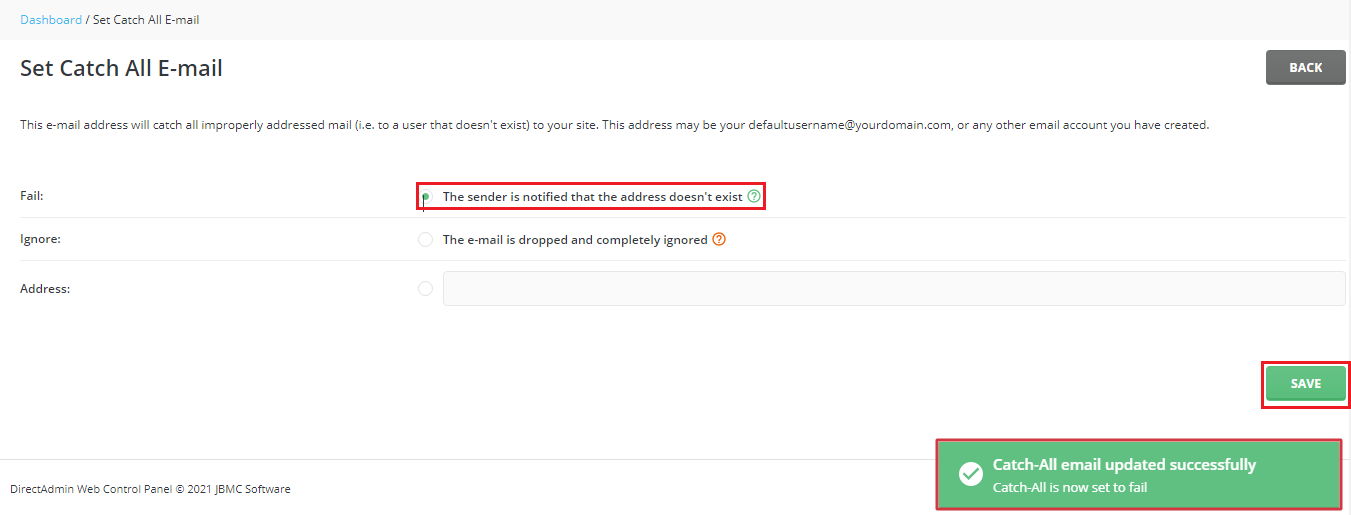
- Click Set or Save.
Test it
- From another email account, send a mail to a made-up address at your domain, such as
test123@yourdomain.com. - Open the mailbox you picked. The mail should arrive in a few minutes.
Turn it off
- Go back to Catch-All E-Mail.
- Choose Fail.
- Save.
Tip: Check the box often and clear the spam. A full mailbox may stop real mail from arriving. If spam grows too large, turn the catch-all off.
Need help? Open a ticket at https://secure.hostvento.com/submitticket.php.
Quick recap
- A catch-all sends mail for unknown addresses to one mailbox.
- Set it in E-Mail Manager, then Catch-All E-Mail.
- Choose the mailbox and save.
- Expect spam, and turn it off with Fail if needed.