

What is an email account?
An email account is a mailbox on your hosting, like info@yourdomain.com. Each mailbox has its own password. You should change it if you forgot it, or if you think someone else knows it.
Steps
- Log in to DirectAdmin. Your welcome email has the login address and details.
- Find the E-Mail Manager section. In some skins it is called Email Accounts.

- Click Email Accounts.
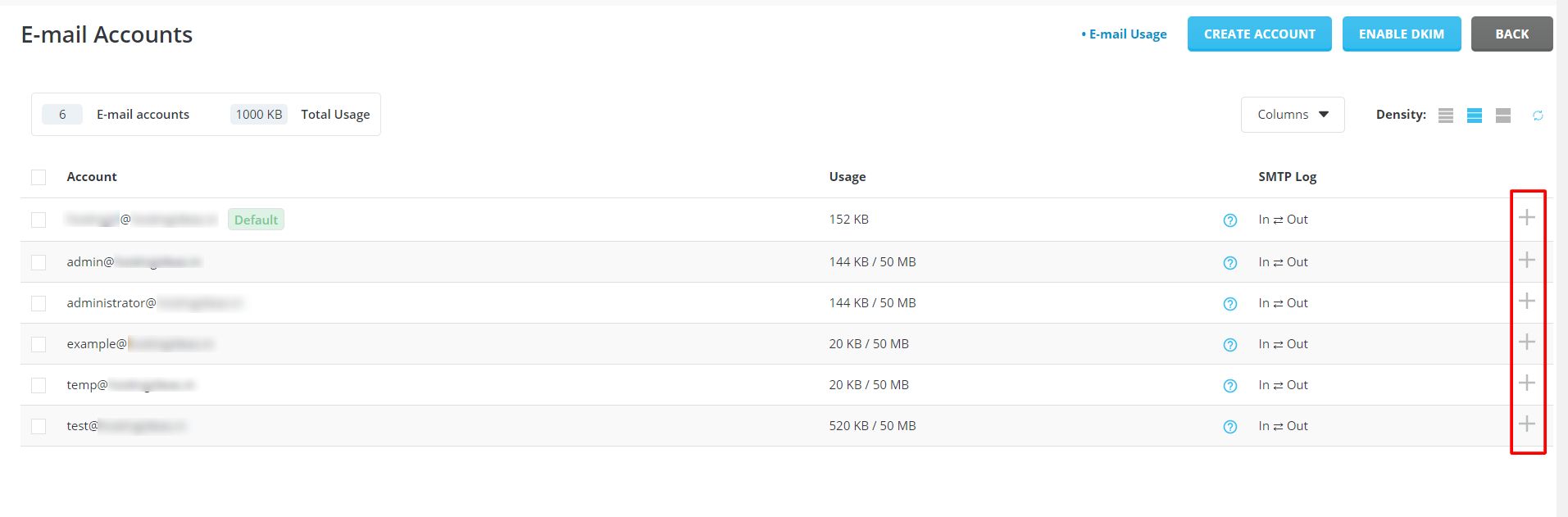
- You will see a list of your mailboxes.
- Find the address you want to change.
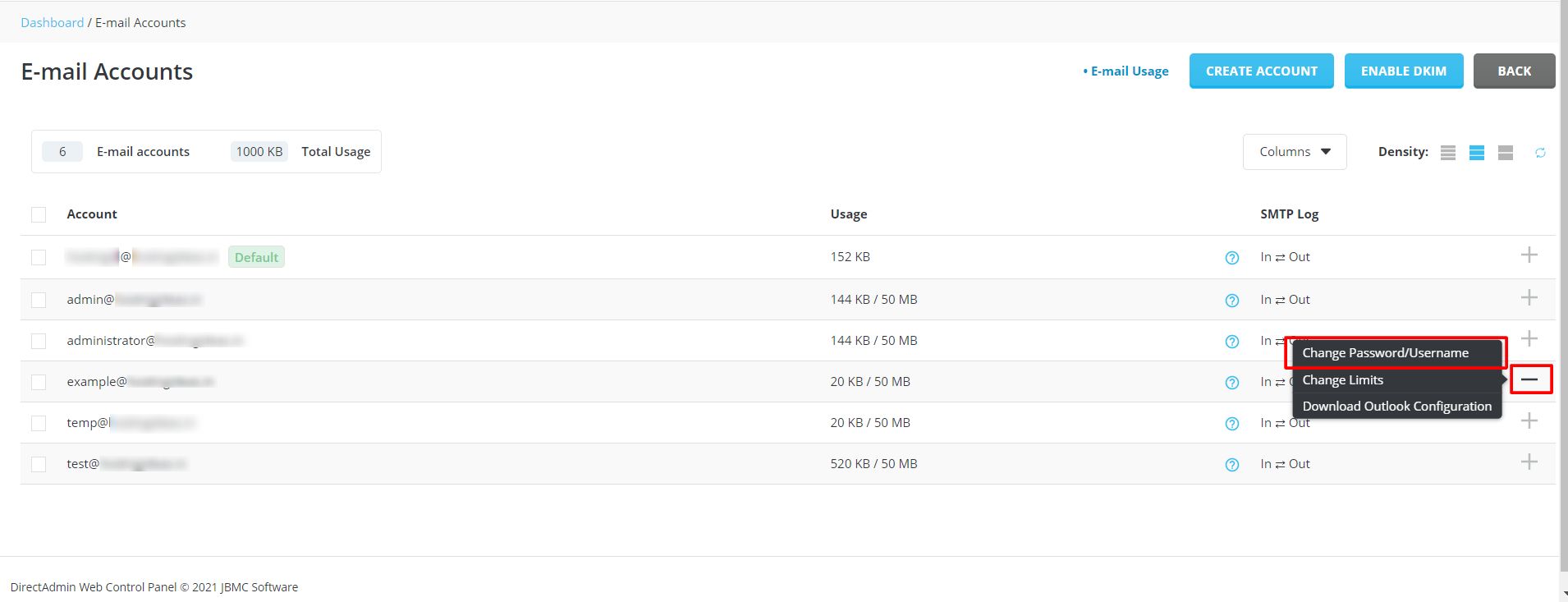
- Click Change Password next to it. In some skins you click a pencil or Modify icon.
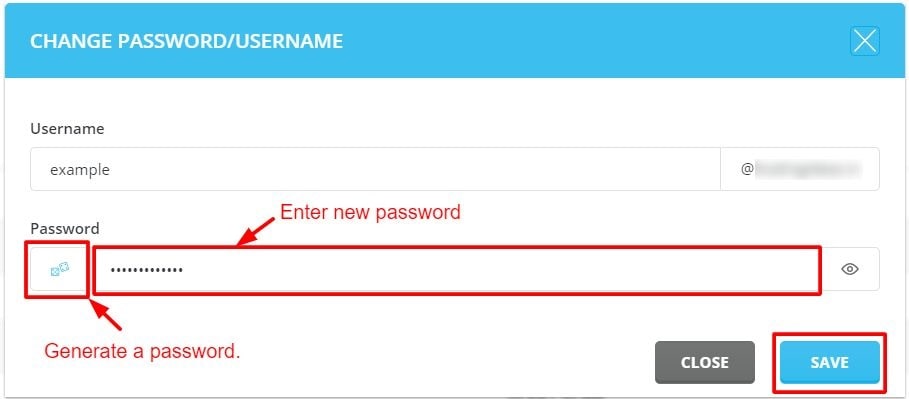
- Type the new password in the first box.
- Type it again in the second box to confirm.
- Click Save.
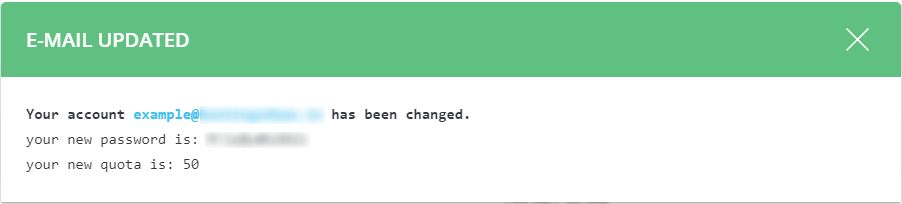
DirectAdmin shows a message when the change works.
Choosing a good password
- Use at least 12 characters.
- Mix capital letters, small letters, numbers and symbols.
- Do not use your name, birthday or the word "password".
- Use a different password for every account.
Many panels have a button that makes a random password for you. Copy it and keep it somewhere safe.
After you change it
The old password stops working right away. Every place that checks this mailbox needs the new one. That means your phone, your computer mail program and any webmail you saved.
- Open your mail app on each device.
- Go to the settings for that account.
- Type in the new password.
- Send a test email to check it works.
Tip: If your mail app keeps asking for a password, it is probably still using the old one. Update it in the app settings.
Tip: Menu names can vary between DirectAdmin skins. If you cannot find an option, use the search box in the panel.
Quick recap
- Open E-Mail Manager, then Email Accounts.
- Pick the mailbox and click Change Password.
- Type the new password twice and save.
- Update the password on your phone and mail apps.
- Use a long, unique password.