

What is a PHP version?
PHP is the language behind many websites, including WordPress. Like apps on your phone, PHP gets new versions. Newer versions are faster and safer. Old versions stop getting security fixes.
Some old plugins or themes only work on older versions. That is why you may need to switch.
Before you start
Changing PHP can break a site that uses old code. Take a backup first. Then change the version and test.
Steps
- Log in to DirectAdmin.
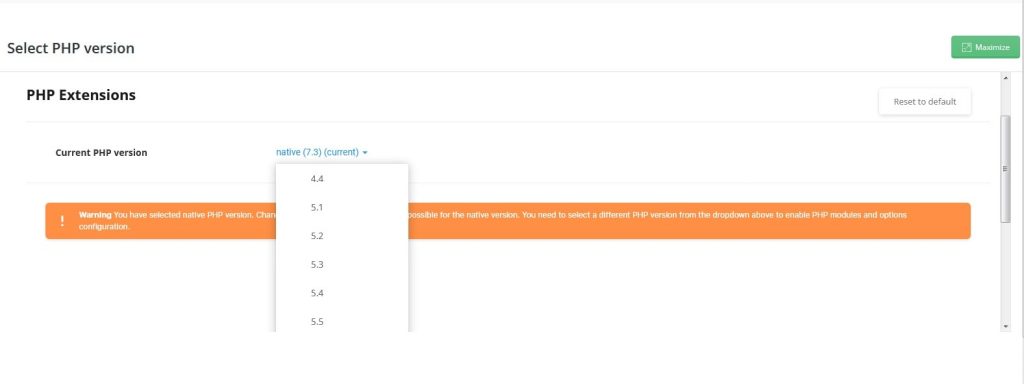
- Find Select PHP Version. It is often under Account Manager or Extra Features. In some skins it is under Domain Setup.

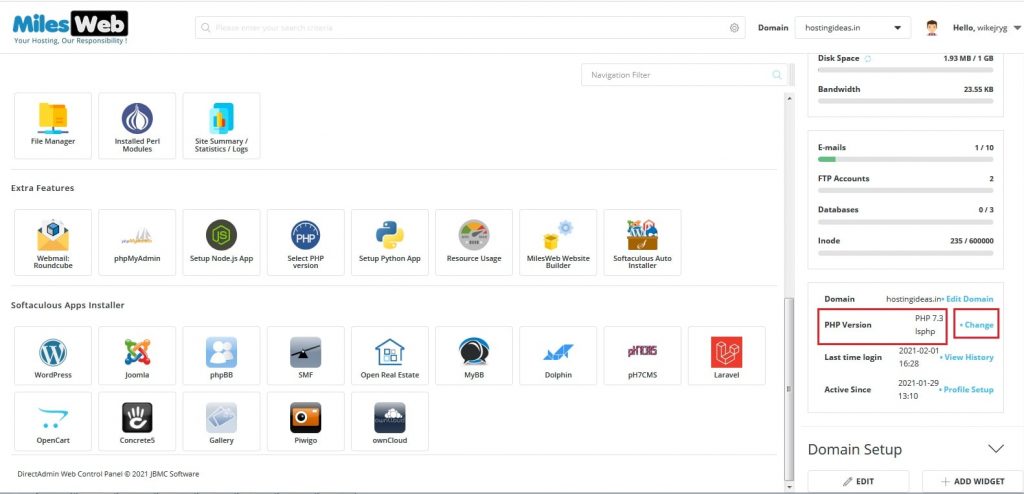
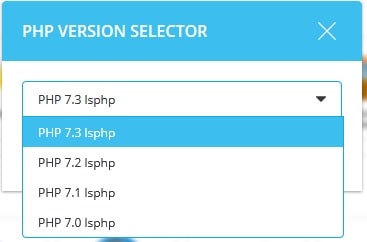
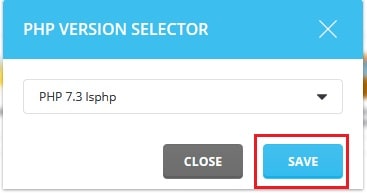
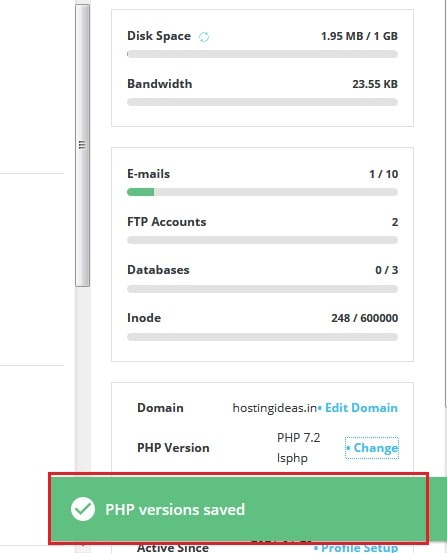

- If your server shows a list of domains, click the domain you want to change.
- Open the list of PHP versions.
- Choose the version you want. Only versions installed on the server will show.
- Click Save or Apply.
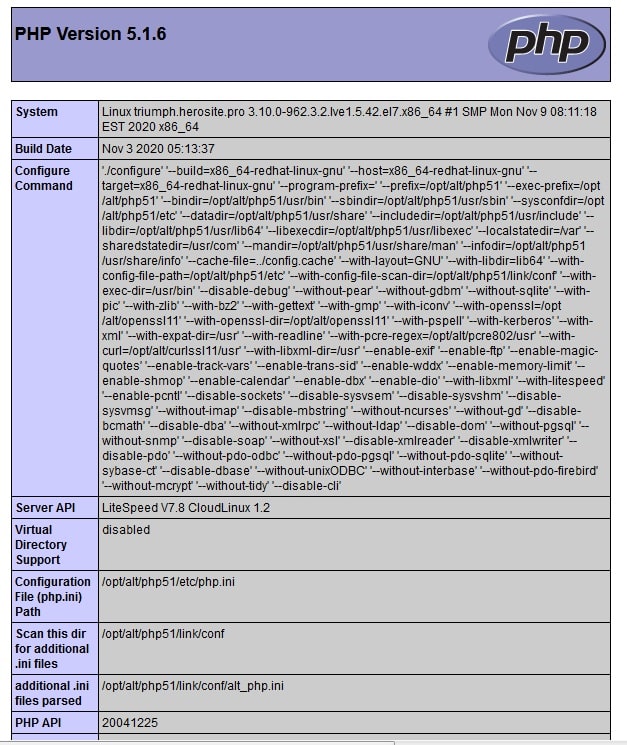
- Open your website in a browser. Check the main pages.
If your site shows an error
- Go back to the same page.
- Choose the version you used before.
- Save and reload the site.
- Update your plugins and themes, then try the new version again.
If you cannot find the page
Some servers do not offer several PHP versions to users. The version may be set by the server admin. Open a ticket at https://secure.hostvento.com/submitticket.php and ask which versions your plan allows.

Which version should I choose?
Pick the newest version that your site works with. Check what your CMS needs. A CMS is the software that runs your site, such as WordPress or Joomla. Its documentation lists supported PHP versions.
Quick recap
- Newer PHP is faster and safer, but old code may break.
- Take a backup before you change.
- Use Select PHP Version and save.
- Test your site and roll back if needed.
- Ask support if the option is missing.