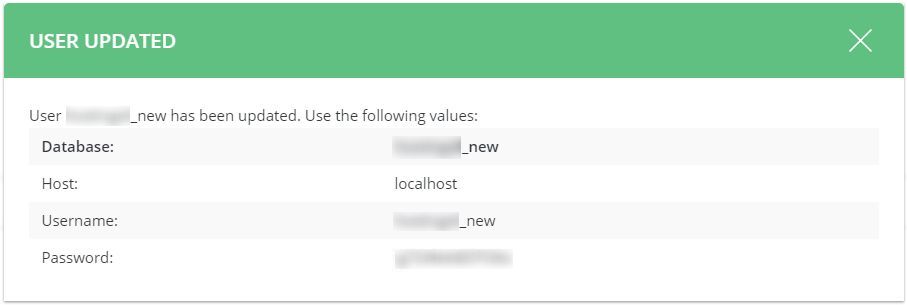
What is a database user?
A database stores the information of your website, such as posts, orders and settings. A database user is a login that is allowed to open that database. Your site uses this login in the background. You can think of it as a key that only your website holds.
Very important warning
If you change the database password, your website will lose its connection until you update its config file. A config file is a settings file inside your site folder. Do both parts of this guide together. Take a backup first.
Part 1: Change the password in DirectAdmin
- Log in to DirectAdmin.
- Open MySQL Management. It is in Account Manager or Extra Features.

- Click the name of the database you use.
- Find the list of database users.
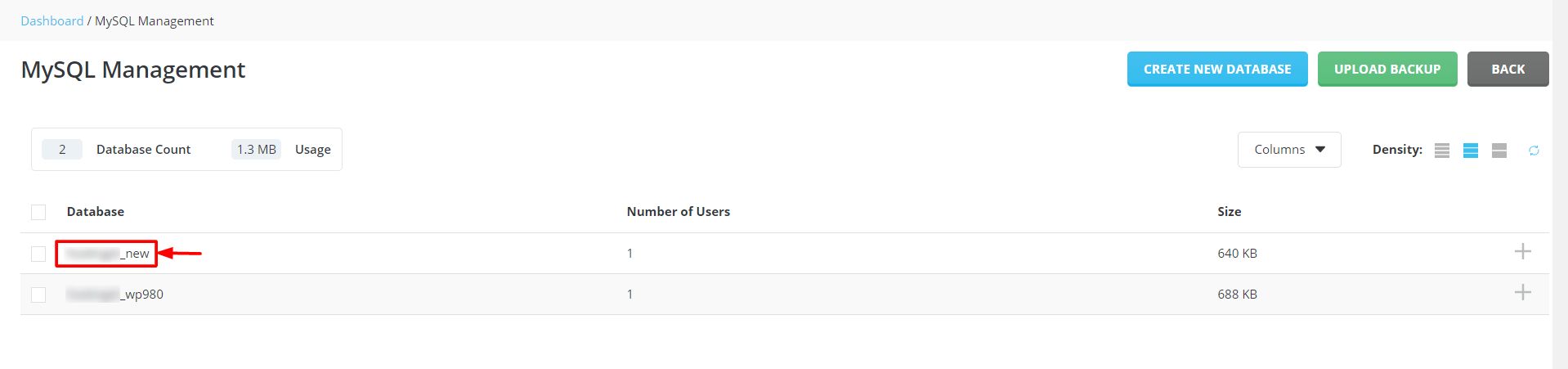
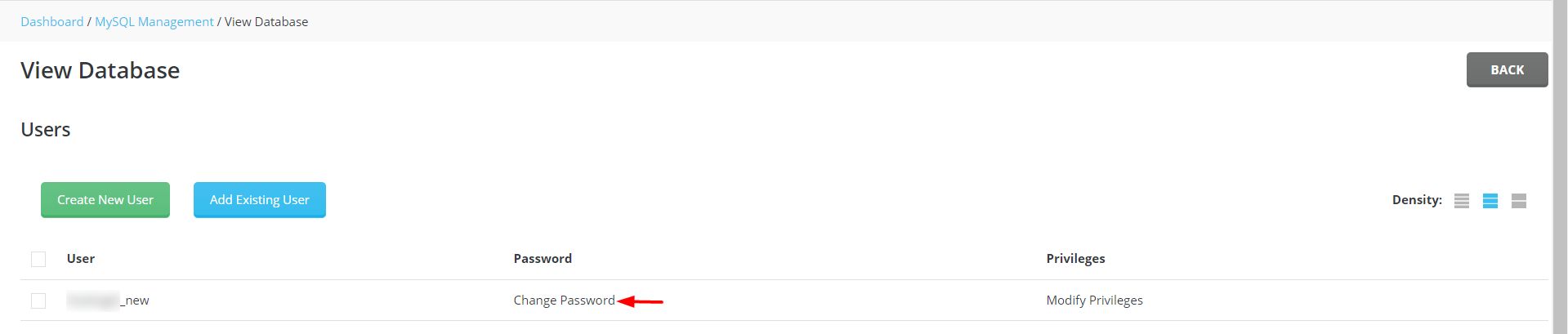
- Click Change Password next to the user.
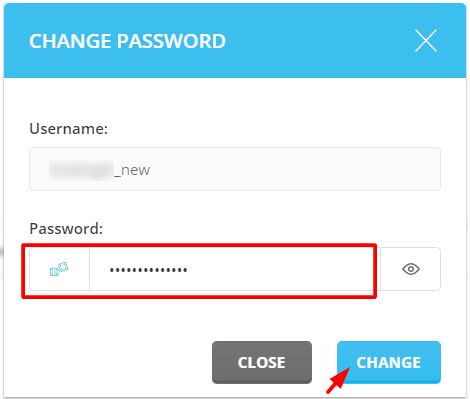
- Type a new password. Type it again to confirm.
- Click Save.
Use a strong password. Avoid characters such as quotes, spaces and the "#" symbol, because they can cause trouble in config files.
Part 2: Update your website
Each app stores the database password in its own file. Here are common ones.
| App | File | Setting |
|---|---|---|
| WordPress | wp-config.php | DB_PASSWORD |
| Joomla | configuration.php | $password |
| Other apps | See the app's own guide |
- Open File Manager in DirectAdmin.
- Go to your website folder. This is often public_html.
- Open the config file for your app.
- Replace the old password with the new one. Keep the quotes around it.
- Save the file.
- Open your website. It should load again.
If you see "Error establishing a database connection"
The password in the config file probably does not match. Check for extra spaces or a typo. Make sure the database name and user are right too.
Quick recap
- A database user is the login your site uses to reach its data.
- Change the password in MySQL Management.
- Then update the same password in your site's config file.
- Back up first, and test the site afterwards.
- Use simple symbols in the password to avoid errors.