

What is a reseller?
A reseller is a DirectAdmin account that can create and manage other accounts, called users. For example, a web designer may host their clients' websites as users under one reseller account. If a client forgets their password, the reseller can set a new one.
Steps
- Log in to DirectAdmin with your reseller username and password.

- Open Manage User Accounts. You may also see it as Manage Users or Account Manager.
- Find the user in the list. Use the search box if you have many users.
- Click the username to open that user's settings.
- Look for Modify Account or User Details.
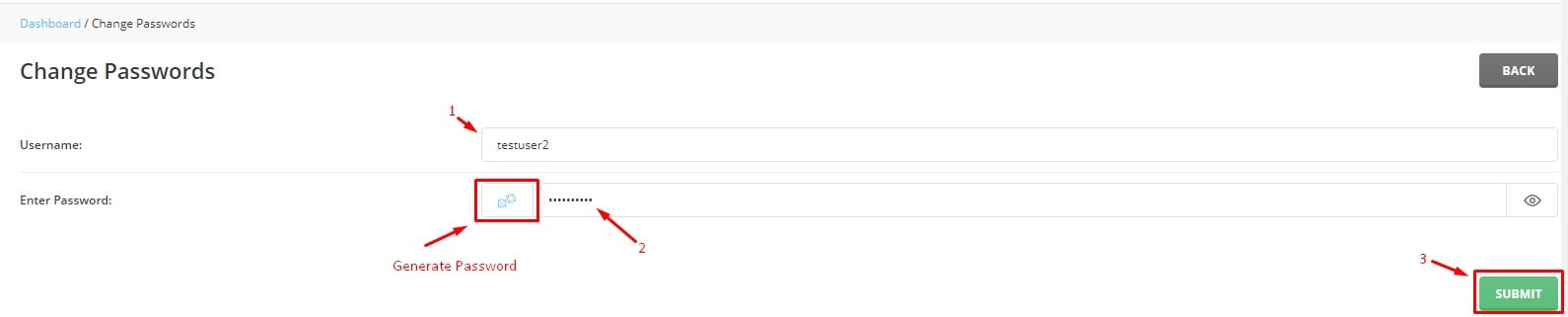
- Find the password boxes.
- Type the new password.
- Type it again to confirm.
- Click Save.
The user can log in with the new password at once.
What this password controls
The user's account password is also the password of their main FTP account. FTP is a way to upload files to a website. So when you change it, the user must also update it in their FTP program. Email passwords and database passwords are separate. They are not changed here.
Sending the new password safely
- Do not send passwords in a plain message if you can avoid it.
- Ask the user to change the password again after they log in.
- Use a long password, with letters, numbers and symbols.
Ways to log in as the user
Some versions of DirectAdmin let a reseller open a user's panel without knowing the password. This is useful when you only need to help them. Look for a Login As option or a login icon next to the user in the list.
If you cannot find the user, they may belong to another reseller. You can only manage your own users. Ask Hostvento support if something looks wrong.
Quick recap
- Resellers can reset the password of their own users.
- Open Manage User Accounts and select the user.
- Enter the new password twice and save.
- The user must update their FTP program too.
- Share the password in a safe way.