

What is an email summary?
An email summary is a quick look at your mail setup. It can show how many mailboxes you have, how much space each one uses, and how many more you may create. It helps you spot a mailbox that is almost full. A full mailbox cannot receive new mail.
Steps to see your mailboxes
- Log in to DirectAdmin. Your welcome email has the login address.
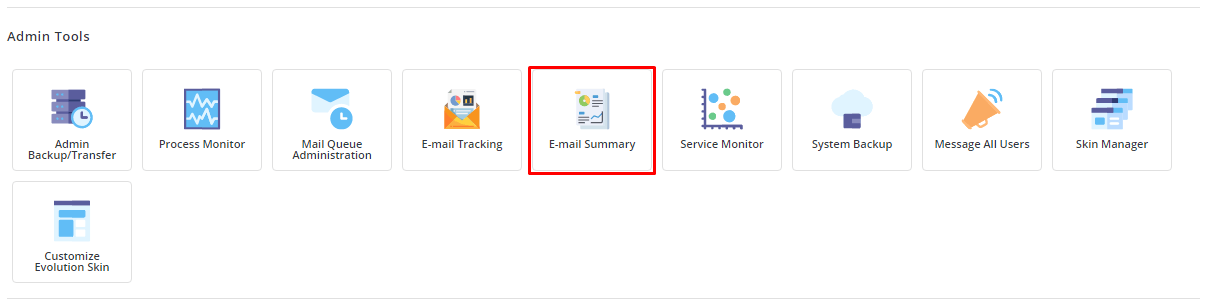
- Open the E-Mail Manager section.
- Click Email Accounts.
- Read the list. Each row is one mailbox.
- Look at the usage column. It shows how much space each mailbox uses, and often its limit.
Steps to see your account limits
- Go back to the main page of DirectAdmin after you log in.
- Find the box named Statistics or Account Usage on the home screen.
- Look for the lines about Email Accounts, Email Forwarders, Mailing Lists and Autoresponders.
- Each line shows how many you use and how many your plan allows. An unlimited plan shows the word Unlimited.
Your exact limits come from your plan. Ask Hostvento support if you want to know your limits or raise them.
Other places that help
- Email Forwarders lists addresses that pass mail to another address.
- Autoresponders lists automatic reply messages.
- Mail Queue, on servers that show it, lists messages waiting to be sent.
- Email Log or a similar page shows what happened to messages.
What to do if a mailbox is almost full
- Log in to the webmail of that mailbox.
- Delete old messages and empty the Trash and Spam folders.
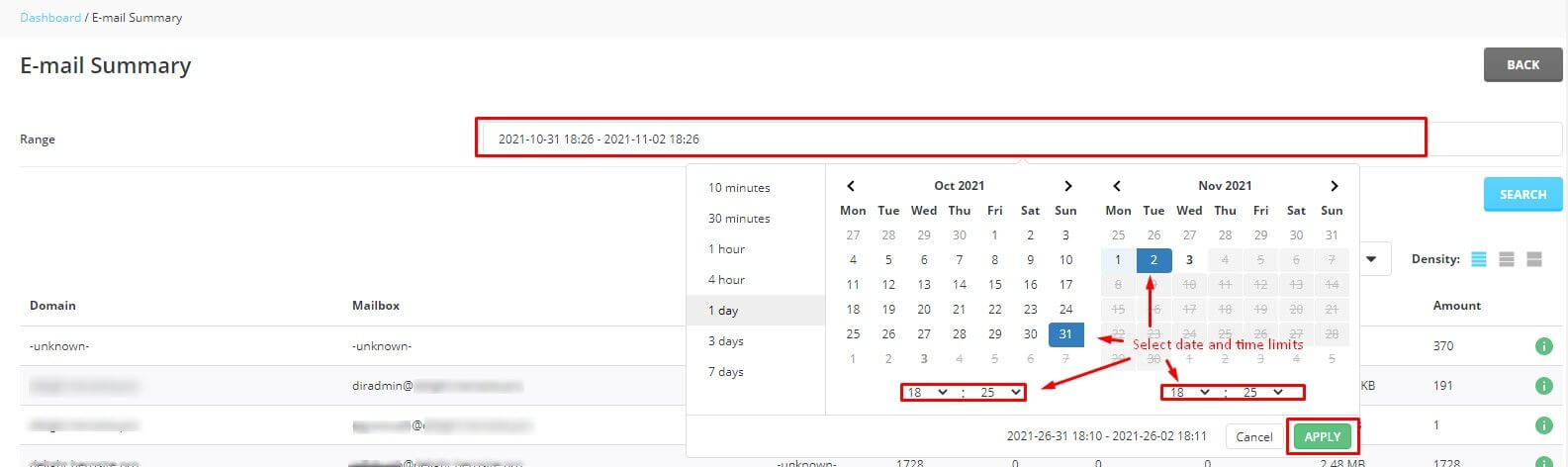
- Or return to Email Accounts and raise the quota if your plan has room. A quota is the space limit of one mailbox.
Tip: Check the summary once a month. Catching a full mailbox early stops you from missing messages.
Tip: Menu names can differ between DirectAdmin skins. Use the search box in the panel if you cannot find a page.
Quick recap
- The email summary shows your mailboxes and how full they are.
- Use E-Mail Manager, then Email Accounts.
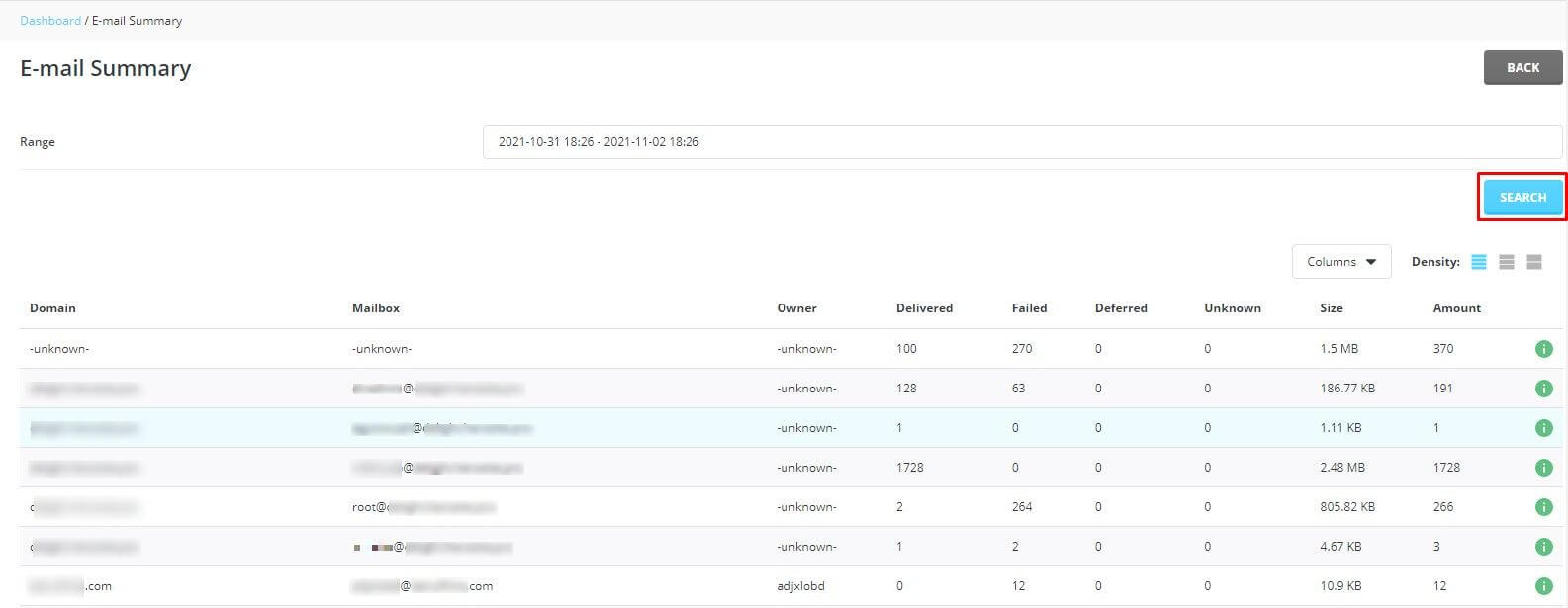
- The home page shows how many email items your plan allows.
- Free up space or raise the quota for full mailboxes.
- Ask support about plan limits.