

What is login history?
Login history is a list of times someone signed in to your control panel. Each entry shows a date, a time and an IP address. An IP address is a number that identifies a device or network on the internet, like a home address for a computer.
If you see an IP address or time that you do not know, someone else may have your password.
Steps
- Log in to DirectAdmin.
- Open Account Manager. In some skins this is a menu on the left.
- Click Login History.
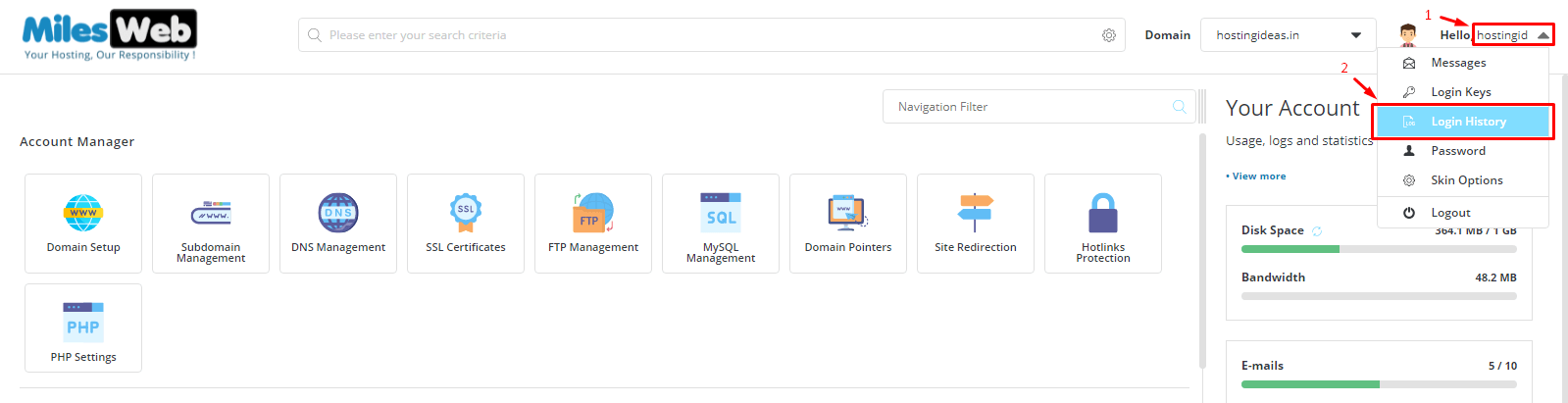
- Read the list of recent logins.
- Check each date, time and IP address.
If you cannot see this page, use the search box at the top of the panel. Type "login". Some servers hide the page or call it something else.
How to know if an entry is yours
- Your home or office internet has an IP address that stays the same for a while. Search "what is my IP" on the internet to see yours.
- Phone networks change IP addresses often. So an entry from your phone may differ every time.
- Entries from a different country that you never visited are suspicious.
If something looks wrong
- Change your DirectAdmin password at once. Use Password Change in Account Manager.
- Change your email and FTP passwords too.
- Scan your computer for viruses.
- Check your website files for anything you did not add.
- Open a support ticket at https://secure.hostvento.com/submitticket.php and send the IP addresses that look odd.
Other helpful options
Some DirectAdmin versions let you set an allowed list of IP addresses for login. You can also turn on two-step login if it is available on your server. Ask support whether your plan has these.
Tip: Look at your login history every few weeks. Early notice helps you fix a problem before it grows.
Quick recap
- Login history lists when and where your account was used.
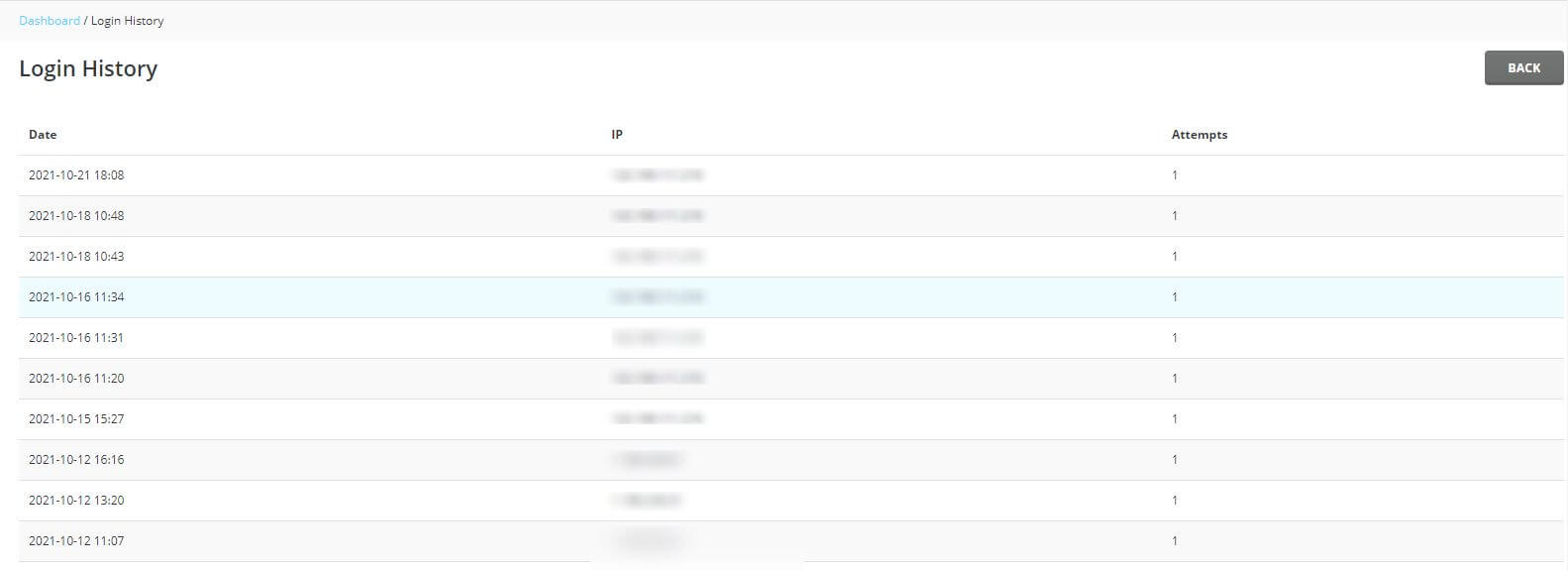
- Find it in Account Manager, under Login History.
- Check that every IP address belongs to you.
- If you see a stranger, change your passwords.
- Open a ticket if you need help.