

What is remote MySQL access?
MySQL is a database system. A database is an organized store of information, like a digital filing cabinet. By default, only your own website on the same server can open it. Remote access means that a computer somewhere else, such as your laptop or another server, may open it too.
People use this to run a desktop database tool or to connect an app hosted elsewhere.
Safety first
Opening your database to the internet has risk. Only allow the exact IP addresses you trust. An IP address is the number that identifies your network on the internet. Never allow every address. Use a strong password for the database user.
Steps
- Find the public IP address of the computer that will connect. Search "what is my IP" in a browser from that computer.
- Log in to DirectAdmin.
- Open MySQL Management.
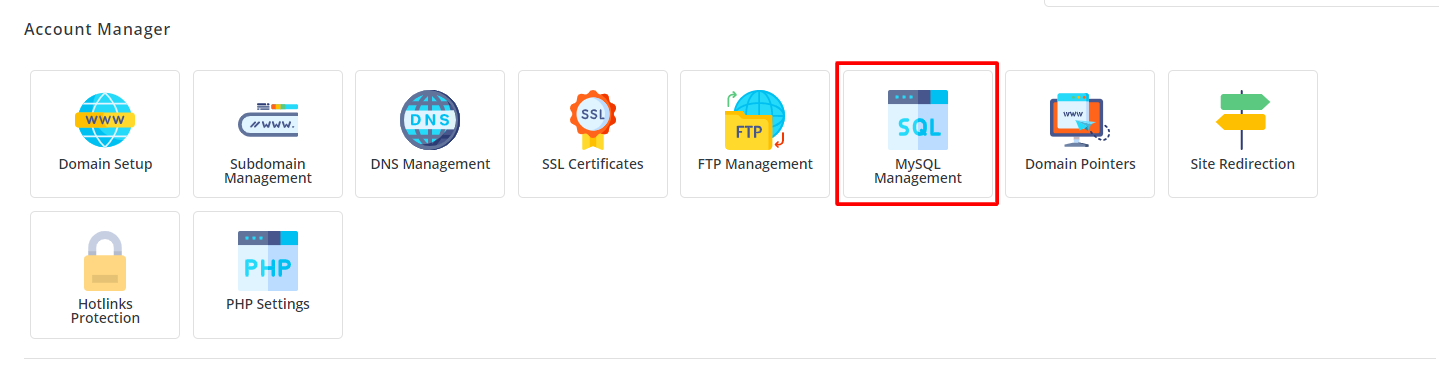
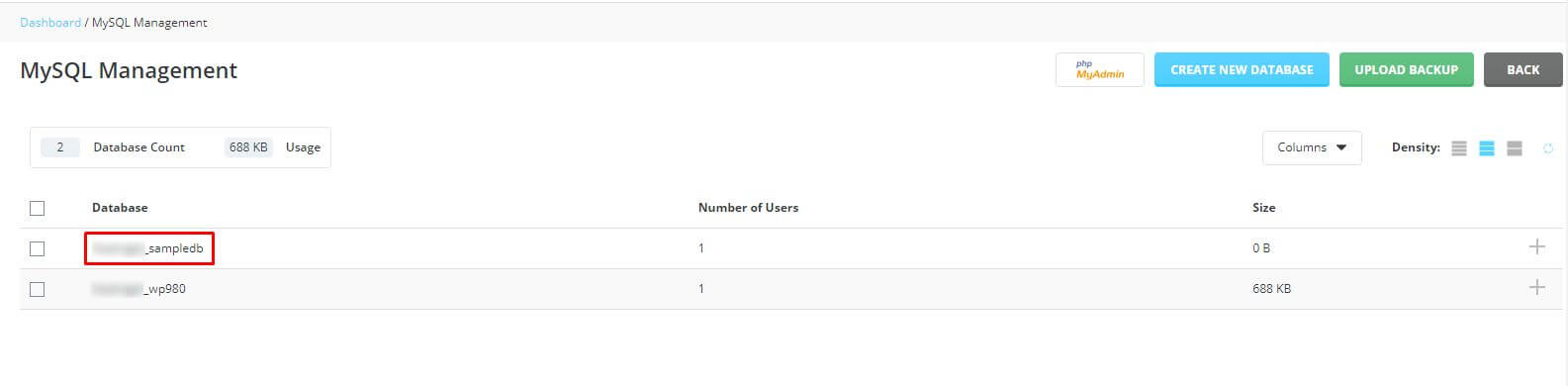
- Click the name of your database.
- Look for the Access Hosts link. It is also called Remote MySQL in some skins.
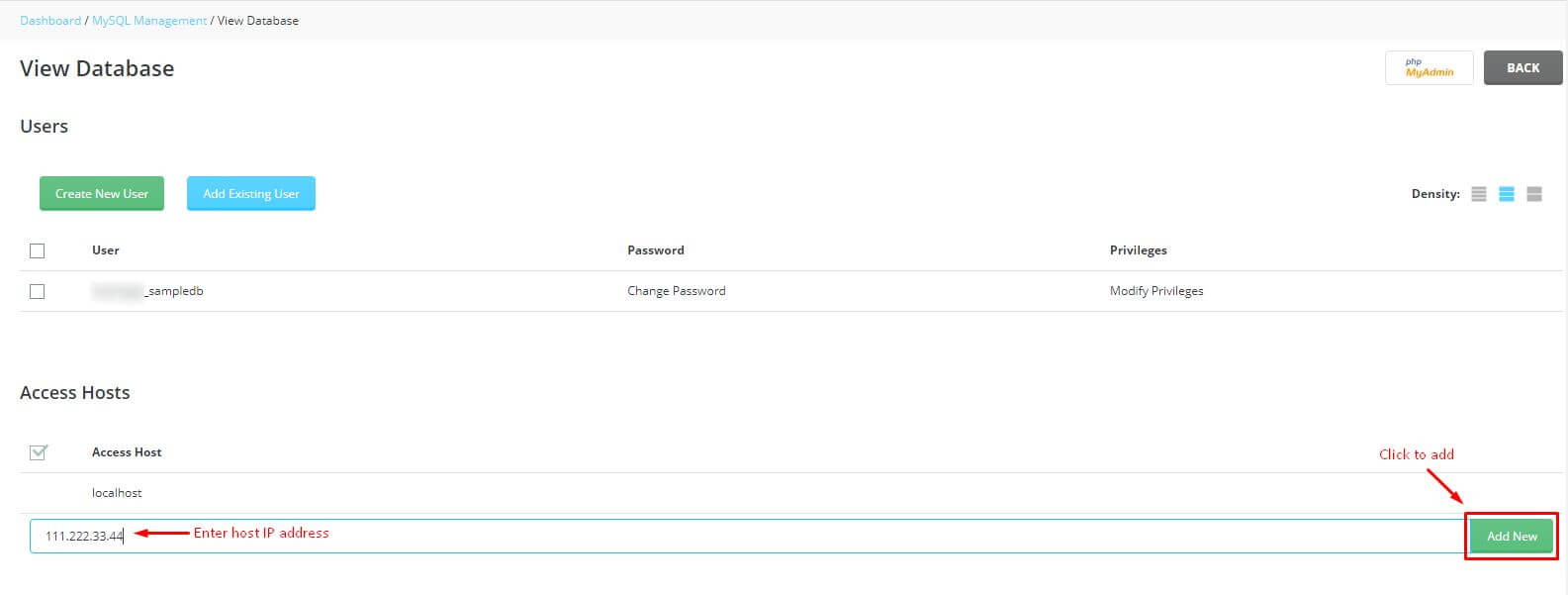
- Type the IP address into the box.
- Click Add Host.
- Check that the IP address shows in the list.
Connect from your computer
Use a database tool such as MySQL Workbench, or a command like this one:
mysql -h SERVER_NAME -u DB_USER -p DB_NAMEThis connects to the database called DB_NAME as the user DB_USER. Replace each word with your own details. It will ask for the password. Your welcome email or support can tell you the server name to use.
If it does not connect
- Check that the IP address you added is correct. Home internet addresses can change.
- Check the username, password and database name.
- The server firewall may block the MySQL port, which is usually 3306. Ask support at https://secure.hostvento.com/submitticket.php if remote access is allowed on your plan.
Remove access when done
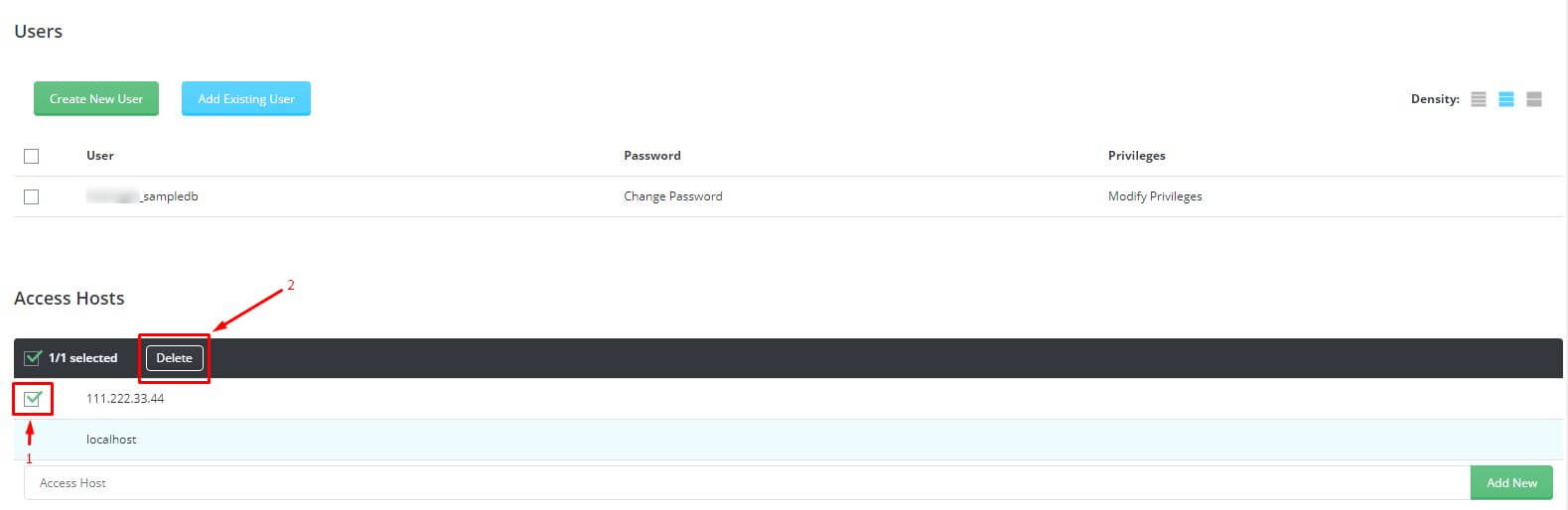
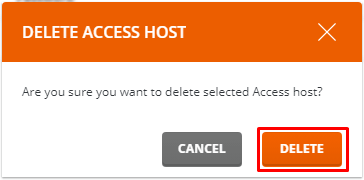
Go back to Access Hosts. Click Delete next to the address. Do this when you no longer need it.
Quick recap
- Remote access lets other computers use your database.
- Add only trusted IP addresses in Access Hosts.
- Use a strong database password.
- Connect with a database tool and the server name.
- Remove addresses you no longer need.