

What is an autoresponder?
An autoresponder is a robot that answers emails for you. When someone writes to your address, it sends back a ready-made message. It is like a note on your door that says "I am away, back on Monday".
People use it for holidays, for a "we got your message" reply, or for a short info message.
Steps
- Log in to DirectAdmin.
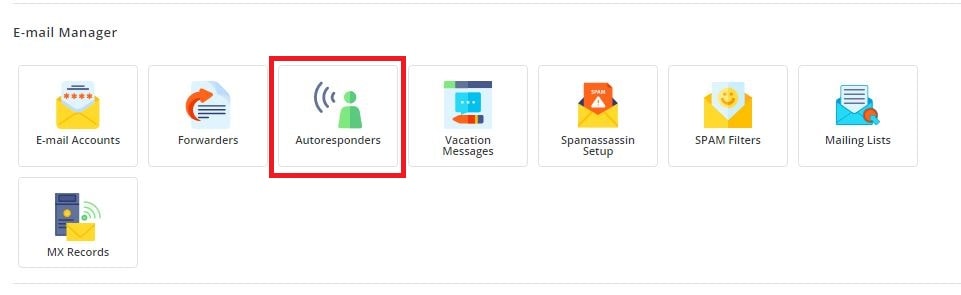
- Open the E-Mail Manager section.
- Click Autoresponders.
- Click Create Autoresponder. The button may be a plus sign.
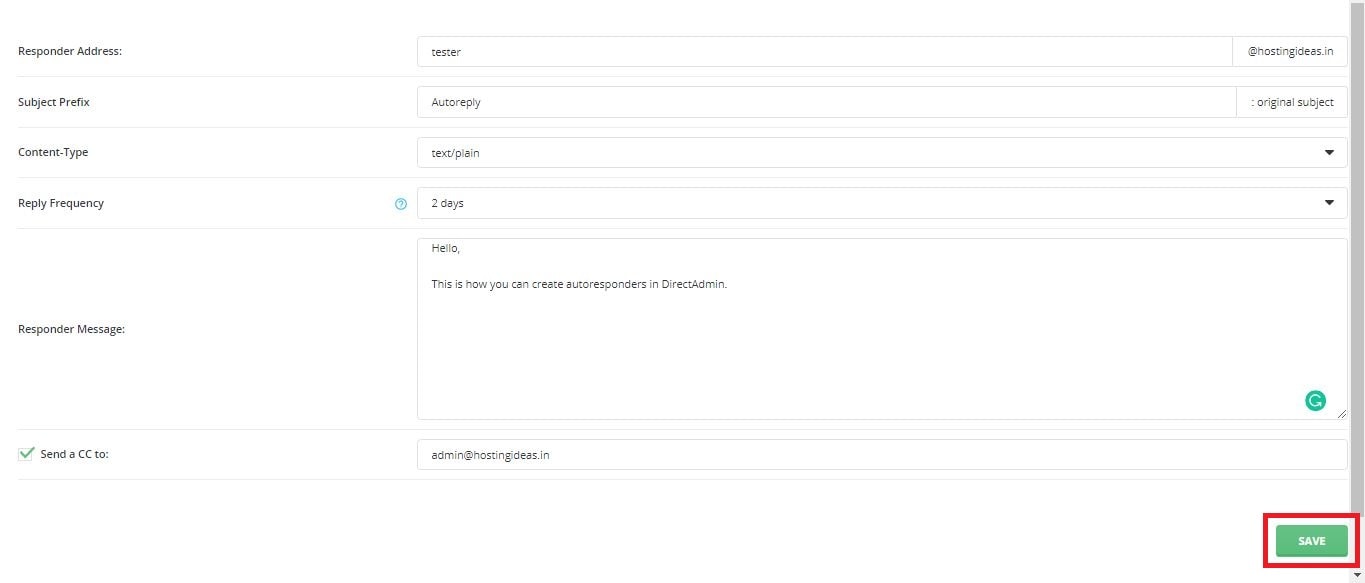
- Type the part of the address before the @ sign. For info@example.com, type
info. - Pick the domain if you have more than one.
- Type a short line in the Subject or Reply Subject box if you see one. For example "Thank you for your message".
- Type your message in the big text box.
- Choose how often the same sender gets a reply, if the page has this option. Once a day is a good choice. It stops long loops of replies.
- Click Create or Save.
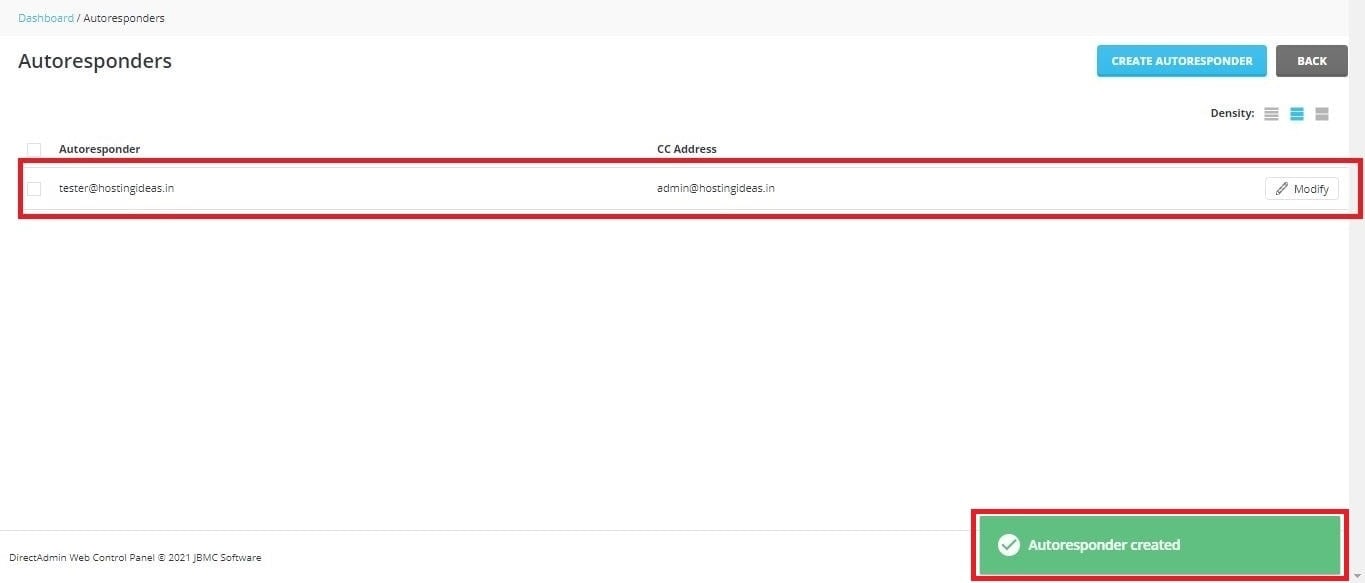
The reply starts working at once.
A good message
- Say that you got the email.
- Give a date when you will reply.
- Give another way to reach you if it is urgent.
- Keep it short.
Test it
- Send an email to the address from a different account, such as a free webmail account.
- Wait a minute or two.

- Check that you got the automatic reply.
Turn it off
- Go back to Autoresponders.
- Find the address in the list.
- Click Delete. Or click Modify to change the text.
Remember to turn it off when you return. Otherwise people keep getting old messages.
Tip: Do not set an autoresponder on an address that forwards to itself. This can cause an endless loop of mail.
Tip: Menu names may differ a little between DirectAdmin skins.
Quick recap
- An autoresponder sends automatic replies.
- Find it in E-Mail Manager, then Autoresponders.
- Write a subject and a short message, then save.
- Test with another email account.
- Delete it when you no longer need it.