

What is a database?
A database is an organized store of information. Think of a filing cabinet with labeled drawers. WordPress keeps posts, pages and settings in one. MySQL is a popular type of database system.
To use a database, you need three things:
- A database name, which is the cabinet itself.
- A database user, which is the person allowed to open it.
- A password for that user.
Steps
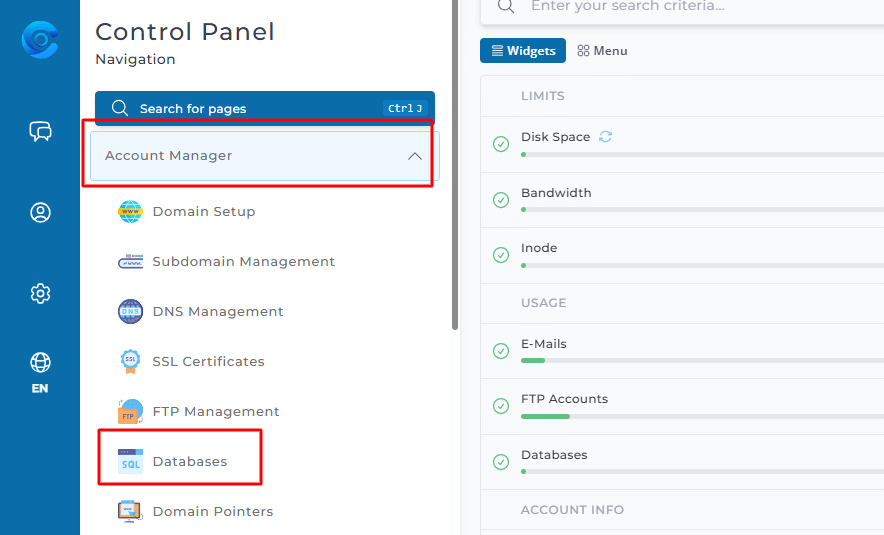
- Log in to DirectAdmin.
- Open MySQL Management. It is in the Account Manager or Extra Features area.
- Click Create New Database.
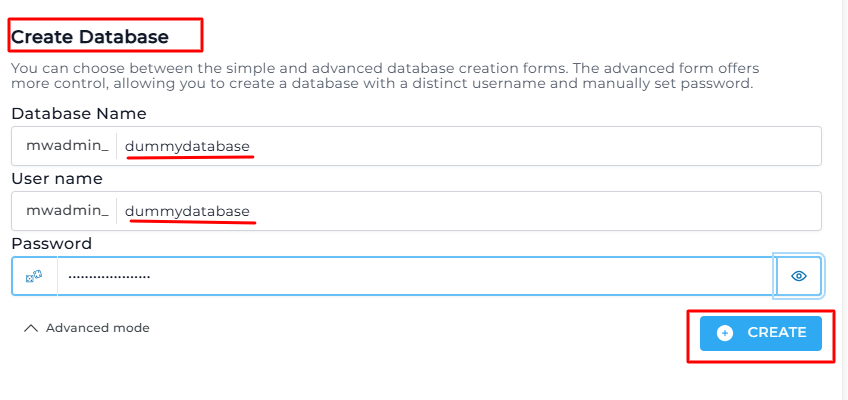
- Type a name for the database. DirectAdmin adds your account name in front, for example
youruser_. You only type the end part, such asblog. - Type a name for the database user. This also gets the prefix.
- Type a password. Click the Random button if you want DirectAdmin to make a strong one.
- Click Create.
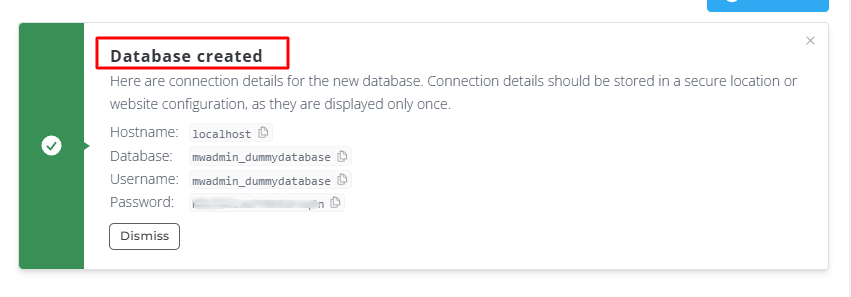
The next page shows the full database name, the full user name and the host. Write them down in a safe place. You need all three later.
The host
The host is the address of the database server. For a site on the same hosting account, it is normally localhost. This means "this same server".
Use the database
When you install an app by hand, it asks for these details:
- Database name: the full name, with the prefix.
- Database user: the full user name, with the prefix.
- Password: the one you set.
- Host: usually
localhost.
Look inside the database
Use phpMyAdmin, which is a web tool for viewing a database. Open it from DirectAdmin and log in with your database user.
Deleting a database
Warning: deleting a database removes all its data for good. Take a backup first. Do this only if you are sure that no website uses it.
Quick recap
- A database stores the data of your website.
- Open MySQL Management and click Create New Database.
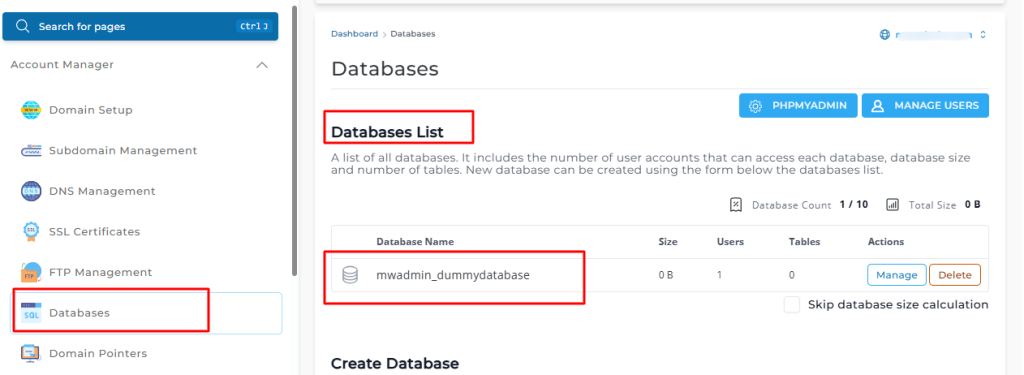
- Choose a name, a user and a password.
- Write down the full names and the host.
- Back up before you delete any database.