

What is an admin account?
DirectAdmin is a control panel. A control panel is a web page where you manage your hosting, like a dashboard in a car. An admin account is the strongest kind of login. It can see and change almost everything on the server. Only a VPS or dedicated server owner normally has this level. If you are on shared hosting, you will not see these menus.
Give admin access only to people you trust fully.
Create an admin account
- Log in to DirectAdmin with your main admin login.
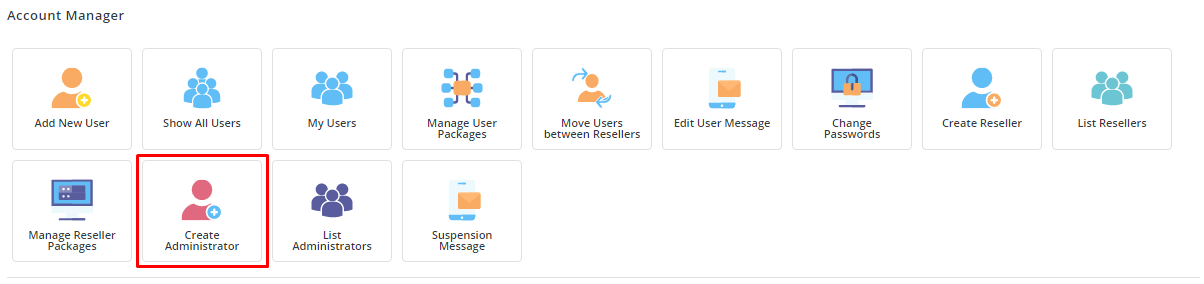
- Click the Admin Level button if you are not already there.
- Find Administrator Settings or Manage Administrator Accounts. The exact name depends on your version.
- Click Create Administrator.
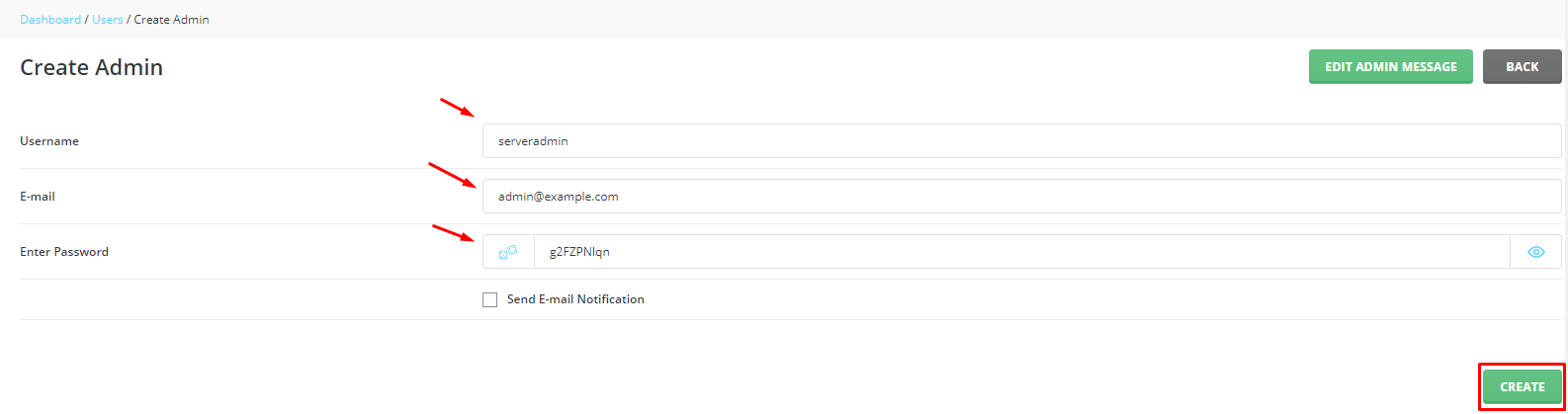
- Type a username. Use lowercase letters and numbers only.
- Type a strong password. Mix letters, numbers and symbols.
- Type the email address and the main domain name for the account.
- Pick a package and an IP address if the form asks for them.
- Click Create.
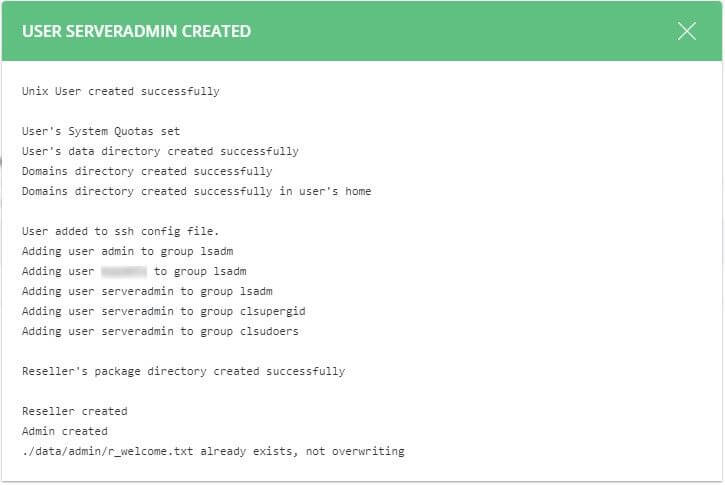
The new admin can now log in with the username and password you set.
Delete an admin account
Warning: deleting an account can remove its websites, emails and files for good. Take a backup first. See the backup guide in this knowledge base.
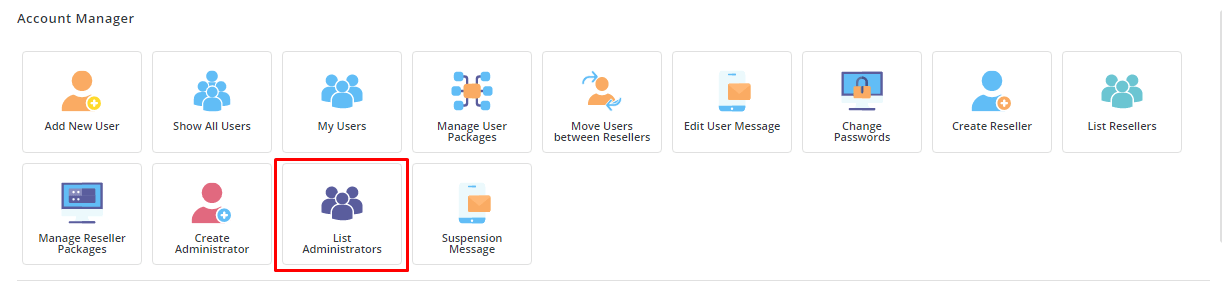
- Go to Admin Level and open the admin list again.
- Tick the box next to the admin you want to remove.
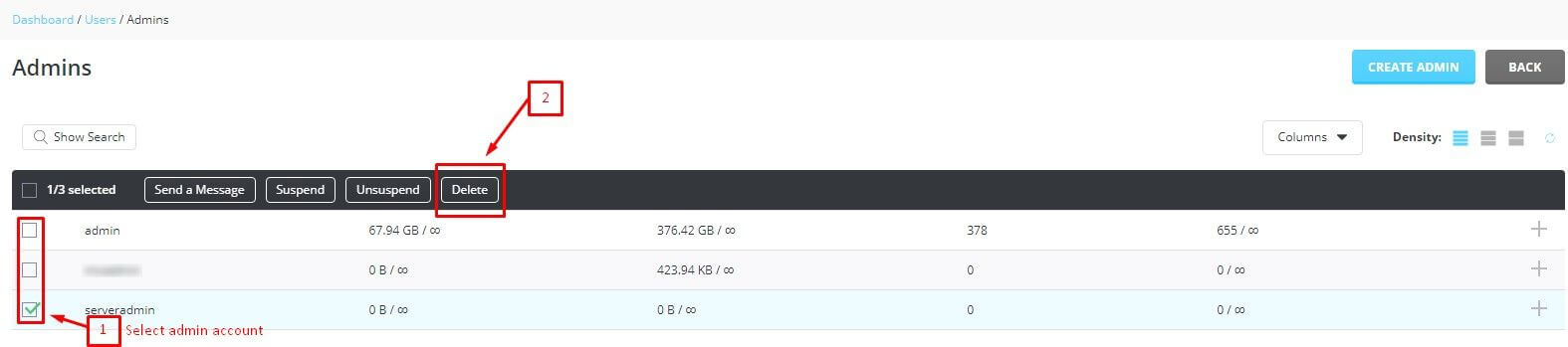
- Click Delete Selected.
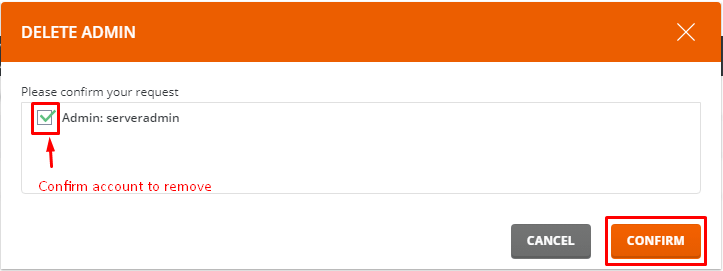
- Read the message. DirectAdmin asks you to confirm.
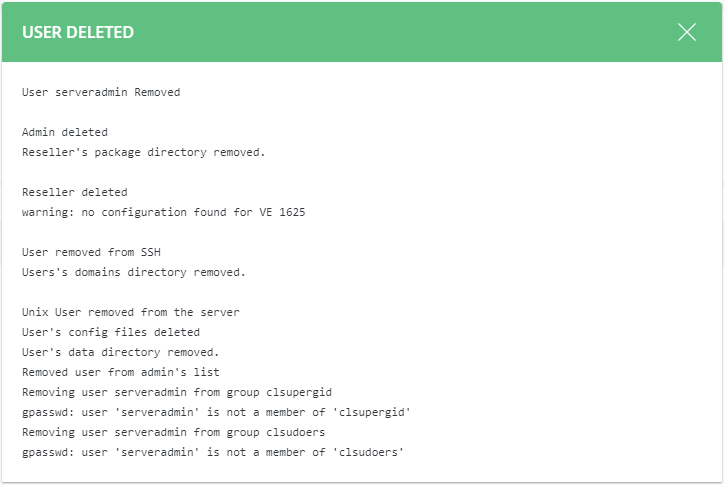
- Confirm the choice. The account is removed.
Tip: If you only want to stop someone from logging in for a while, suspend the account instead of deleting it. You can turn it back on later.
If a menu is missing, your plan may not include admin access. You can ask Hostvento support at the ticket page.
Quick recap
- An admin account is the most powerful login in DirectAdmin.
- Create one from Admin Level using Create Administrator.
- Delete one by ticking it and clicking Delete Selected.
- Always back up before deleting.
- Suspend instead of delete if you may need the account later.