

What is a domain alias?
A domain name is the address of a website, like a street address. A domain alias is a second address that leads to the same house. If someone types either name, they see the same site.
In DirectAdmin this feature is called a Domain Pointer. It can either show the same content under both names, or send visitors from one name to the other.
Before you start
- You need the main domain already added to your account.
- The second domain name must be pointing to your hosting. This means its nameservers (the settings that say where a domain lives) must be set correctly. Your welcome email lists the details.
Steps
- Log in to DirectAdmin.
- Open the Account Manager section. In some skins, look under Domain Setup.
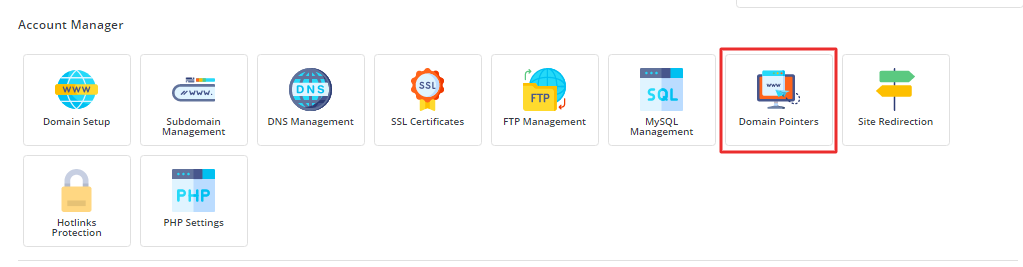
- Click Domain Pointers.
- If you have more than one domain, pick the main domain first.
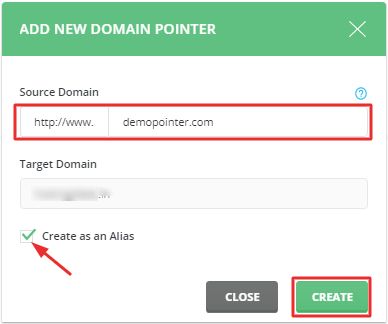
- Click Create Pointer or Add Pointer.

- Type the new alias name, for example
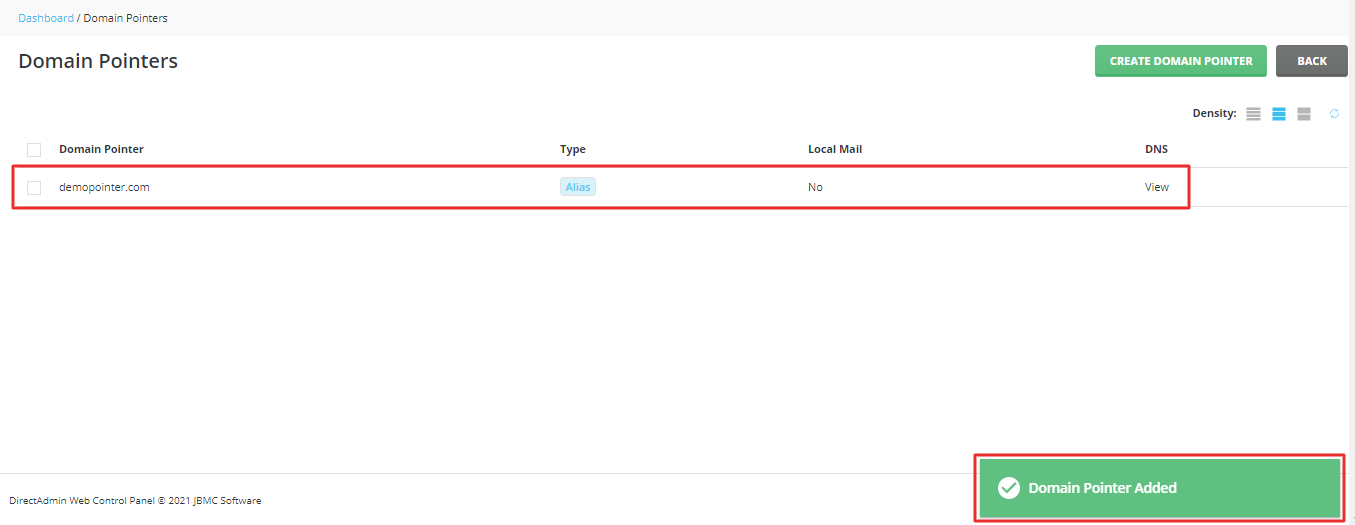
example.net. - Choose the type. Alias shows the same site under both names. Redirect sends visitors to the main name.
- Click Create.
Wait a little while. Changes to domain names can take some time to spread over the internet. This is called propagation.
Check that it works
- Open a new browser tab.
- Type the alias name in the address bar.
- You should see your main website.
Tip: If you chose Redirect, the address bar changes to the main name. With Alias, the new name stays visible.
Remove an alias
Go back to Domain Pointers, tick the alias and click Delete. This only removes the pointer. Your real website stays safe.
Quick recap
- A domain alias is a second name for the same website.
- In DirectAdmin, open Domain Pointers.
- Choose Alias or Redirect.
- The new name must point to your hosting first.
- Allow some time for the change to spread.