

What is a reseller?
A reseller is someone who rents hosting space and shares it with their own customers. Think of renting a big shop and then letting small stalls inside it. Each customer gets a separate user account with their own login, files and email.
You need a reseller login for this guide. Normal hosting accounts do not have this menu.
Before you start
- Have the customer's domain name ready.
- Have their email address ready.
- Decide which package fits them. A package is a saved set of limits like disk space. You can make one in Manage User Packages.
Steps
- Log in to DirectAdmin with your reseller account.

- Make sure you are at Reseller Level.
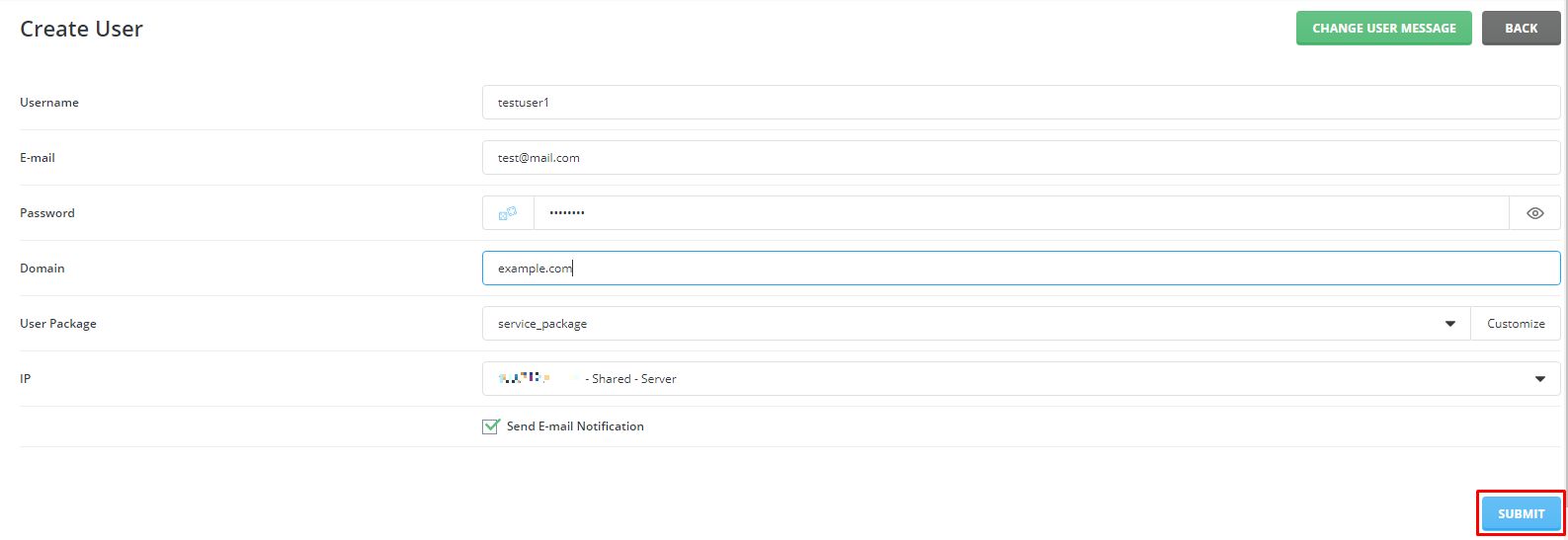
- Click Create User (it may read Create New User Account).

- Type a username. It must be new, short, and use lowercase letters and numbers.
- Type the customer's email address.
- Type a strong password, or use the generate button.
- Type the customer's main domain name.
- Choose a package from the list.
- Choose an IP address if the form asks. Shared is fine if you are unsure.
- Tick the box to send the welcome email if you want the customer to get their login details.
- Click Create.
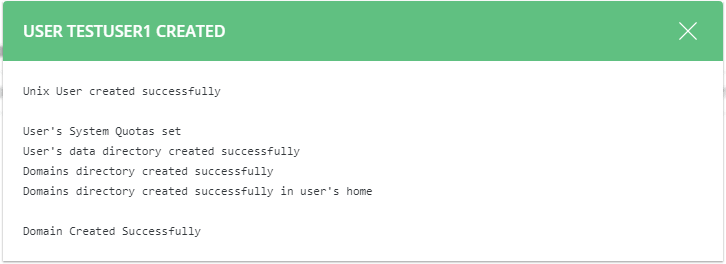
DirectAdmin makes the account. It may take a few seconds.
Tip: Never reuse the same password for different customers. Share passwords only by safe means.
Manage the account later
Go to Manage User Accounts to suspend, change the package or delete the user. Warning: deleting a user removes all their data, so take a backup first.
Questions about reseller limits? Open a ticket at the support page.
Quick recap
- You need a reseller login.
- Click Create User at Reseller Level.
- Fill in username, email, password, domain and package.
- Send the welcome email so the customer can log in.