

What is a package?
A package is a saved list of limits and features. It is like a school bag already packed. You do not add each book again. You just pick the bag.
Limits can include disk space (room for your files), bandwidth (data visitors can download each month), email accounts, databases and subdomains. A database is an organised store of information that many websites use. A subdomain is an extra name in front of your domain, like shop.example.com.
You need reseller access to make user packages. You need admin access to make reseller packages.
Steps
- Log in to DirectAdmin.
- Go to Reseller Level.
- Click Manage User Packages.

- Click Add Package.

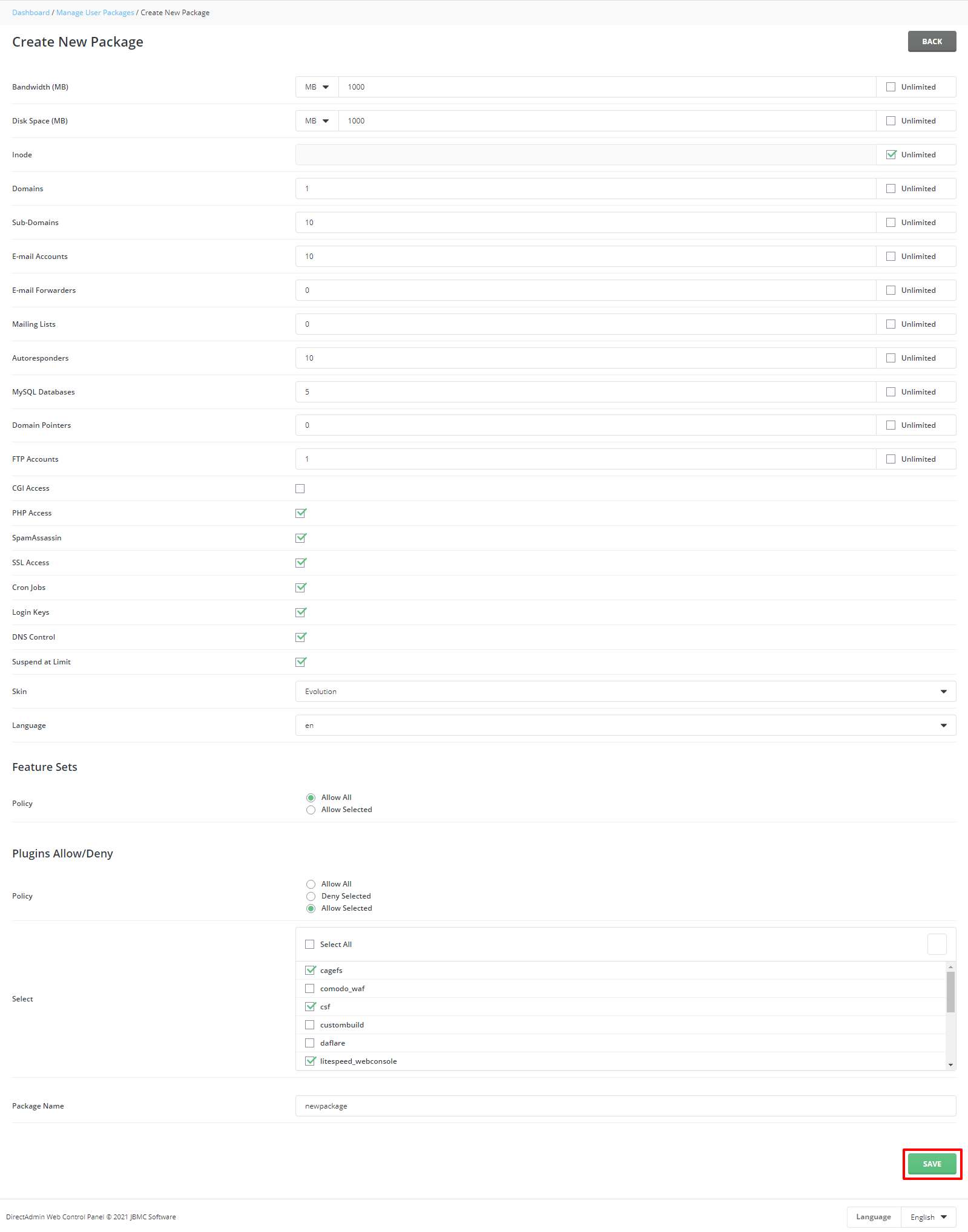
- Give the package a simple name, like
starter. Use no spaces. - Fill in each limit. Tick Unlimited only if you are sure the server can handle it.
- Scroll down to the feature list. Tick the things users may do, such as use PHP, create FTP accounts or install an SSL certificate.
- Click Save.
The package now shows in the list. You can pick it whenever you create a new user.
Use the package
- Click Create User.
- Fill in the details.
- Choose your new package from the package list.
Choosing good limits
- Do not guess. Start with small limits and raise them later.
- Check how much space your server really has.
- Keep package names clear so you remember what each one is for.
Tip: If a limit is too low, a site can stop working. Raise it by editing the package.
For details about plan sizes on your server, check your welcome email or ask Hostvento support.
Quick recap
- A package is a saved set of limits and features.
- Create it in Manage User Packages with Add Package.
- Set limits, tick features, then click Save.
- Choose it when you create a user.