

This guide needs admin access, so it is for VPS and dedicated server owners.
What is a reseller package?
A reseller is a person who rents hosting from you and then creates accounts for their own customers. A reseller package is a saved set of limits for that person. It tells the server how much disk space (room for files) and bandwidth (data transfer each month) the reseller may use in total. It also says how many user accounts the reseller may create.
Do not mix it up with a user package. A user package is for one website owner. A reseller package is for the person who sells hosting to many users.
Steps
- Log in to DirectAdmin with your admin login.
- Go to Admin Level.
- Click Manage Reseller Packages. In some versions it is called Add Reseller Package.
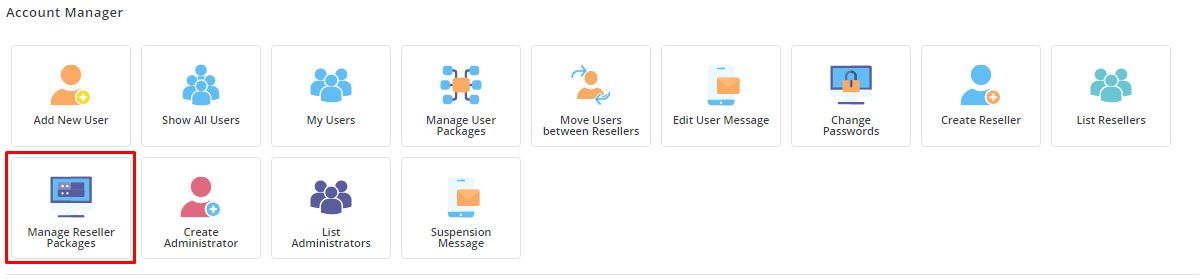
- Click Add Package.
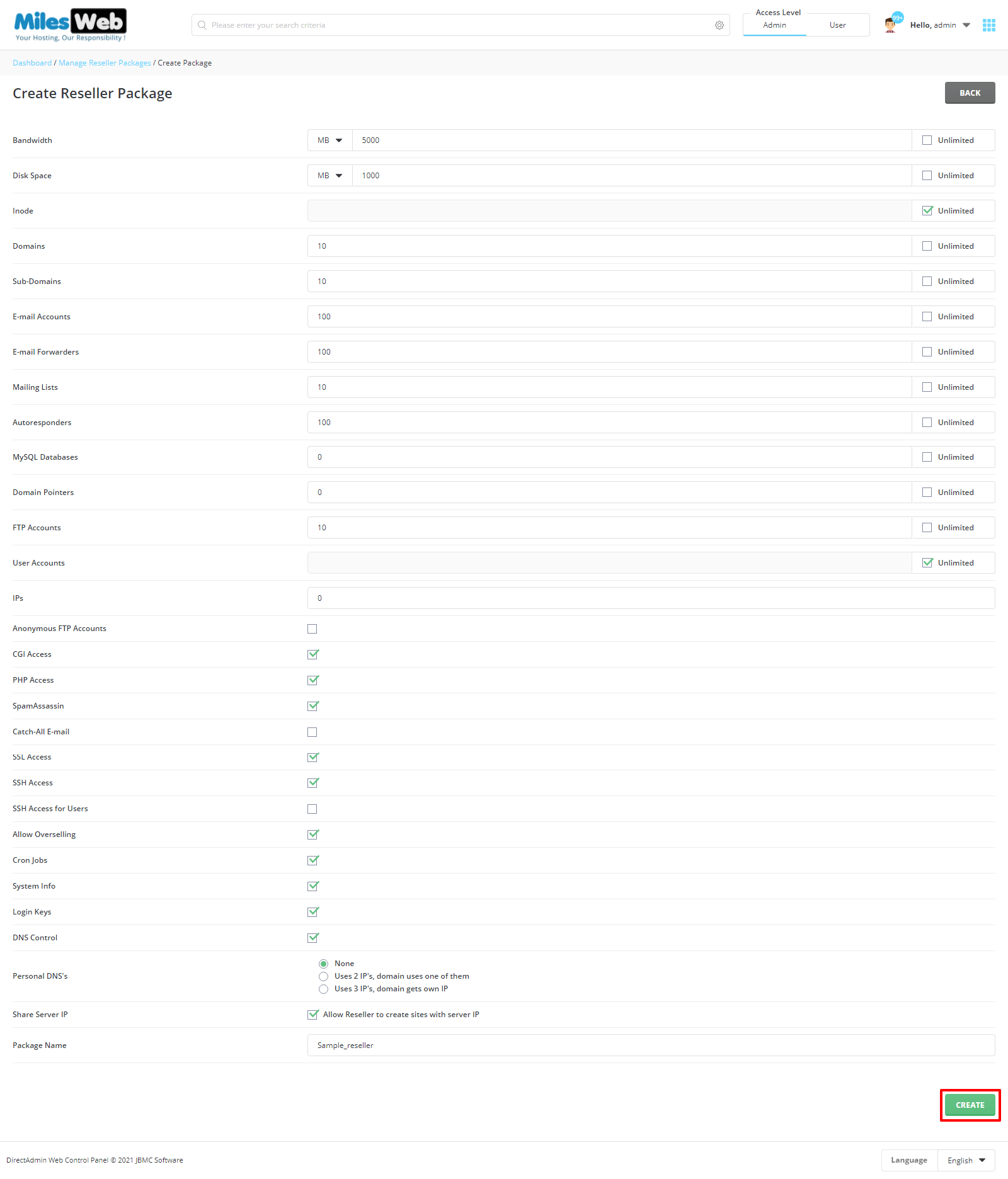
- Type a clear package name with no spaces.
- Set the main limits: disk space, bandwidth and number of users.
- Set the limits for what each user created by the reseller may have, like email accounts and databases.
- Tick whether the reseller can create their own packages and use their own nameservers.
- Choose how many IP addresses the reseller may have, if the form asks.
- Click Save.
Use the package
- Click Create Reseller from the Admin Level menu.

- Fill in the username, email, password and domain.
- Choose your new reseller package.
- Click Create.
Tip: Be careful with unlimited values. If a reseller can use unlimited space, one customer can fill the whole server.
If the menus do not match what you see, your DirectAdmin version may be different. The idea is the same. For help, open a ticket at the support page.
Quick recap
- A reseller package limits what a reseller can use and create.
- You need admin access.
- Find it under Admin Level, Manage Reseller Packages.
- Fill in the limits, save, then pick it when creating a reseller.