

What are these notifications?
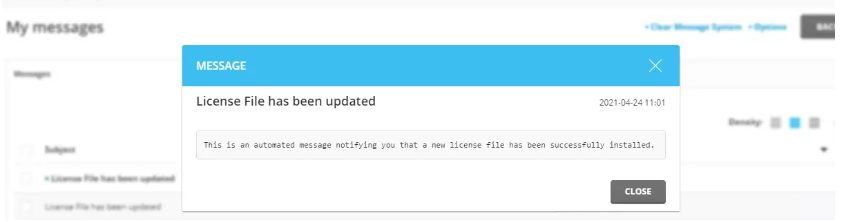
DirectAdmin is a paid control panel. It needs a license, which is a permission to use the software. The panel sends messages to the admin about the license and about new versions. These show up in the Message System, which works like a small inbox inside the panel. Sometimes they also come by email.
They are useful, but some people find them noisy. Only turn them off if you have another way to keep the server up to date.
This guide needs admin access, so it is for VPS and dedicated server owners.
Step 1: Clear what you already have
- Log in to DirectAdmin as admin.
- Click the message icon, or open Message System.
- Tick the old notices.
- Click Delete or mark them as read.
Step 2: Change the settings
- Go to Admin Level.
- Open Administrator Settings or Server Settings.
- Look for options about update messages, license messages or notifications.
- Untick the ones you do not need.
- Click Save.
Names differ by version. If you do not see these options, check your DirectAdmin version's list of settings. Some choices live in the main settings file instead:
- Log in to the server with SSH. This needs root access.
- Make a copy of
/usr/local/directadmin/conf/directadmin.conf. - Open the original with a text editor and find the notification option that you want to change.
- Save it and restart DirectAdmin:
systemctl restart directadminThis restarts the panel to load the new settings.
If your license is managed by Hostvento, ask them first through a ticket.
Quick recap
- DirectAdmin sends messages about license and updates.
- You can delete old ones in the Message System.
- Turn off future ones in admin settings or the settings file.
- Keep security update alerts if you can.