

What is SSH?
SSH stands for Secure Shell. It is a safe way to talk to a server using text commands. Think of it as a private walkie-talkie to your server. Nobody can listen in, because everything is scrambled.
A normal DirectAdmin user cannot switch SSH on alone. An Admin or a Reseller does this. If you only have a user login, ask your reseller or open a support ticket with Hostvento.
Steps for an Admin or Reseller
- Log in to DirectAdmin as the Admin or Reseller.
- Open Manage User Accounts (or User Administration on some skins).
- Tick the box next to the user you want to change.
- Click Modify and choose the option to modify the account.
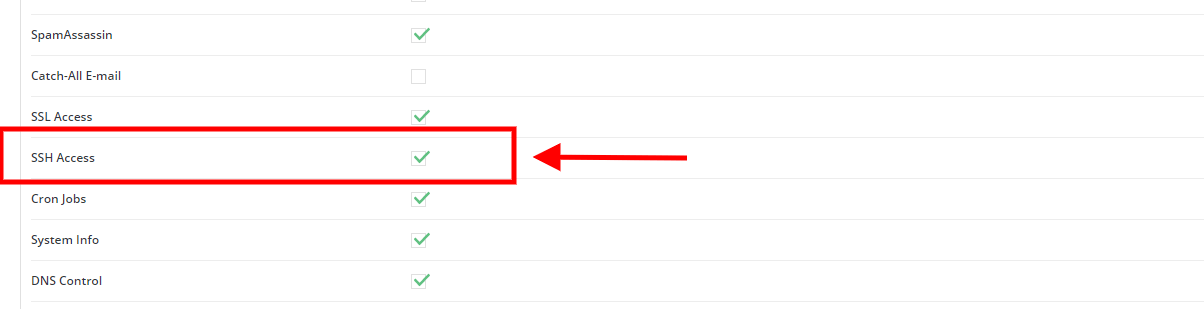
- Find the setting called SSH Access.
- Turn it on, for example by ticking SSH Access.
- Click Save.
If the box is missing, the reseller package may not allow SSH. Then the server owner must change the package or the setting.
Test the connection
The user can now connect from a computer. On Windows 10 and later, macOS and Linux, open a terminal. A terminal is a window where you type commands.
ssh username@yourdomain.comThis asks to log in as username on the server for your domain. Replace both words with your own details. Some servers use a special port number. If so, add -p and the port number. Your welcome email or Hostvento support can tell you which port to use.

- Type your DirectAdmin password when asked. You will not see letters as you type. This is normal.
- Press Enter.
- When you see a command line, you are in.
Stay safe
- Only turn on SSH for people you trust.
- Use a long, strong password.
- Take a backup before you run commands that delete or change files.
- Turn SSH off again when it is no longer needed.
Quick recap
- SSH is a safe, text-based way to control a server.
- Only an Admin or Reseller can enable it for a user.
- Edit the user under Manage User Accounts and turn on SSH Access.

- Connect with
ssh username@yourdomain.com.