

Why change it?
Your password is the key to your hosting account. Anyone with it can see and change your website files, emails and databases. Change it if you shared it, if it is old, or if you think someone else knows it.
Make a good password
- Use at least 12 characters.
- Mix capital letters, small letters, numbers and symbols.
- Do not use your name, birthday or common words.
- Do not use the same password on other sites.
A password manager app can create and remember strong passwords for you.
Steps
- Log in to DirectAdmin. You can start from your client area or use the login details from your welcome email.
- Click Account Manager in the menu. You can also use the search box at the top.
- Click Password Change.
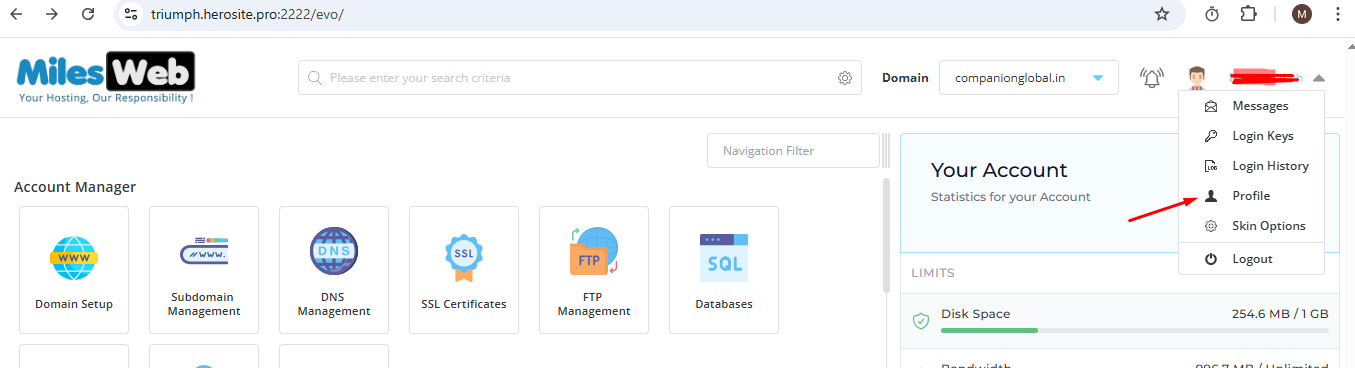
- Type your current password in the first box.
- Type your new password in the next box.
- Type the new password again to confirm it.
- Click Change Password or Save.
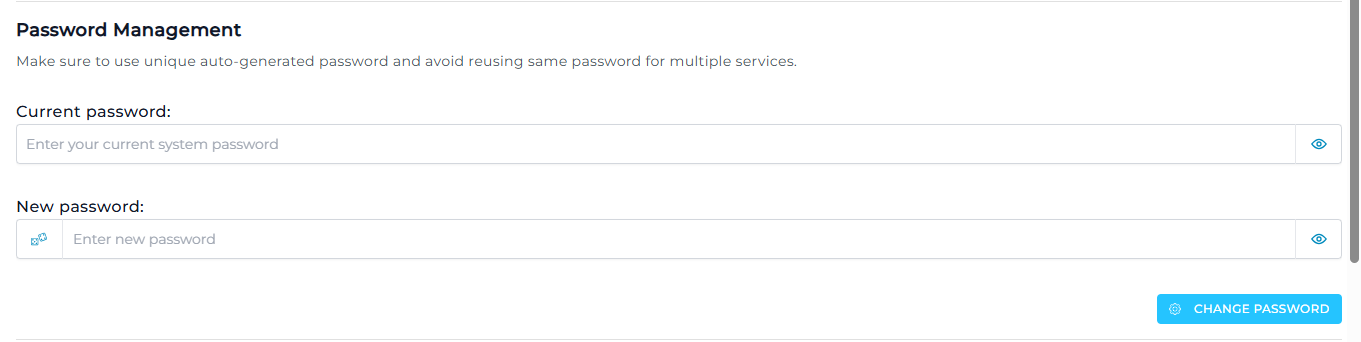
You will see a message saying the change worked. Next time, log in with the new password.
Tip: This changes the DirectAdmin password. Email accounts, FTP accounts and databases have their own separate passwords. Change them in their own sections if needed.
If you forgot your password
- Go to the DirectAdmin login page.
- Click Forgot your password? if it is shown. Follow the steps.
- If there is no such link, log in to your client area. Open your hosting service under Services and look for a password change option.
- Still stuck? Open a support ticket.
Quick recap
- Go to Account Manager, then Password Change.
- Enter the old password, then the new one twice.
- Pick a long and unique password.
- Other passwords, like email, are changed separately.