

What is a reseller account?
A reseller account is like renting a building and then renting out rooms. You get one pool of resources. You split it among your own customers. Each customer is a "user" with their own DirectAdmin login.
It helps to watch your usage. If you run out of disk space or bandwidth, your sites may stop working. Disk space is how much storage you use. Bandwidth is how much data visitors download from your sites.
Steps to see your overall usage
- Log in to DirectAdmin as the reseller.
- You start on the Reseller Level home page. If you are on the User Level, switch to Reseller Level from the level menu.
- Look at the statistics box on the dashboard. It shows items such as disk usage, bandwidth, number of users and number of domains.
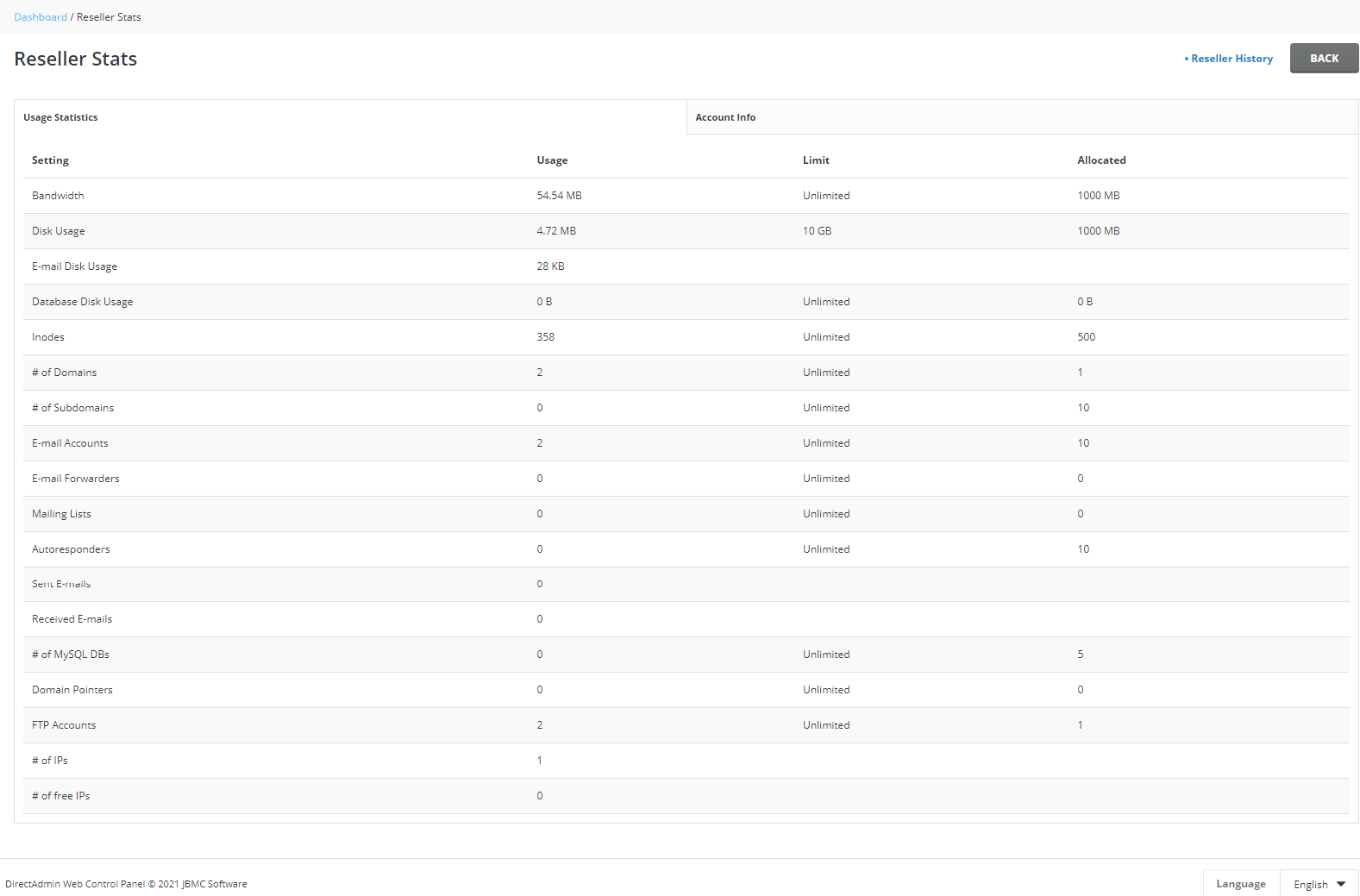
- Open Reseller Stats or Statistics / Logs if you want more detail.
Steps to check one user
- Open Manage User Accounts.
- You will see each user with figures for disk and bandwidth.
- Click a user name to see more.
- To view the user's own pages, use Login As. This is covered in a separate guide.
How to read the numbers
| Item | What it means |
|---|---|
| Disk Usage | Space taken by files, emails and databases |
| Bandwidth | Data sent to visitors this month |
| Inodes | The count of files and folders |
| Limit | The most you may use |
Limits depend on your plan. Look in your welcome email or ask Hostvento support if you are unsure.
Tip: Check once a week. If one user is using far more than the others, look at their account for large files or a busy site.
If you are near the limit
- Delete old backups and unused files.
- Ask big users to clean up.
- Ask Hostvento support about changing your plan. You can open a ticket.
Quick recap
- Log in at Reseller Level to see totals.

- Use Manage User Accounts to see each user.
- Watch disk, bandwidth and inodes.
- Act early when you get close to a limit.