

What is SSL?
SSL is a lock for your website. It scrambles the data that travels between your visitors and your site. A site with SSL shows a padlock and starts with https://. It builds trust, and browsers warn people away from sites without it.
A certificate is a small file that proves your site is real. Let's Encrypt is a non-profit group that gives out certificates for free. Each one lasts 90 days. DirectAdmin can renew it by itself.
Before you start
- Your domain must point to your hosting account. This is done through DNS, which is like the phone book of the internet.
- The domain must open in a browser.
- The Secure SSL option must be on for the domain. You find it in Domain Setup.
Steps
- Log in to DirectAdmin.
- Click SSL Certificates in the Account Manager section.

- Choose Free & automatic certificate from Let's Encrypt.

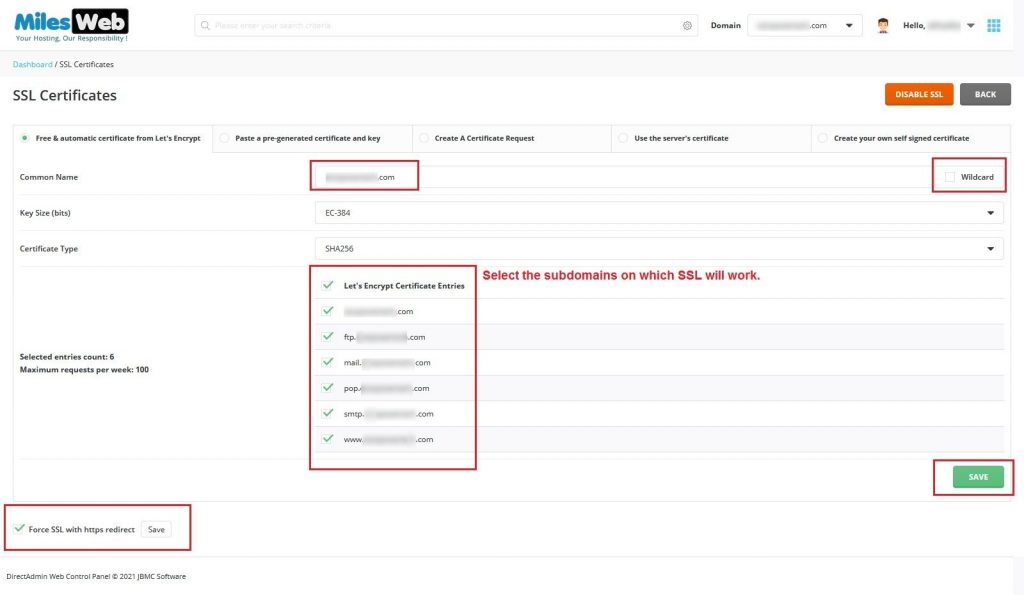
- The domain name is filled in. Add
wwwand other names if you want them covered. Tick the box for the wildcard option only if you need it. - Pick the key size. The default is fine.
- Click Save.
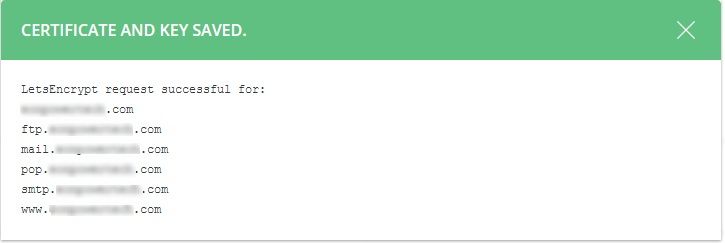
- Wait a minute. A success message appears.

- Open your site with
https://to check for the padlock.
Send visitors to the secure version
Visitors can still open the old http:// address. Add a redirect in your .htaccess file to send everyone to https://. Another guide shows how.
If it fails
- Check that the domain points to this hosting account.
- Wait a few hours if you only just changed DNS.
- Make sure nothing blocks the path
/.well-known/acme-challenge. Let's Encrypt uses this path to confirm you own the domain. - Do not request too many certificates in a short time. There are limits.
Tip: Menu names change between versions. If you cannot find the Let's Encrypt option, your server may not have it. Ask Hostvento support.
Quick recap
- Let's Encrypt SSL is free and renews on its own.
- Open SSL Certificates and pick the Let's Encrypt option.
- The domain must already point to your account.
- Test with
https://and the padlock.