

What does this do?
A reseller account lets you host sites for other people. Each customer is a "user" with their own control panel. A control panel is a web page for managing files, email and domains.
The feature is often called "Login As". It works like a master key held by a building manager. You can open any customer's room to help them. Use it only to help your customers, and respect their privacy.
Steps
- Log in to DirectAdmin with your reseller details.

- Check that you are on Reseller Level.
- Click Manage User Accounts. On some skins, it is User Administration.

- Find the user in the list.
- Click the user name or the Login As button on that row.

- If you only see the user's details page, choose Login As there.
- DirectAdmin opens the user's panel. You see what they see.
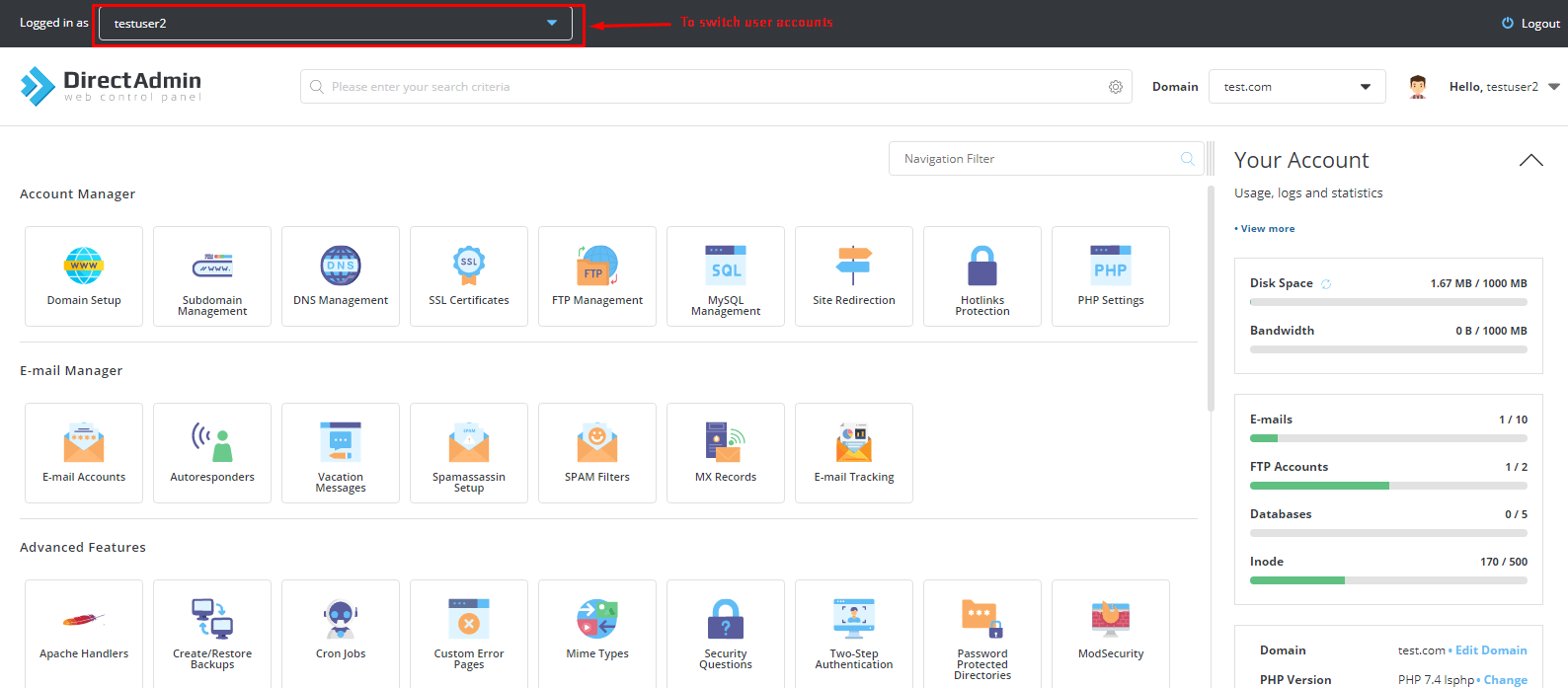
A bar at the top usually shows that you are logged in as another person. It often has a link to go back to your own account.
Go back to your reseller account
- Look at the top of the page for a link such as Return to Reseller or Log out.
- Click it.
- You are back in your own panel.
Things you can do as the user
- Fix email settings.
- Install apps.
- Check files and databases.
- Look at usage.
Warning: You have the same power as the user. You can delete their files by mistake. Back up before you make big changes.
If you do not see Login As
- Make sure you are at Reseller Level and not User Level.
- Your reseller package may not allow it. Ask Hostvento support.
- Try a different browser, or turn off pop-up blockers.
You can open a support ticket if you need help.
Quick recap
- Log in as the reseller.
- Go to Manage User Accounts.
- Click Login As beside the user.
- Use the return link to go back.