

Who is who?
DirectAdmin has three kinds of logins. An Admin controls the whole server. A Reseller sells hosting and makes accounts for customers. A User owns one hosting account with websites and emails.
Each user belongs to one reseller. Sometimes you want to change that. For example, a reseller closes down, or a customer changes provider. Only an Admin can move users between resellers. If you are not an Admin, ask Hostvento support.
Before you start
- Take a backup of the user. A move rarely goes wrong, but a backup keeps you safe.
- Check that the new reseller has enough room. A reseller has limits for users, disk space and bandwidth.
- Tell the customer, because their package may change.
Steps
- Log in to DirectAdmin as Admin.
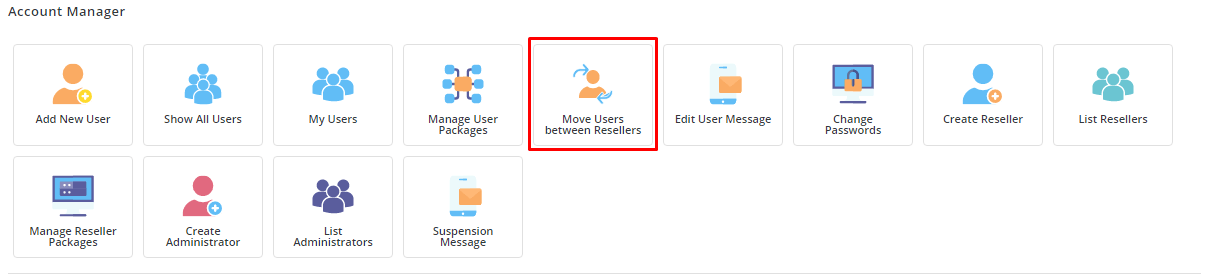
- In the Admin menu, look for Move Users Between Resellers. Use the search box if you cannot find it.
- Pick the current reseller, if the page asks for it.
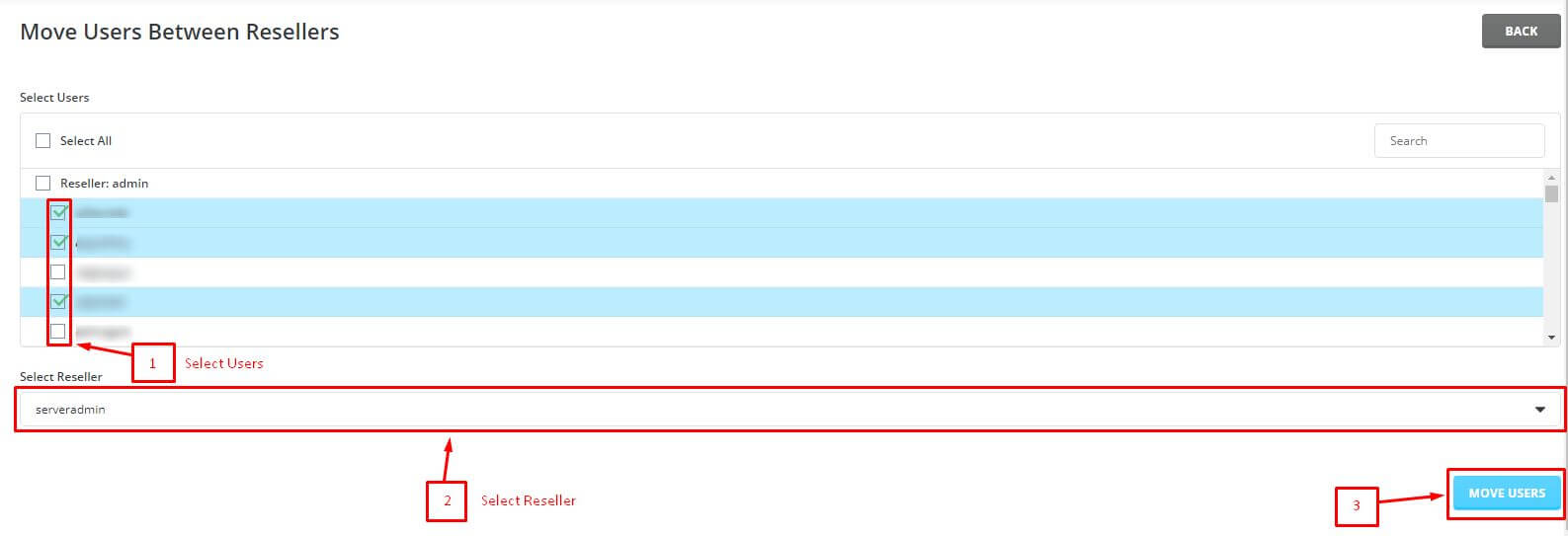
- Select the user or users you want to move. Tick the box beside each name.
- Choose the new reseller from the drop-down list.
- Click the Move button.
- Wait for the green success message.
Check the result
- Log out and log in as the new reseller.
- Open the list of users. The moved user should be there.
- Open the user account. Check the package and limits.
- Visit the user's website to confirm it still loads.
Tip: The websites, emails and databases stay on the same server. Only the owner in the panel changes. The user's files do not move.
If you see an error such as "reseller limit reached", raise the new reseller's limits first. Then try the move again.
Quick recap
- Only an Admin can move users between resellers.
- Back up and check the new reseller's limits first.
- Use Move Users Between Resellers, pick the user and the new reseller, and click Move.
- Log in as the new reseller to confirm.