

What are CSF and system logs?
CSF (ConfigServer Security and Firewall) is a firewall tool. A firewall is a gate that blocks bad traffic. CSF is a third-party tool. Ask Hostvento support if it is on your plan.
A log is a diary kept by the server. It notes who logged in, which mail was sent and what went wrong. Logs can be huge. The search tool saves you from reading every line.
This tool is for the Admin level of DirectAdmin. Regular users cannot see it.
Steps
- Log in to DirectAdmin as Admin.
- Open Extra Features in the menu.
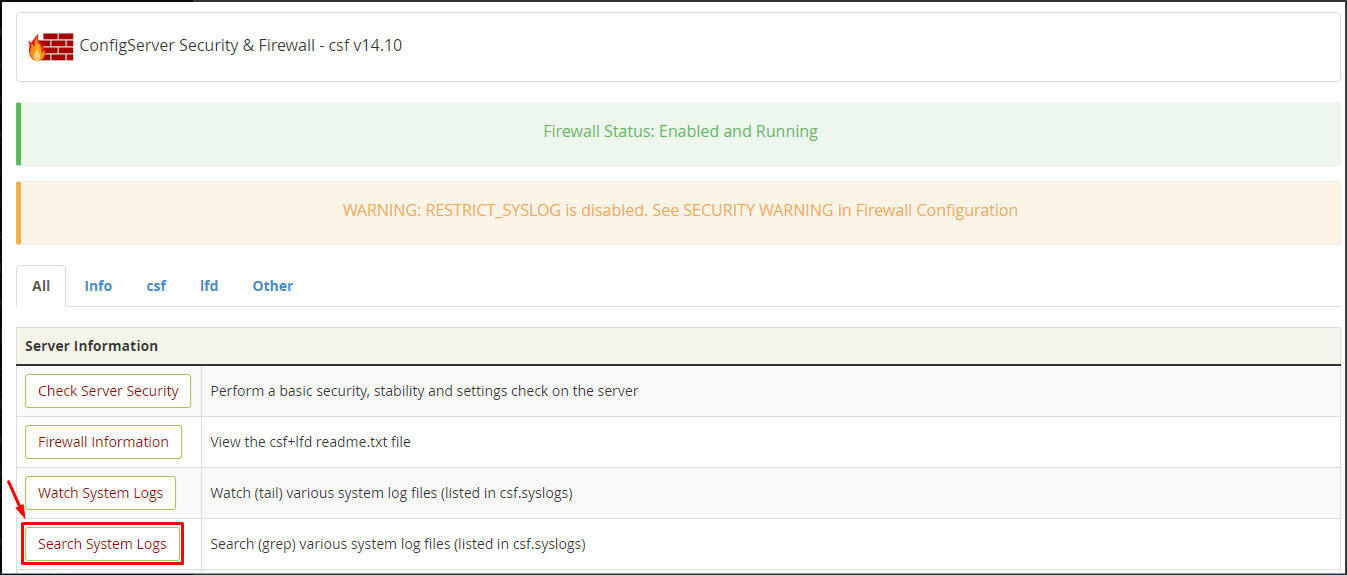
- Click ConfigServer Security & Firewall. The CSF page opens.

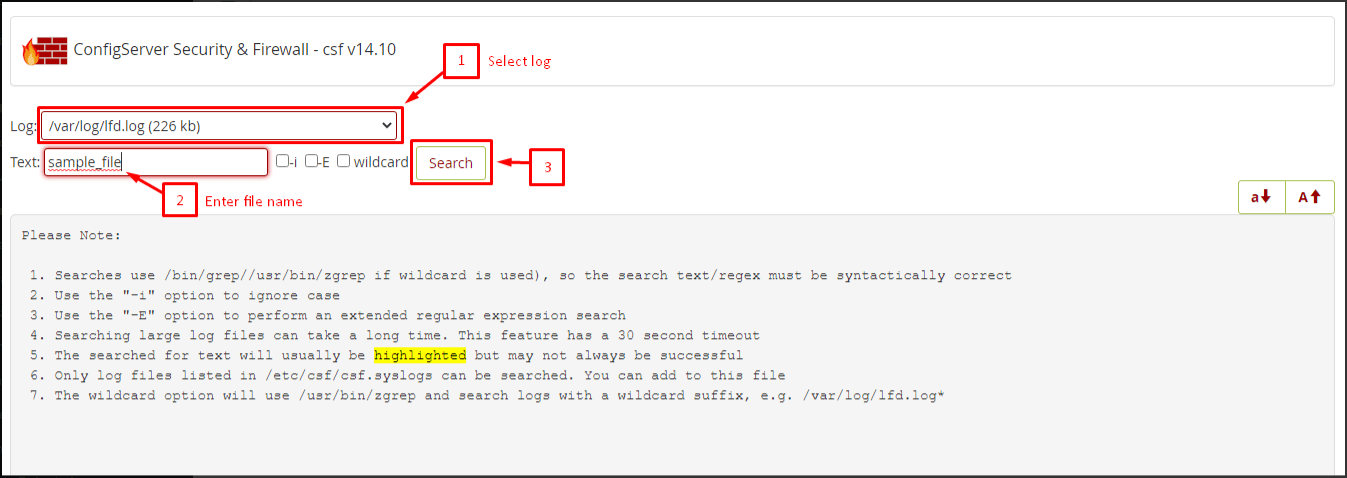
- Scroll to the section called Search System Logs. You will see a drop-down list and a box.
- Choose the log you want from the drop-down. Examples are the mail log, the web server log and the login (secure) log.
- Type your search word in the box. It can be an IP address, an email address or a user name.
- Click the Search button.
- Read the results. Each line shows a time and what happened.
Useful things to search
- An IP address, which is the number that identifies a computer on the internet. Use it to see why it was blocked.
- A failed login word such as
Failed passwordin the secure log. - An email address, in the mail log, to track a message.
- A file name or a user name, to find who touched it.
The search tool can also accept a pattern. Pattern search is called regex. Keep it simple unless you know it.
What to do with results
If you see one address trying hundreds of times, block it. CSF has a Quick Deny box on its main page. Type the IP address and click the button. Do not block your own address, or you will lock yourself out.
Tip: Search a narrow word first. A very short word may return too many lines.
Quick recap
- Open CSF from Extra Features at the Admin level.
- Use Search System Logs, pick a log and type a word.
- Search for IP addresses, emails or failed logins.
- Block repeat offenders with Quick Deny, but never your own address.