

What is an email quota?
Think of a mailbox as a box with a fixed size. The quota is the size of that box. Every email and attachment fills it a bit. When it is full, new mail may bounce back to the sender. A quota keeps one mailbox from using all your hosting space.
Quota is measured in MB (megabytes). Larger files like photos use more MB. A value of 0 usually means unlimited. Unlimited still uses your total account space.
Your total hosting space and your package limits decide how much you can give. Check your plan details in your welcome email or ask Hostvento support.
Set the quota for a new mailbox
- Log in to DirectAdmin.
- Open E-Mail Accounts. It may be under E-mail Manager.

- Click Create Account.
- Type the user name. This is the part before the @ sign.
- Type a strong password.
- Find the Quota box. Type the number of MB, for example
500. - Click Create.
Change the quota of an existing mailbox
- Open E-Mail Accounts.
- Find the mailbox in the list.
- Click the Modify option. It may be a pencil icon or a link named Modify.
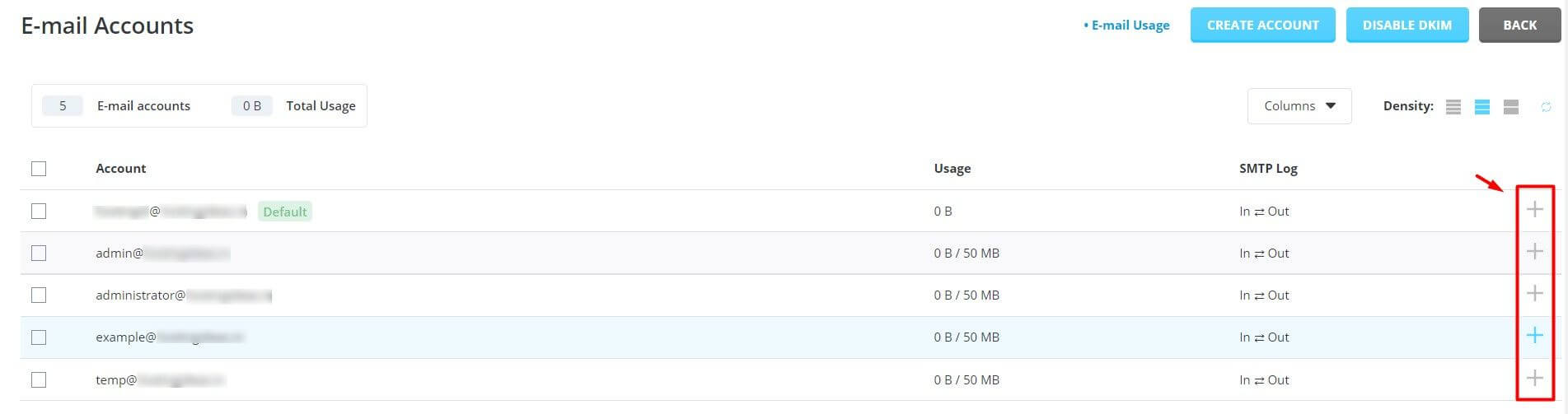
- Change the number in the Quota box.
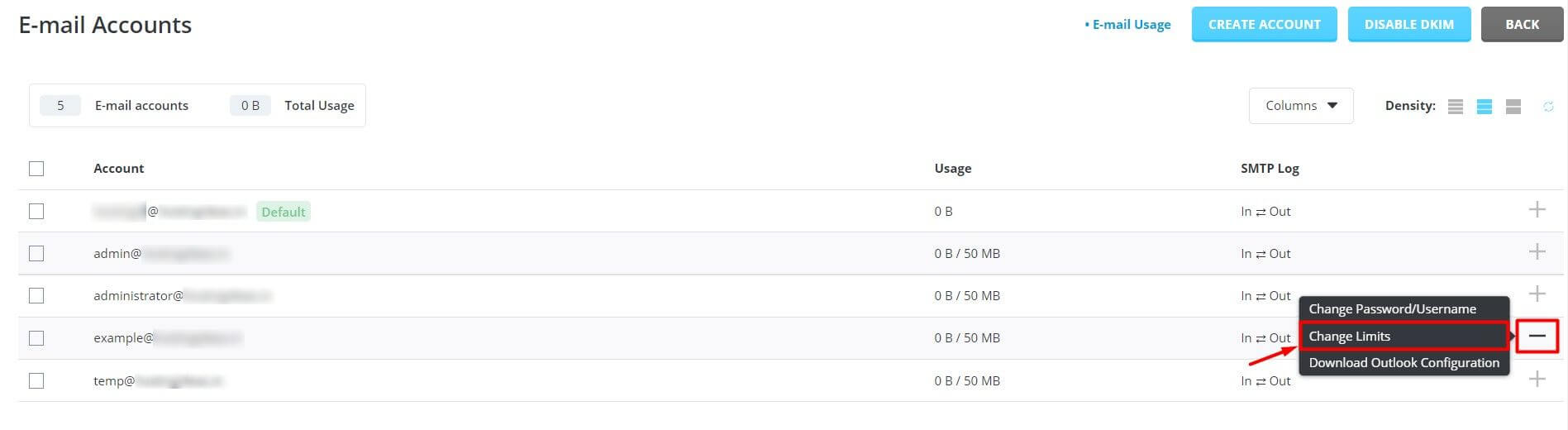
- Click Save.
The list shows how much each mailbox has used. Check it before lowering a quota. If you set a quota lower than the used space, the mailbox may refuse new mail.
What to do when a mailbox is full
- Log in to webmail or your mail app.
- Delete old mail and empty the Trash and Spam folders.
- Or raise the quota as shown above.
Tip: Back up important mail before you delete a lot of it. You can download it with a mail app such as Outlook or Thunderbird.
Quick recap
- A quota limits how much space one mailbox can use.
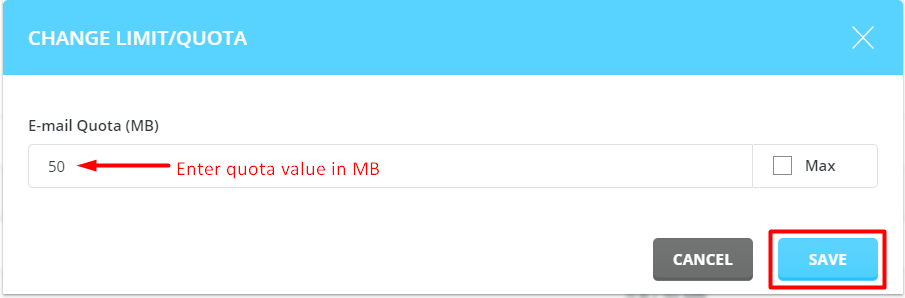
- Set it in the Quota box when creating or modifying an email account.

- Use MB. A value of 0 usually means unlimited.
- Do not set it lower than the space already used.