

What is an error page?
Each web error has a number called a status code. A few common ones:
- 404 means the page was not found.
- 403 means access is not allowed.
- 401 means a login is needed.
- 500 means the server had an internal problem.
- 400 means the request was bad.
A custom page can say sorry in your own words, show your logo, and link back to your home page. That keeps visitors on your site.
Method 1: the DirectAdmin tool
- Log in to DirectAdmin.
- Open Custom Error Pages. It is often in the Advanced Features area. Use the search box if you cannot find it.
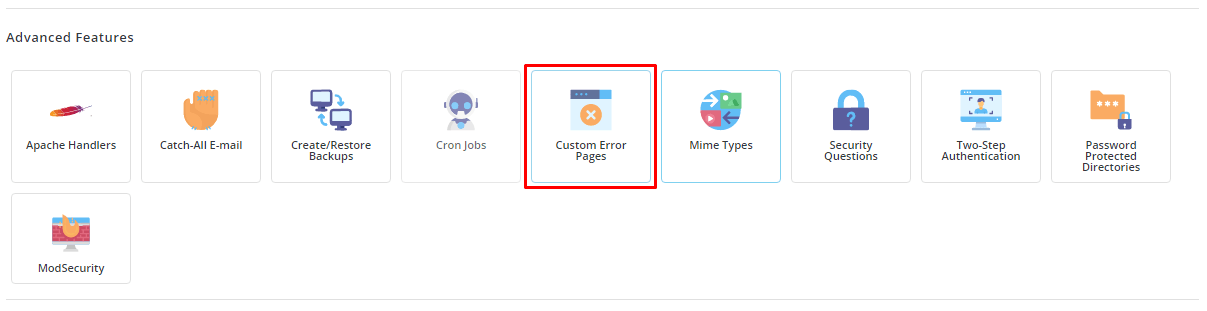
- Pick the domain if the panel asks.
- Click the error code you want to change, such as 404.
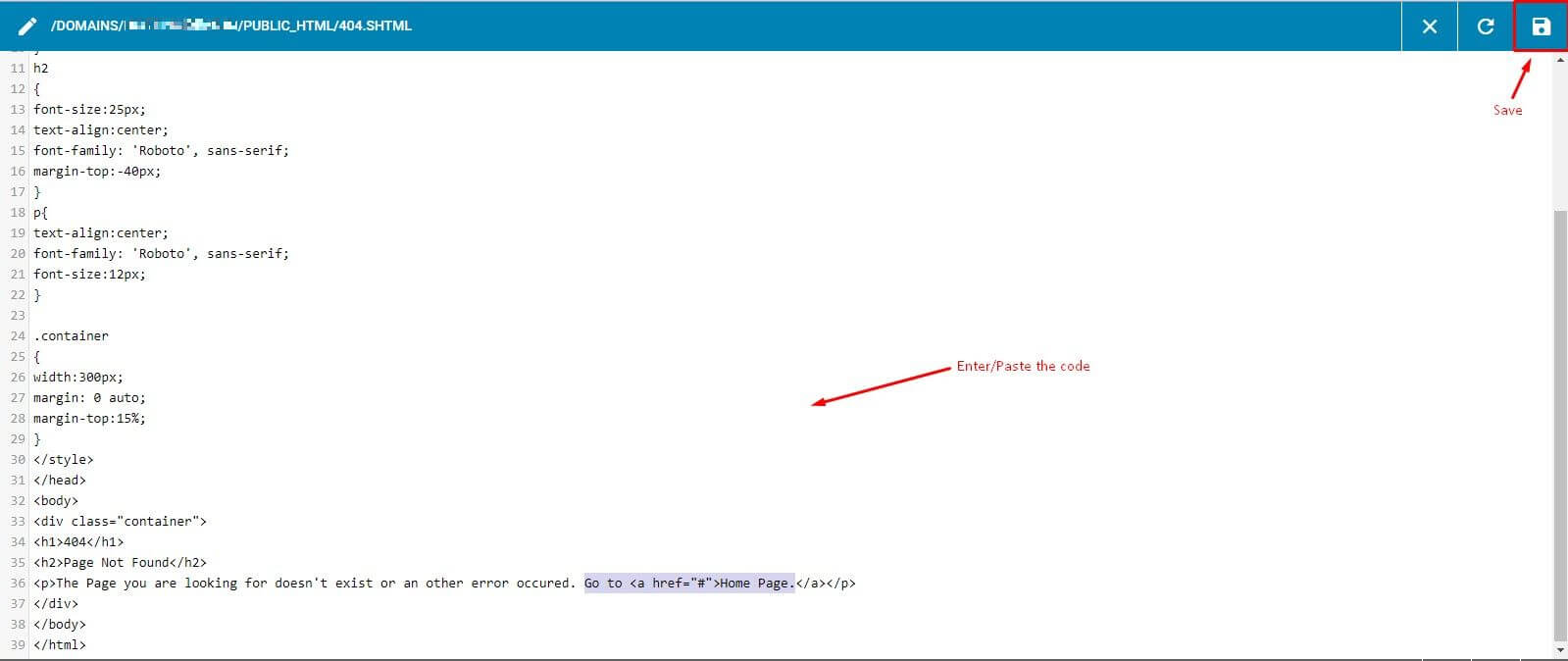
- Type your message in the editor. Plain HTML works. Example:
<h1>Sorry, we cannot find that page</h1>
<p>Please go back to the <a href="/">home page</a>.</p>
This shows a heading and a link to your home page.
- Click Save.
- Test it by visiting a page that does not exist, such as
yourdomain.com/no-such-page.
Method 2: .htaccess
You can also point to your own page files. The .htaccess file is a small settings file for the Apache web server.
- Create a file called
404.htmlinpublic_htmlwith your message. - Open File Manager and back up
.htaccess. - Edit
.htaccessand add this line.
ErrorDocument 404 /404.htmlThis tells Apache to show your file whenever a page is not found.
- Save and test again.
Repeat for other codes, for example ErrorDocument 403 /403.html.
Tip: WordPress and some apps have their own 404 page. In that case, edit the theme's 404 template instead.
Quick recap
- Error codes like 404 and 500 tell what went wrong.
- Use Custom Error Pages in DirectAdmin and save your message.

- Or add ErrorDocument lines to .htaccess.
- Test with a page that does not exist.