

What is SpamAssassin?
Spam is unwanted email, such as ads and scams. SpamAssassin is a free filter that reads each message and gives it a score. A message gets points for spammy habits, such as shouting words or odd links. A high score means it is probably spam.
SpamAssassin must be installed on the server for this to work. Ask Hostvento support if you cannot see the option in your panel.
Steps to turn it on
- Log in to DirectAdmin.
- Open SpamAssassin Setup. It is under E-mail Manager. Use the search box if you cannot find it.

- Pick the domain if the panel asks.
- Tick Enable SpamAssassin.

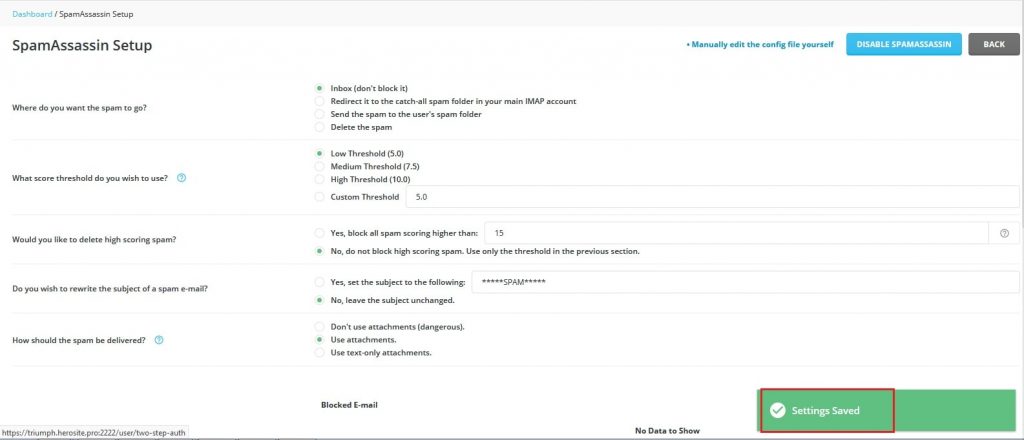
- Click Save.
Choose what happens to spam
On the same page you pick the action for messages that score too high.
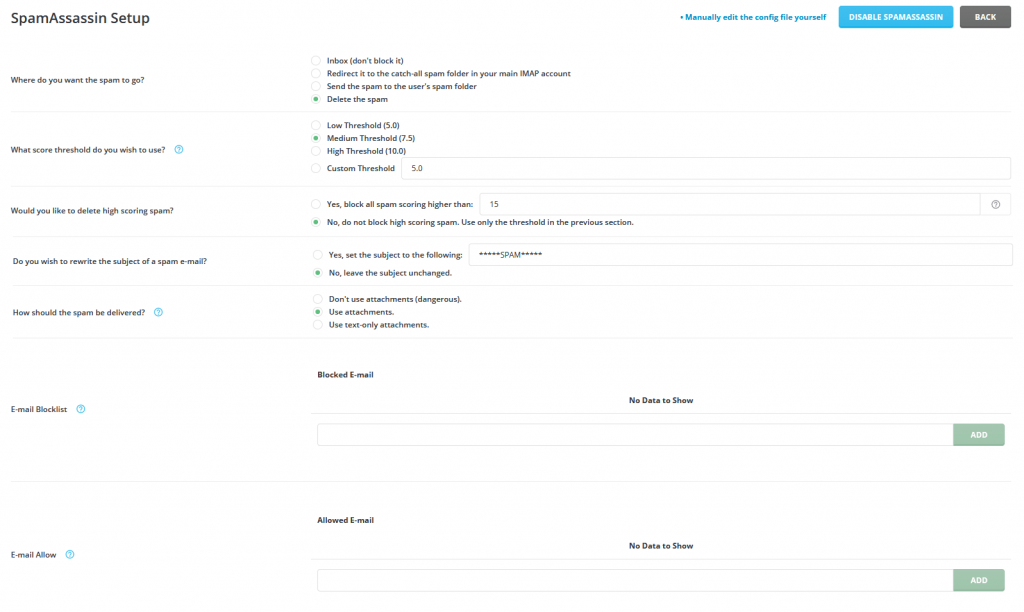
- Find the Spam threshold or Score setting. The default is often 5. A lower number is stricter and may catch real mail by mistake. A higher number is more relaxed.
- Choose what to do with spam:
- Keep it in the inbox, with a spam tag added to the subject.
- Move it to a Spam folder.
- Delete it. Be careful, because you cannot get deleted mail back.
- Click Save.
I suggest moving spam to a folder at first. Look through the folder now and then. Then you will notice good mail that was caught by mistake.
Allow or block certain senders
- A whitelist is a list of trusted senders. Their mail is never marked as spam.
- A blacklist is a list of senders you never want.
- Open the SpamAssassin settings.
- Add an email address or a whole domain to the right list.
- Click Save.
Test it
- Send yourself a test email from another account.
- Open the message headers. Look for a line starting with
X-Spam. Headers are hidden details at the top of each email. - Check that the score appears.
Tip: If good mail goes to spam, add the sender to the whitelist. Do not simply delete the filter.
Quick recap
- SpamAssassin scores each email and flags likely spam.

- Enable it in SpamAssassin Setup and save.
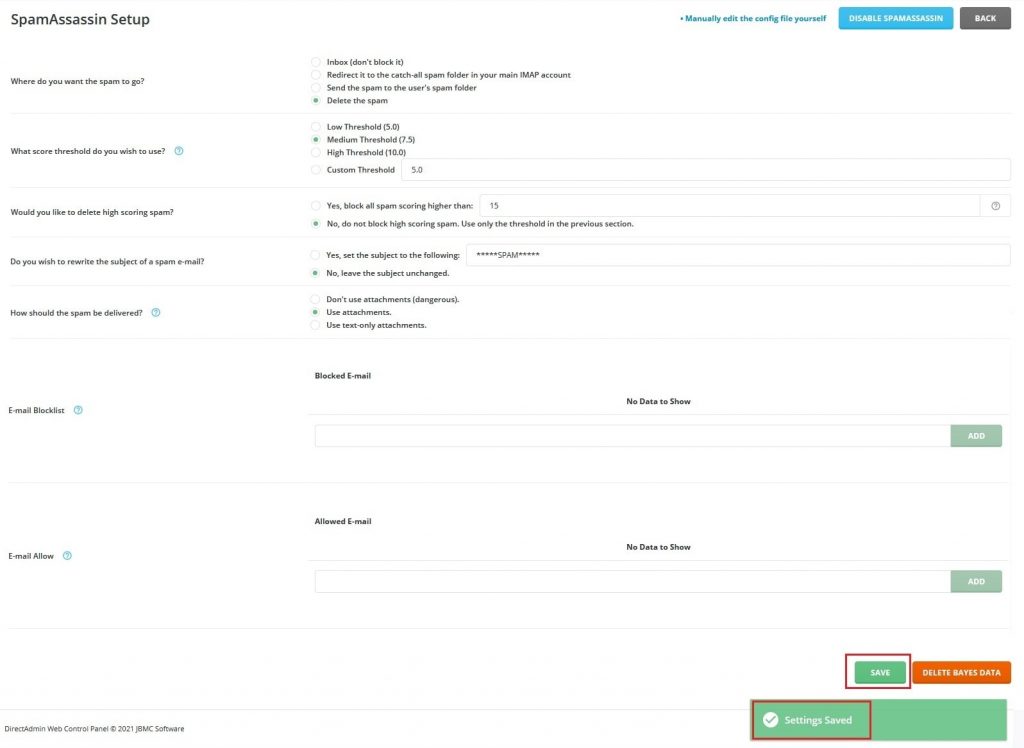
- Pick a score threshold and choose to move spam to a folder.
- Use whitelist and blacklist for senders you know.