

What is DirectAdmin?
DirectAdmin is a control panel. A control panel is a web page where you manage your hosting with buttons instead of code. DirectAdmin has three levels of users. The Admin is the boss of the server. A Reseller can create accounts for other people. A User owns one website.
What does suspending mean?
Suspending an account is like putting a lock on a shop door. The shop and all its things stay inside. But nobody can enter. The websites on that account stop loading. The data is not deleted. When you unsuspend, everything works again.
Steps to suspend an Admin account
- Log in to DirectAdmin as the main Admin. Your login details are in your welcome email.
- Look for the Account Manager section on the Admin page.

- Click Administrator Settings. On some versions this is called Manage Administrator Accounts.
- Find the Admin account in the list.
- Tick the box next to its name.
- Click the Suspend button at the bottom of the list.
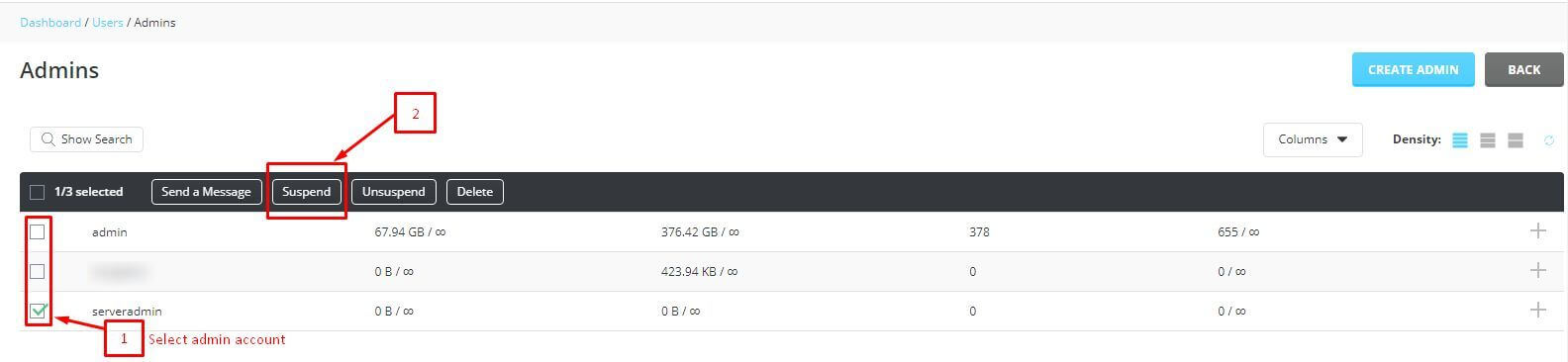
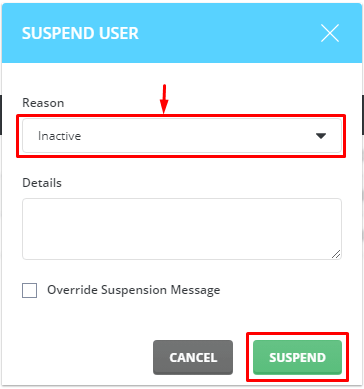
- Confirm the pop-up message if one appears.
The account now shows as suspended in the list.

Steps to unsuspend an Admin account
- Go back to the same list of Admin accounts.
- Tick the box next to the suspended account.
- Click the Unsuspend button. In some versions the same button is shown as a toggle named Suspend/Unsuspend.
- Confirm if asked.
Check that it worked
Open a website that belongs to the account. After suspending, it should show a suspended page. After unsuspending, it should load normally again.
If you cannot find the buttons
Menu names change a little between DirectAdmin versions and skins. A skin is the look of the panel. If you cannot find the page, look for words like Admin, Accounts or Manage. You can also open a support ticket. Hostvento support can tell you where the options are on your plan.
Quick recap
- Suspending locks an account but keeps all its data.
- Log in as Admin and open the Admin accounts list.

- Tick the account and click Suspend or Unsuspend.
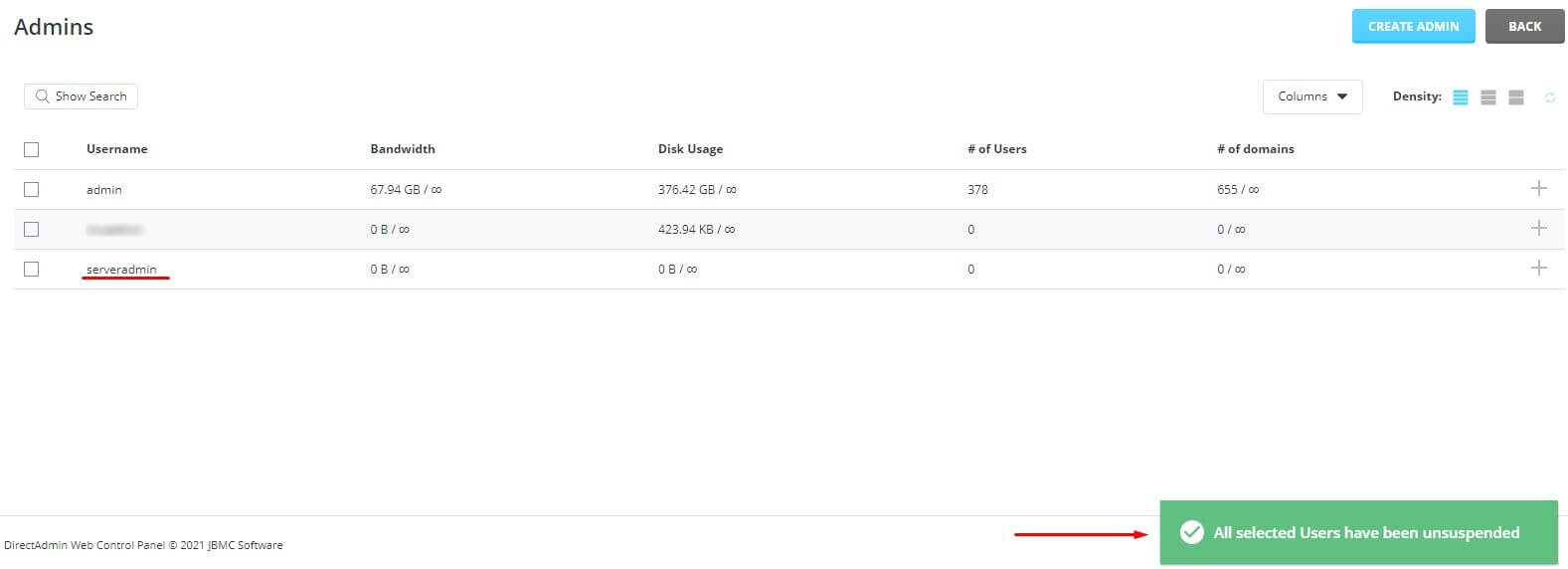
- Check a website on that account to see the result.
- Ask support if your menu looks different.