

What are server resources?
A server is a computer that keeps your website online. Like any computer, it has limits. Resources are those limits. The main ones are the CPU, the memory and the disk. The CPU is the brain that does the work. Memory (also called RAM) is the desk space where work happens. The disk is the cupboard where files are stored.
What is a process?
A process is a job the computer is running right now. Your web server is a process. Your email service is a process. Many processes at once can slow the server down.
What is the Process Monitor?
DirectAdmin is a control panel, which is a web page for managing hosting. The Process Monitor is a tool inside it. It shows a list of running processes and how much each one uses. It is like the Task Manager on a Windows computer.
This tool is usually for Admin users. It may not show on shared hosting. VPS and dedicated server owners can normally use it.
Steps
- Log in to DirectAdmin as Admin.
- Open the Extra Features or Admin Tools section. The place may differ in your version.
- Click Process Monitor. You can also use the search box at the top.

- Wait for the list to load.
- Click the column heading for CPU or memory. This sorts the list so the heaviest process is on top.
How to read the list
| Column | Meaning |
|---|---|
| User | The account that owns the process |
| CPU | How much brain power it uses |
| Memory | How much RAM it uses |
| Command | The name of the job |
If one process uses a very large share for a long time, it may be the cause of a slow site.
What to do next
If a website script is the heavy one, check that site for a faulty plugin. You can also open a support ticket and share what you see.
Quick recap
- Resources are the CPU, memory and disk of your server.
- A process is a job the server is running.
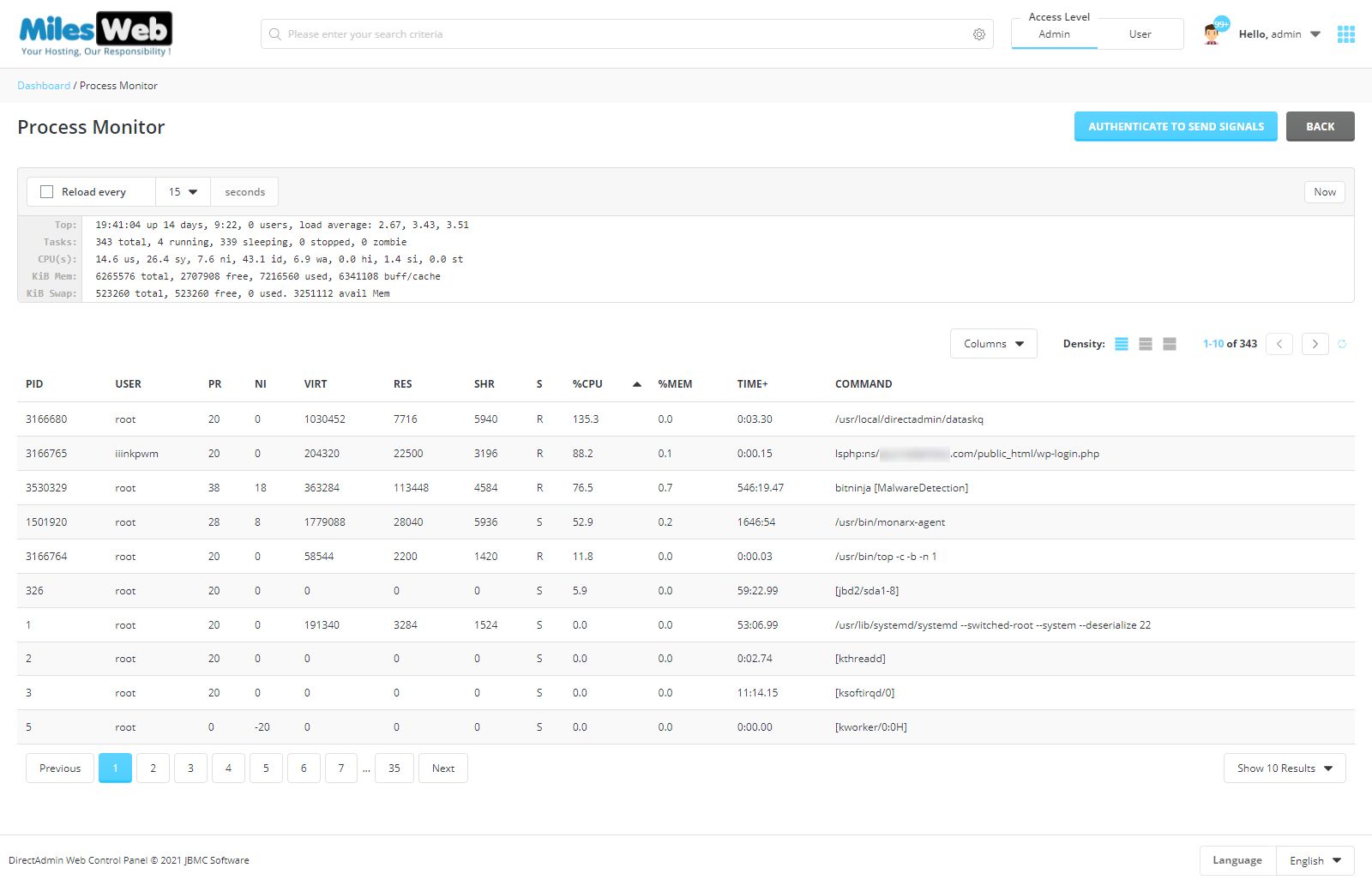
- Open Process Monitor in DirectAdmin and sort by CPU or memory.
- Do not stop processes you do not understand.
- Ask support if the tool is not on your plan.