

What is Webuzo?
Webuzo is a control panel. A control panel is a web page where you manage your hosting, like a dashboard. Some hosting plans use Webuzo instead of cPanel. It has a section for email. It also has webmail. Webmail lets you read your mail in a browser, with no extra app.
Steps
- Find your Webuzo login details. They are in your welcome email. You can also check the Services menu in your client area.
- Open the Webuzo address in your browser. It often uses a port number, like
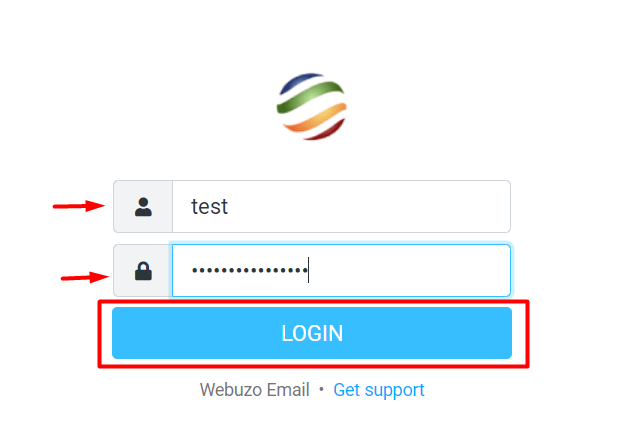
:2004. Use the exact address from your welcome email. - Type your username and password. Click Login.
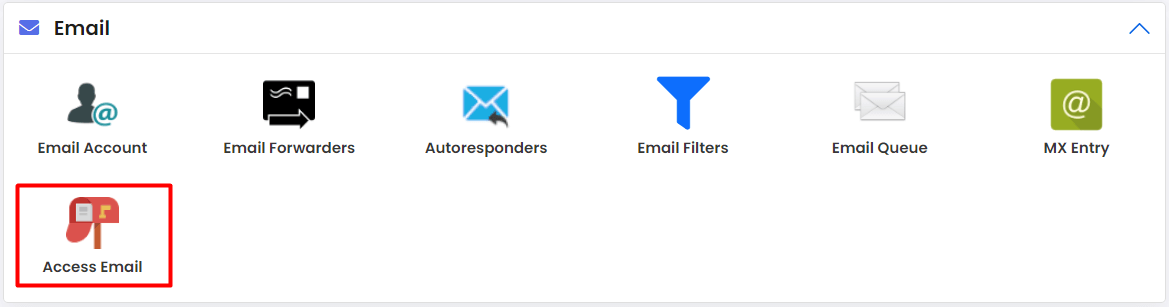
- Look at the menu or search box. Find the Email section.
- Look for Webmail or Access Webmail.
- Click it. A new page opens.
- Pick the mail program if asked. Roundcube is a common one. It looks like a normal inbox.
- Log in with your full email address, such as
name@example.com, and its password. - Your inbox opens. Click a message to read it.
Open webmail directly
You can also go straight to webmail. Many hosts let you type your domain followed by /webmail. For example, example.com/webmail. Check with support that this works for you.
Use an email program instead
You can add your mailbox to Outlook, Thunderbird or a phone app. You need your mail server name, your username and your password. Your welcome email or support can give the server names and ports.
Tip: Your username is the full email address. A short name like "name" often fails.
If you cannot log in
- Check that Caps Lock is off.
- Reset the password in the Webuzo email section.
- Make sure the mailbox exists.
Still stuck? Open a support ticket.
Quick recap
- Webuzo is a control panel with a built-in email area.
- Log in, open Email, then Webmail.
- Sign in with your full email address and password.
- Ask support if Webuzo is on your plan.