

What is Horde?
Horde is a webmail program. Webmail lets you read email in a web browser. You open it at yourdomain.com/webmail and pick Horde. An attachment is a file you add to an email, like a photo or a PDF.
Why is the attachment missing?
- The Sent folder shows only the message list, and the paperclip icon is hidden.
- The message is too large, so the attachment was not saved.
- The message did not send, and it stayed in Drafts or Outbox.
- Your settings do not save a copy of sent mail.
- The view hides the attachment pane.
Steps to check
- Log in to Horde and click Mail.
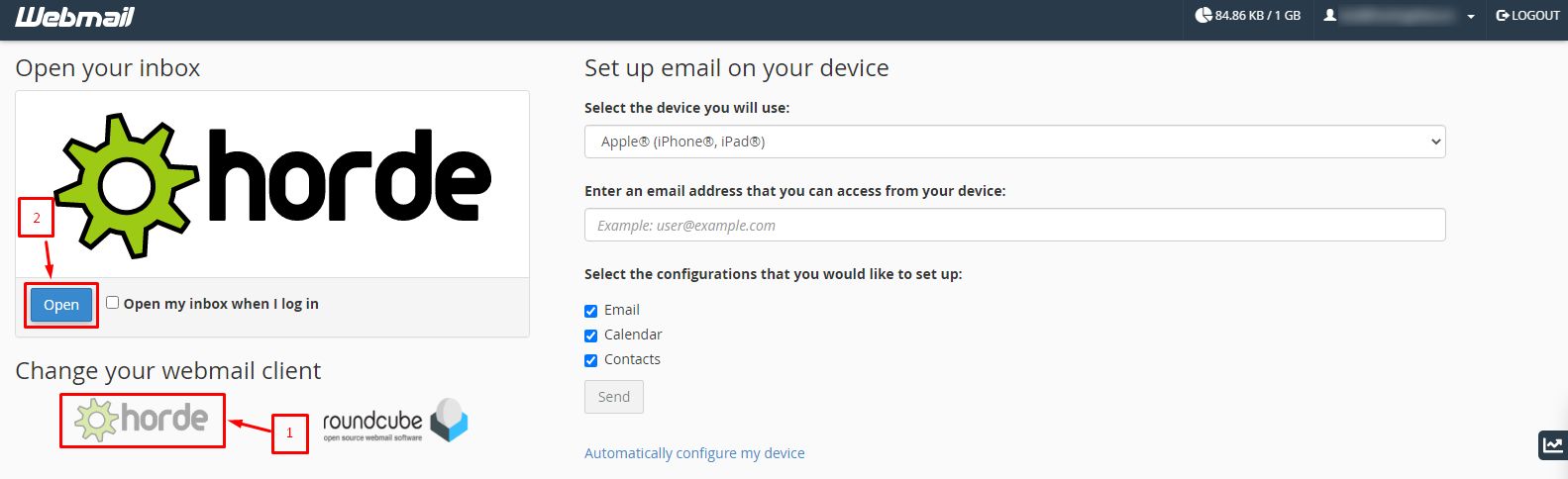
- Open the Sent folder.
- Click the message you sent. Do not just look at the list.
- Look under the message header for an Attachments line or a paperclip.
- If you see a small number or "Download all", click it to see the files.
Switch to the right view
- Click the message to open it in its own window.
- Click Show Attachments or the arrow beside the message to expand it.
- If you use the preview pane, open the message in full instead.
Turn on saving sent mail
- Click Mail, then Options or the settings gear.
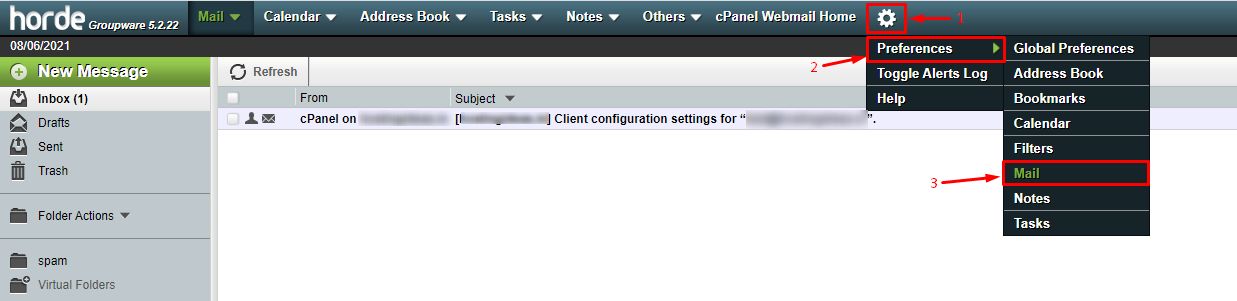
- Open Compose settings.
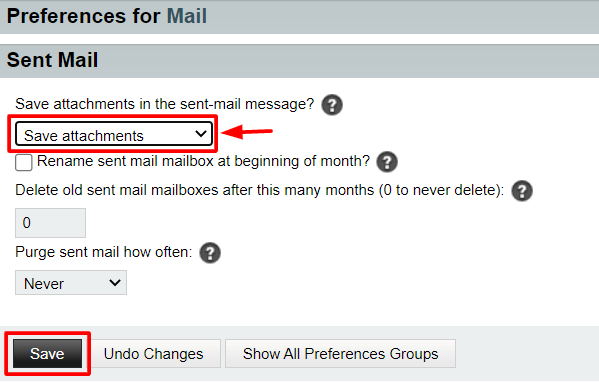
- Find Save sent mail. Set it to Yes.
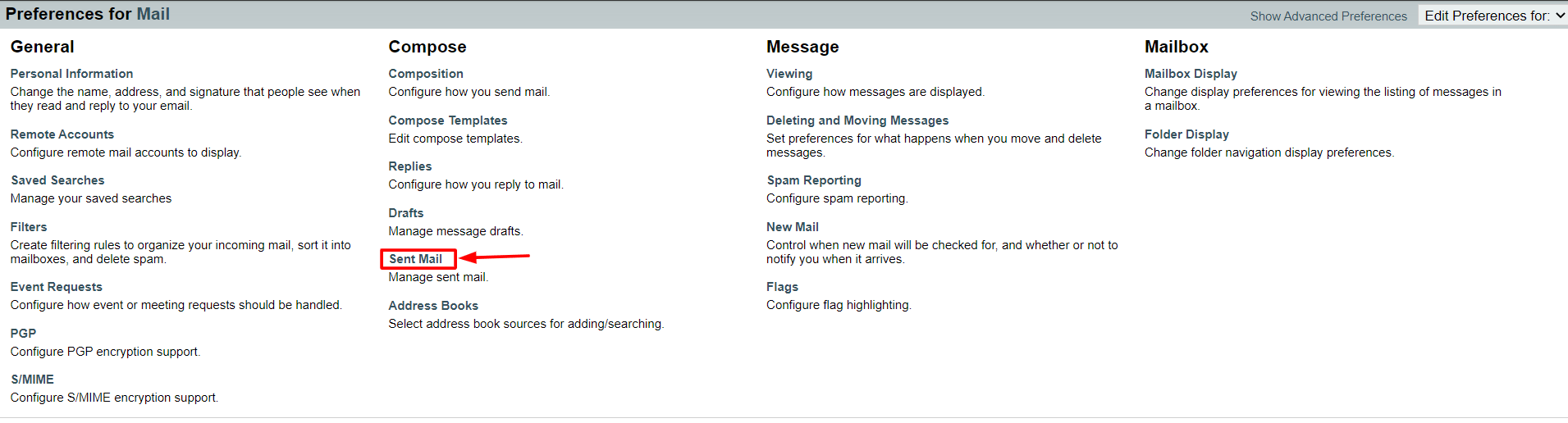
- Choose the Sent folder.
- Click Save.
Setting names can differ a little between Horde versions.
Check the size
Each email has a size limit. A large attachment may fail to send or be cut. Try a smaller file or a link to a file-sharing service.
Try another way
- Log in to Roundcube instead and open the Sent folder.
- Or connect a mail program like Outlook with IMAP and look at the Sent folder there.
IMAP is a way that mail programs read the same mailbox you see in webmail.
Tip: If the attachment still does not show, note the date and the recipient. Then open a support ticket. Support can check the mail logs.
Quick recap
- Open the sent message itself, not just the list.
- Check that "Save sent mail" is on.
- Large files may fail, so try a smaller size.
- Ask support if it is still missing.