

What is Google Workspace?
Google Workspace is a paid Google service. It gives your business its own email address, like you@yourcompany.com, that runs on Google's system. Outlook is a mail program from Microsoft. It lets you read mail from many accounts in one place.
Your admin may need to allow this. Google sometimes blocks older apps that only use a password. Newer Outlook versions sign in through a Google window, which is safer.
Steps
- Open Outlook.
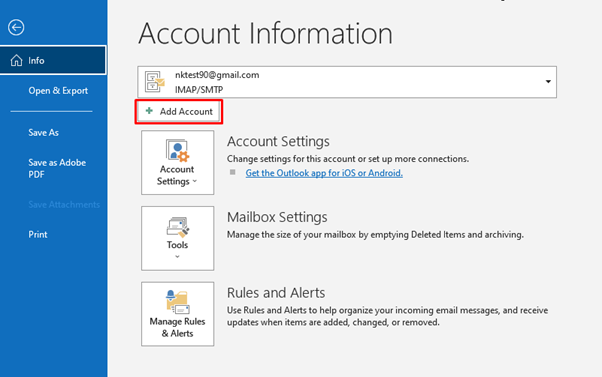
- Click File, then Add Account.
- Type your full Google Workspace email address.
- Click Connect.
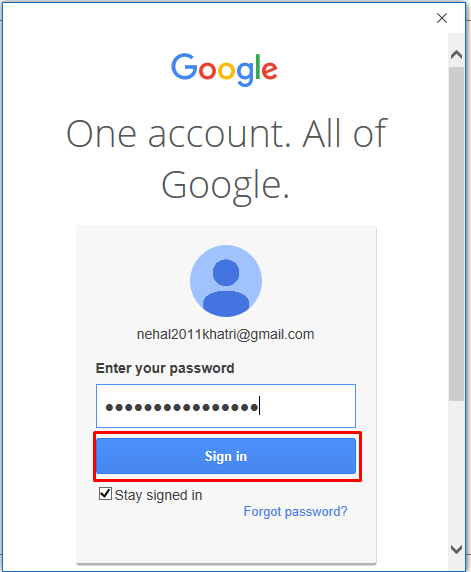
- A Google sign-in window opens. Type your password.
- If you use 2-step verification, enter the code from your phone. This is a second check that proves it is you.
- Google asks if Outlook can access your mail. Click Allow.
- Click Done. Your folders begin to load.
If sign-in does not work
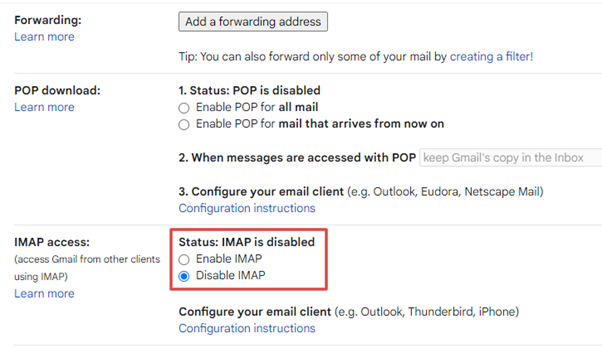
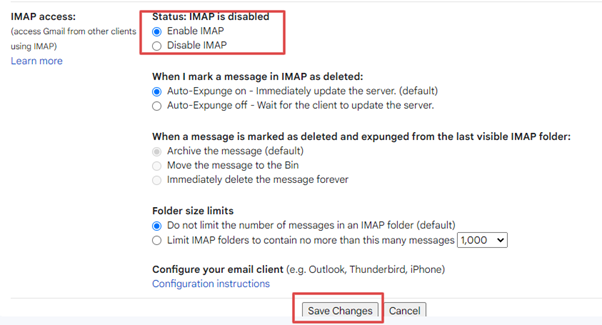
- Check that IMAP is on. IMAP is a way for programs to read your mail while it stays on the server. Ask your Workspace admin to turn it on in the Google Admin console, or look in Gmail settings under Forwarding and POP/IMAP.
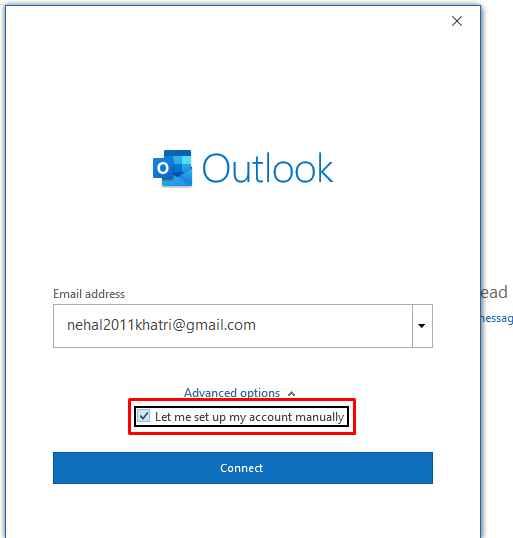
- Try the manual setup. Choose Advanced options, then Let me set up my account manually, then pick IMAP.
- For incoming mail use
imap.gmail.comwith port993and SSL. For outgoing mail usesmtp.gmail.comwith port587and TLS (or port 465 with SSL). SSL and TLS scramble your mail so nobody can read it on the way. - If your admin has turned off sign-in with simple passwords, create an app password. It is a special one-time password for one app. Your Google account security page offers this if your admin allows it.
Tip: Older Outlook versions may not show the Google window. Update Outlook to a newer version when you can.
Quick recap
- Use File, then Add Account.
- Sign in through the Google window and click Allow.
- Make sure IMAP is switched on.
- Use manual IMAP settings or an app password if needed.