

What is a time zone?
The Earth is split into regions, each with its own local time. These regions are time zones. If webmail uses a different zone from yours, the times on your emails and calendar look wrong. Roundcube is the webmail program that comes with cPanel.
Change it in Roundcube
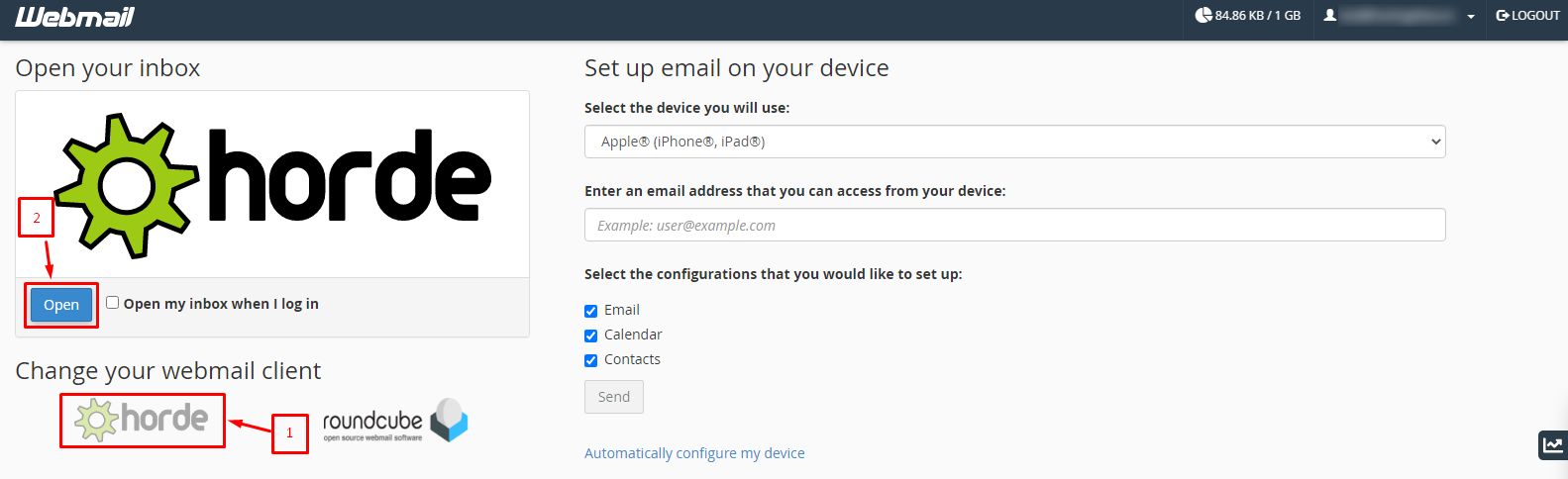
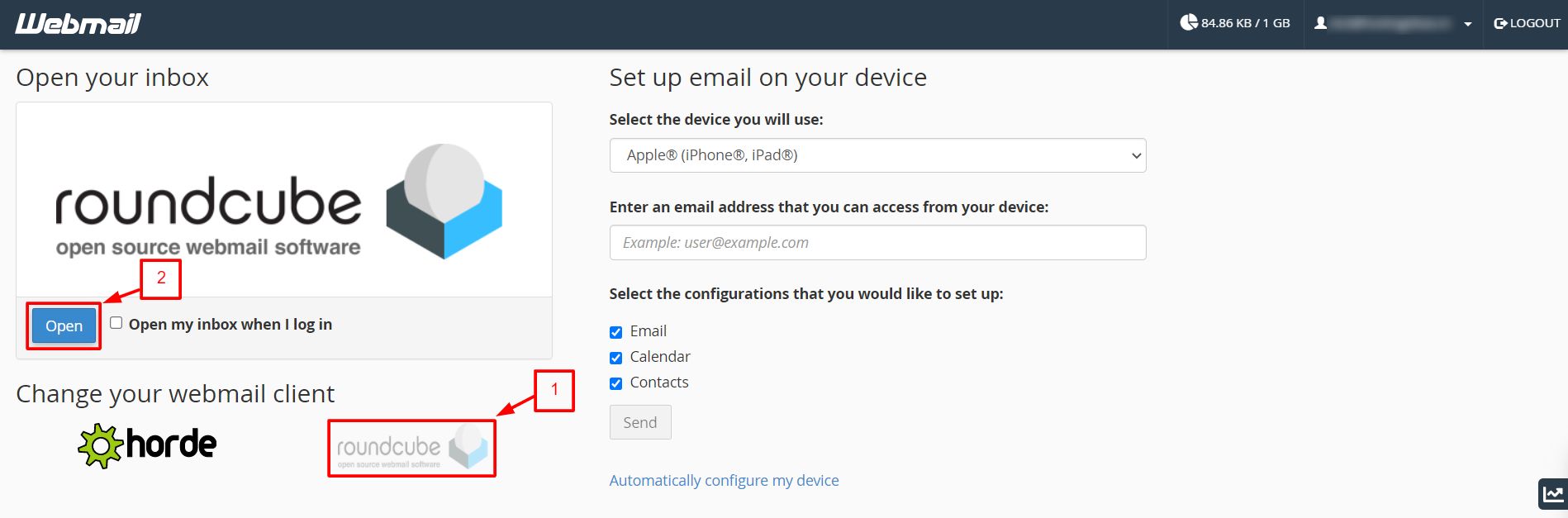
- Open
yourdomain.com/webmail. - Log in with your email address and password.
- Open Roundcube.
- Click Settings.
- Click Preferences.
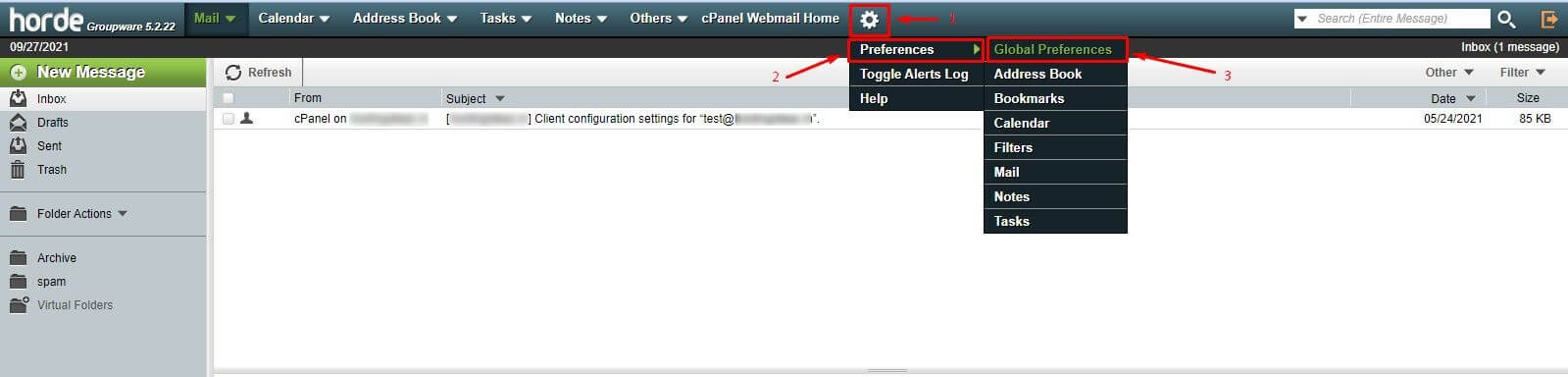
- Click User Interface.
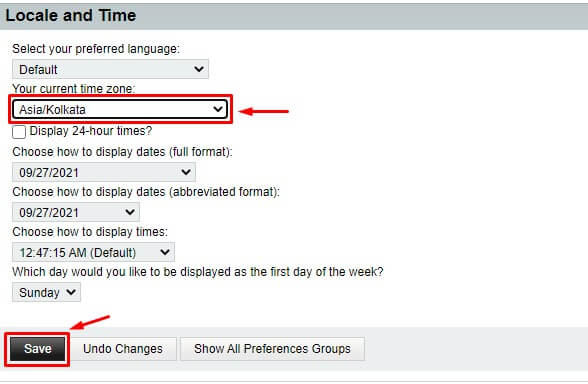
- Find Time zone.
- Click the list. The default may be Auto, which uses your browser clock.
- Pick your city or region, such as Asia/Kolkata or Europe/London.
- Choose your Time format, 12-hour or 24-hour, if you wish.
- Click Save.
Open a message. The time should now be correct.

If the time is still wrong on your computer
With the Auto setting, Roundcube reads the clock on your device. So check your computer or phone settings.
- On Windows, right-click the clock and choose Adjust date/time.
- Turn on Set time zone automatically, or pick it by hand.
- Reload webmail.
Change it in cPanel
cPanel has its own time zone for the account. It affects some dates in the panel and in cron jobs, which are tasks that run on a schedule.
- Log in to cPanel.
- Look for Server Information or the Preferences area to see the current time.
- Time zone changes on shared hosting may be locked. Ask Hostvento support if you need it changed.
Other webmail programs
Other programs, like Horde, have a similar option. Look for Preferences or Settings and then a time zone or locale choice.
Tip: An email's time depends on the sender's server, then your time zone. If you travel, change the time zone setting or keep it on Auto.
Quick recap
- A time zone is the local time of a region.
- In Roundcube, go to Settings, Preferences, User Interface.
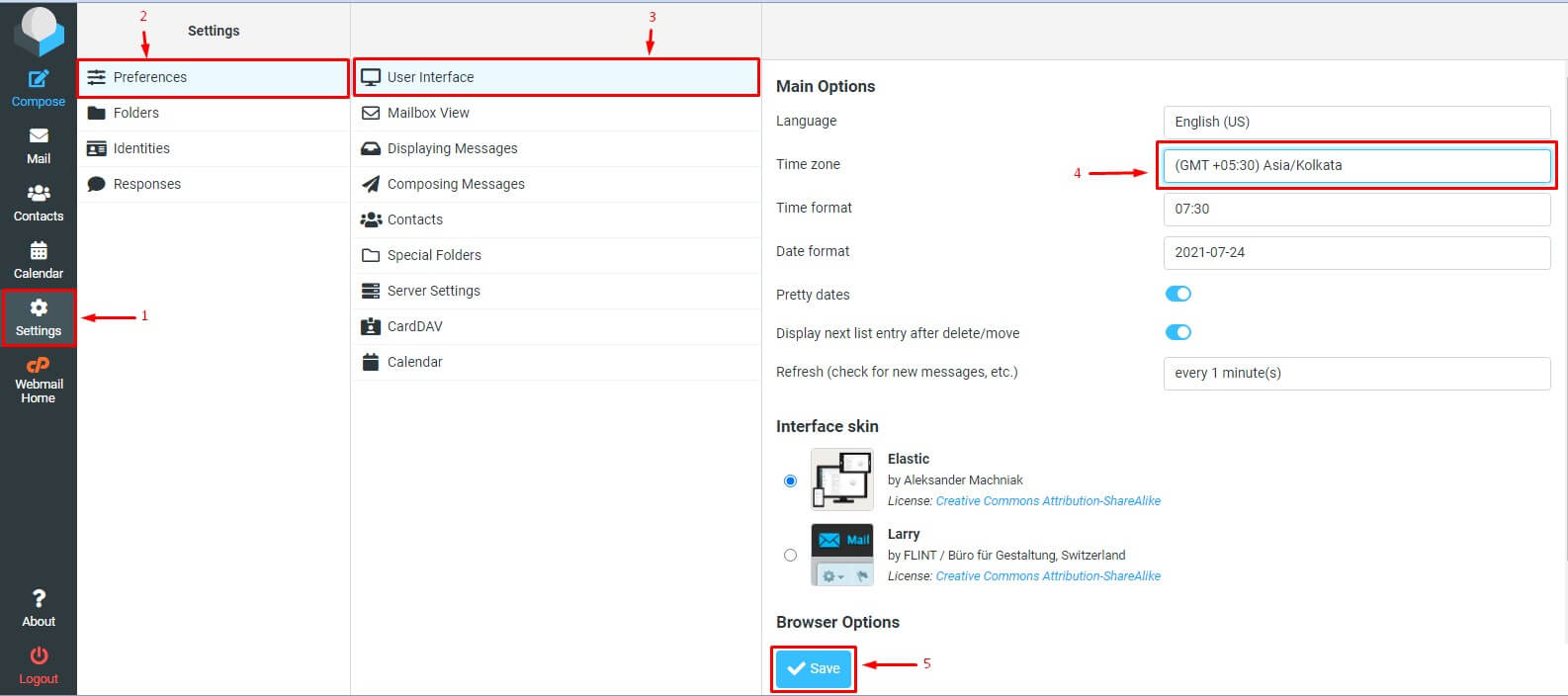
- Pick your time zone and click Save.
- Check your device clock if Auto is on.