

What is an autoresponder?
An autoresponder is an automatic reply. When someone emails you, the system answers for you. It is like a note on your door that says "I am away". People use it for holidays, for sales questions or to say "we got your message".
Webuzo is a control panel. It is a web page where you manage your hosting and your email accounts.
Steps
- Log in to Webuzo. Your welcome email has the address and login. You can also check the Services menu in your client area.
- Open the Email section in the menu. You can also type Autoresponders in the search box.
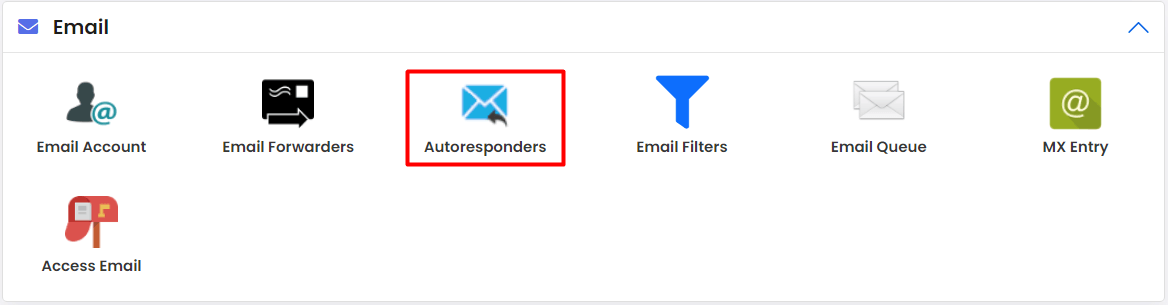
- Click Autoresponders.
- Click Add Autoresponder.

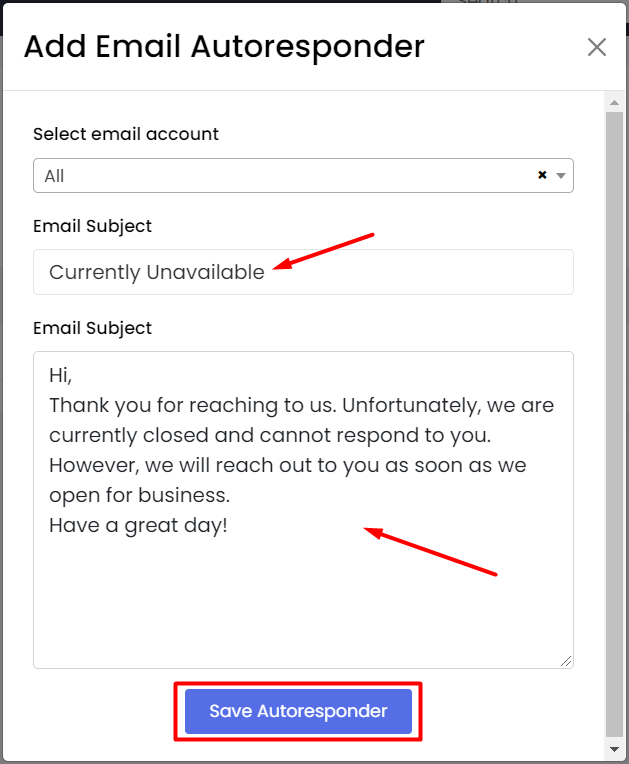
- Choose the email address that will send the reply. If needed, pick the domain first.
- Type a Subject. For example, "Thank you for your email".
- Type your Message. Keep it short and polite.
- Set the start and stop times if the form has them. This is useful for holidays.
- Click Create or Save.
Sample message
Hello,

Thank you for your email. I am out of the office until Monday.
I will reply as soon as I am back.

Kind regards,
Sam
This is only a sample. Change the words to fit you.
Test it
- Send an email to that address from another account.
- Wait a minute or two.
- Check that the automatic reply arrives.
- Look in the spam folder if it does not show.
Edit or remove it
- Go back to Autoresponders.
- Find the entry in the list.
- Click Edit to change it, or Delete to remove it.
Warning: Do not give private details in the message. Anyone who emails you will see it. Also remember to delete the autoresponder when you are back.
Menu names can vary between versions. If you get stuck, open a support ticket.
Quick recap
- An autoresponder sends an automatic reply.
- Use Email then Autoresponders in Webuzo.
- Write a short subject and message.
- Test it and delete it when you no longer need it.