

What is Roundcube?
Roundcube is a webmail program. Webmail means you read and send email in your web browser. The "user interface" is simply what you see on the screen: the colors, the buttons and the layout.
What you can change
- The language of the menus.
- The time zone and date format.
- How many messages show on each page.
- The skin. A skin is a theme that changes the colors and style, like a new coat of paint. Which skins you see depends on your setup.
- The layout of the mailbox list and message preview.
Steps to open the settings
- Sign in to Roundcube with your email address and password.
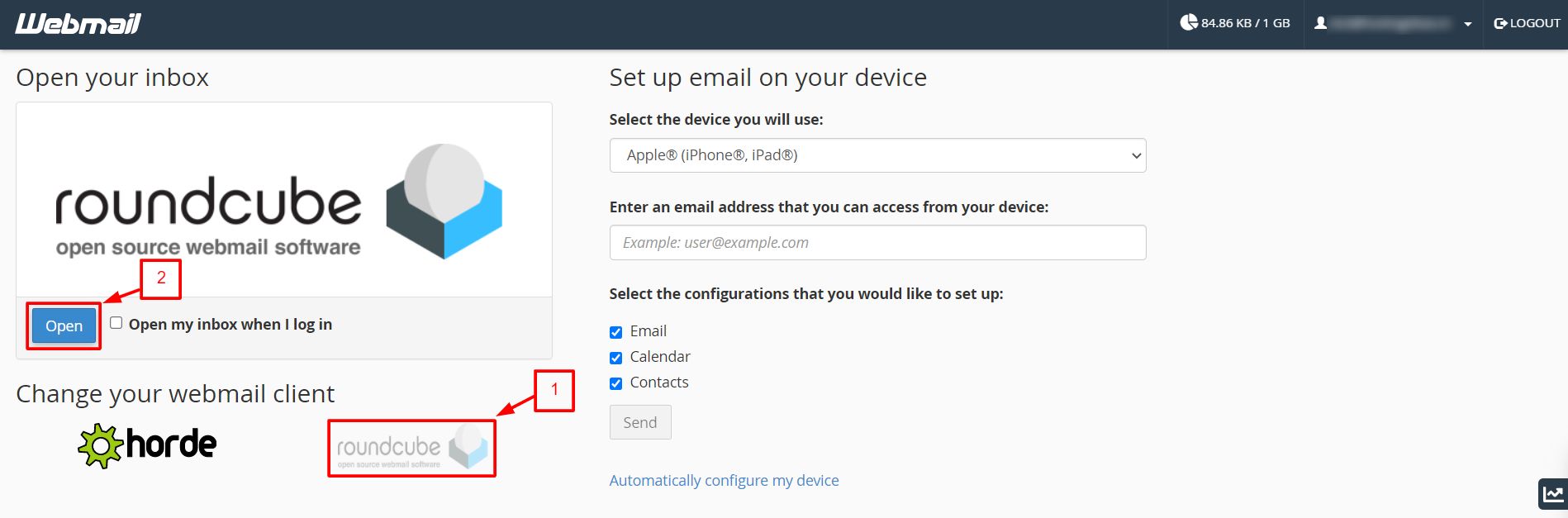
- Click Settings in the main menu.
- Click Preferences.
Steps to change the main look
- In Preferences, click User Interface.
- Choose your language from the language list.
- Choose your time zone, so message times are correct.
- Pick a time format and a date format that you like.
- Change the options for the message list, such as how often to refresh.
- Click Save.
Steps to change the skin
- Go to Settings, then Preferences.
- Look for a section called Appearance or User Interface. Some versions place the skin choice there.
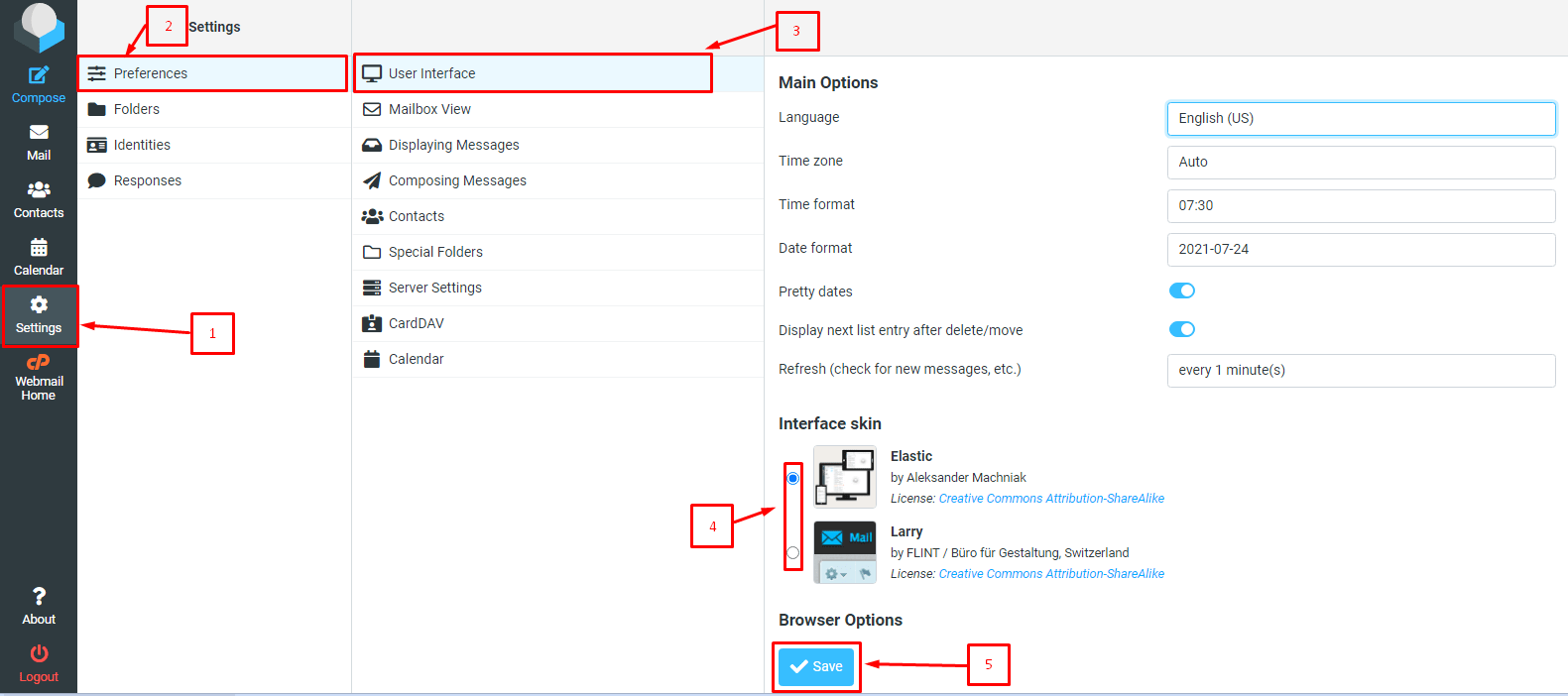
- Pick a skin from the list. A small preview may show.
- Click Save. The page reloads with the new look.
If you see only one skin, that is the only one set up for your account. You can ask Hostvento support whether more are available.
Steps to change how messages are listed
- Go to Settings, then Preferences.

- Click Mailbox View.
- Choose how many messages to show per page.
- Click Save.
You can also use Displaying Messages to choose how an email opens. For example, you can choose whether it opens in a new window.
Tip: Menu names change a little between Roundcube versions. If a name is different, look at the other sections in Preferences. The setting will be nearby.
Quick recap
- Roundcube is a webmail program that runs in your browser.
- Open Settings then Preferences to change how it looks.
- You can change the language, time zone, skin and message list.
- Always click Save after a change.
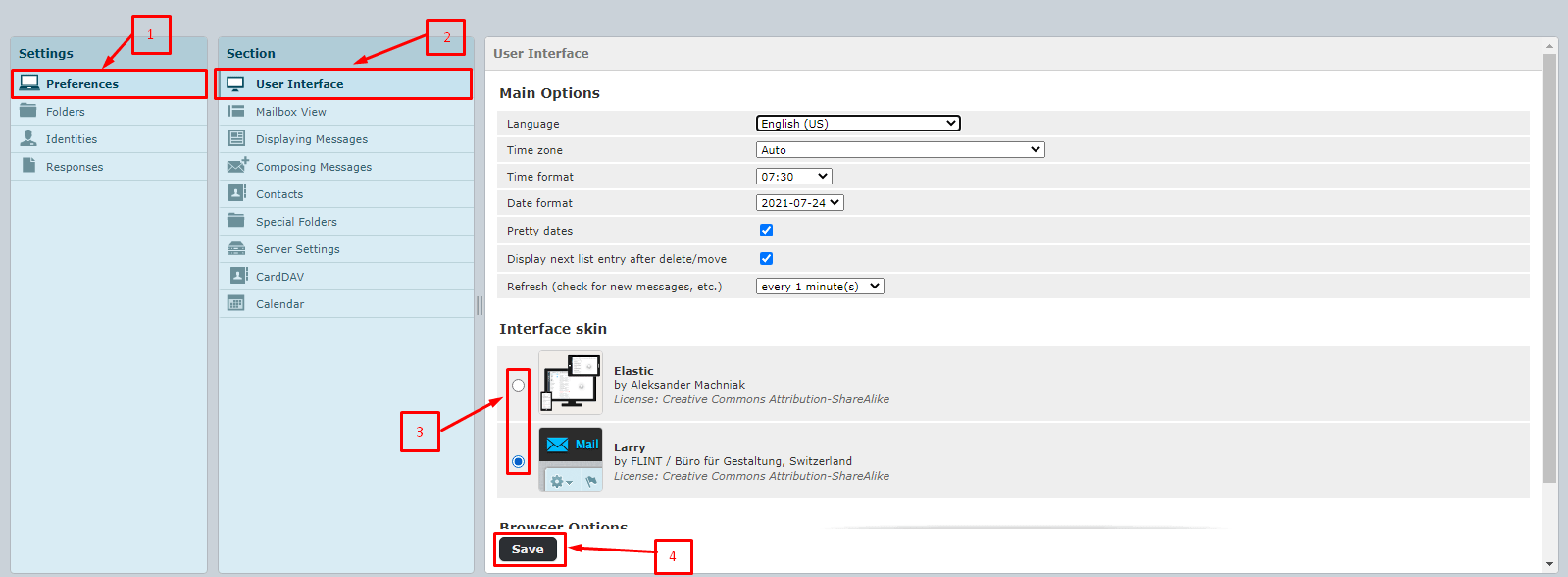
- Only the skins set up on your account will appear.