

What is a forwarder?
A forwarder is like a mail redirect at the post office. When a letter comes to one address, a copy goes to a second address too. You might forward your work mail to your personal inbox, so you only need to check one place.
Webmail is email you read in a web browser. Roundcube and Horde are two webmail programs. Both can forward mail, with slightly different menus.
Steps in Roundcube
- Sign in to webmail with your email address and password.
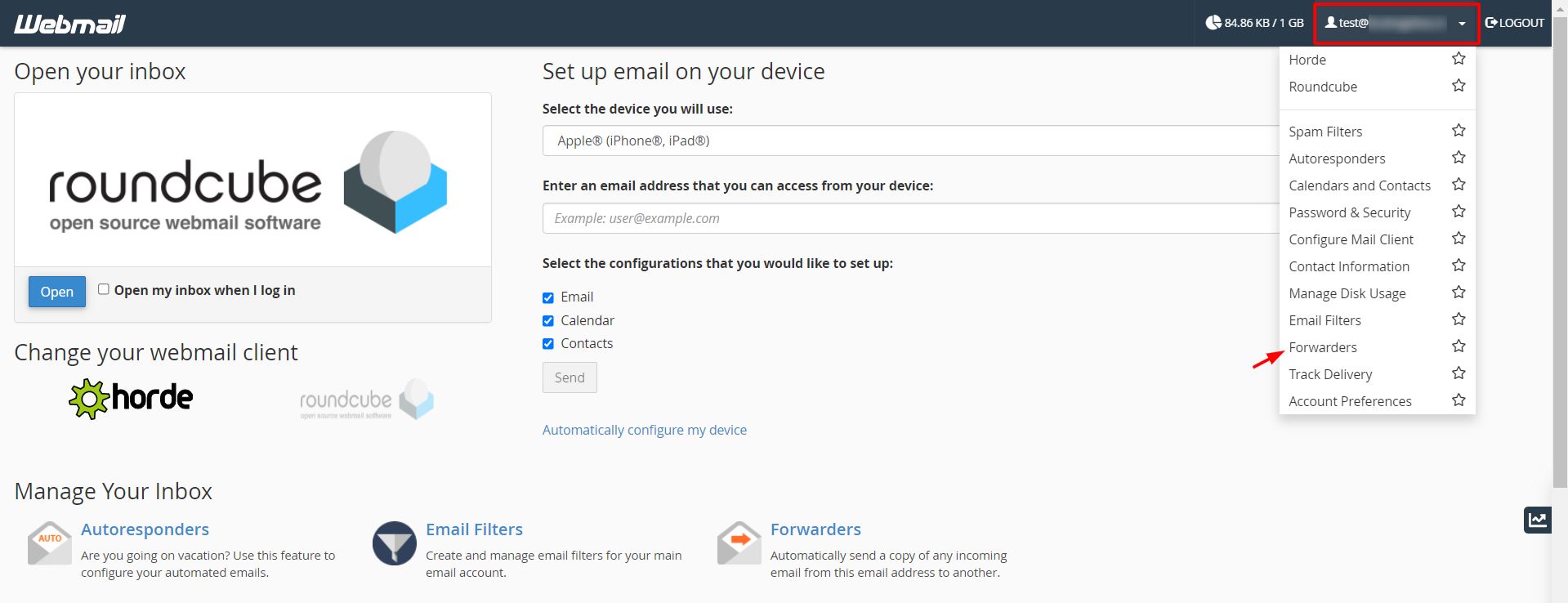
- Click Settings.
- Click Filters. If you do not see it, your setup may not include it.
- Click the + or Create button to add a new filter.
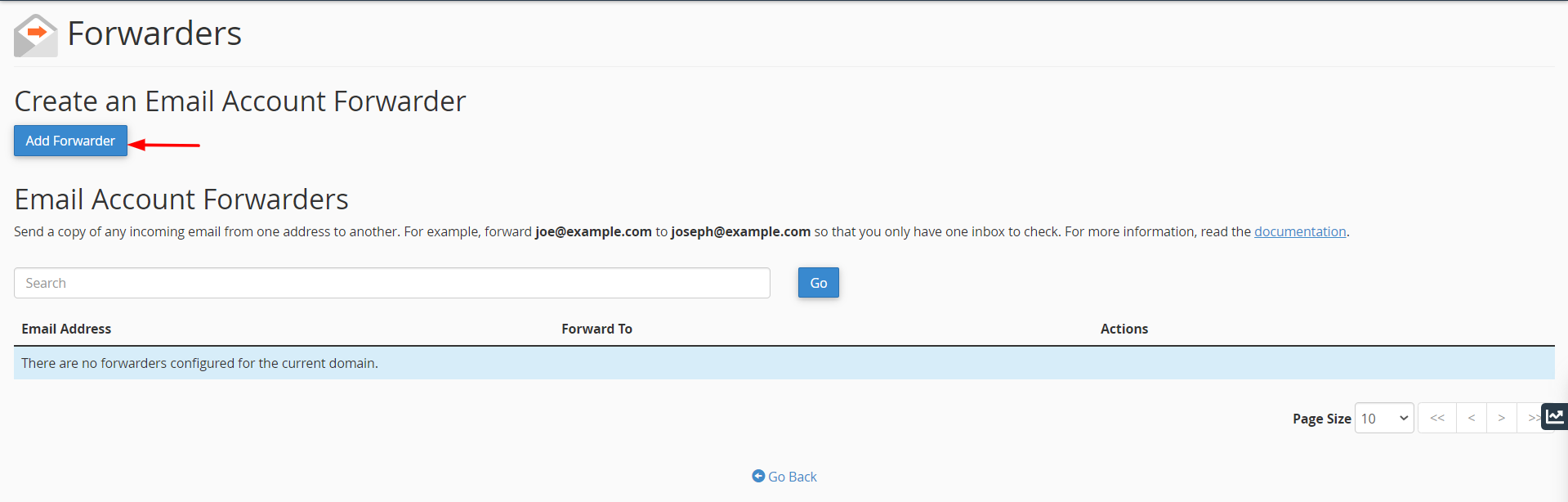
- Type a name such as "Forward all".
- Under the rule, choose all messages.
- Under the action, choose Send message copy to. Choose Redirect message to if you do not want to keep a copy.
- Type the address to forward to.
- Click Save.
Steps in Horde
- Sign in to Horde.
- Click Mail in the top menu, then Filters.
- Click Forward on the left.
- Type the address you want to forward to.
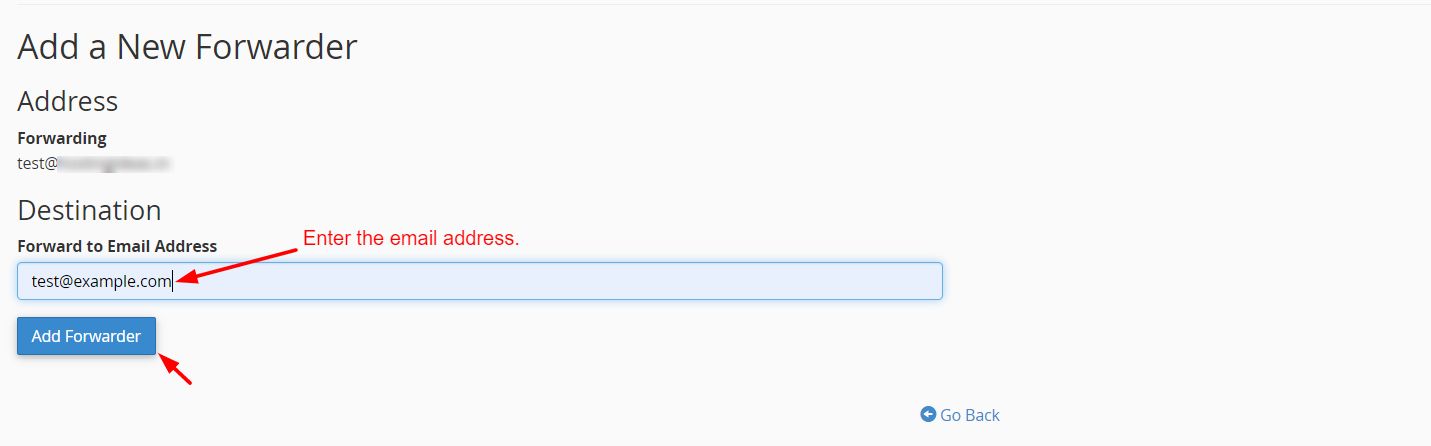
- Tick Keep a copy of messages in this account if you want to keep them here too.
- Tick Enable if that box appears, then click Save.
Tip: Send yourself a test message from another account. Check that it reaches the second address. Also check the spam folder there.
Stop forwarding
- Go back to the same Filters page.
- Turn the filter off or delete it.
- Click Save.
Good to know
- Do not forward mail to an address that forwards back to you. This makes a loop that floods both mailboxes.
- Forwarded mail can still be marked as spam by the receiving service.
- Menu names may differ in your version. If you do not find Filters or Forward, ask Hostvento support through a ticket at https://secure.hostvento.com/submitticket.php.
Quick recap
- A forwarder sends a copy of your mail to another address.
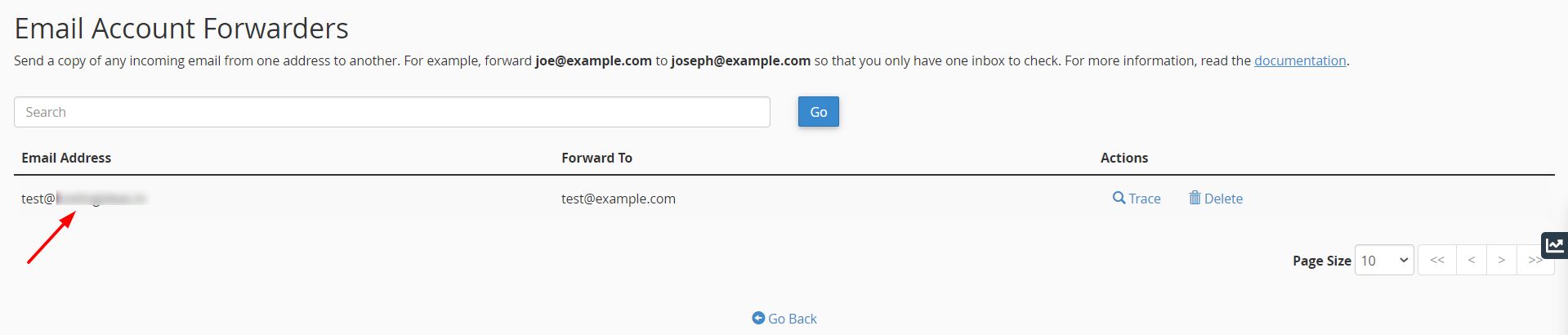
- In Roundcube, use Settings then Filters.
- In Horde, use Mail, Filters, then Forward.
- Test it and avoid forwarding loops.