

What is Horde?
Horde is a webmail program. Webmail means you use email in your web browser, with no extra software. You sign in on a web page and your inbox opens.
Steps to write and send a message
- Open your webmail page and choose Horde if you are asked to pick a program.
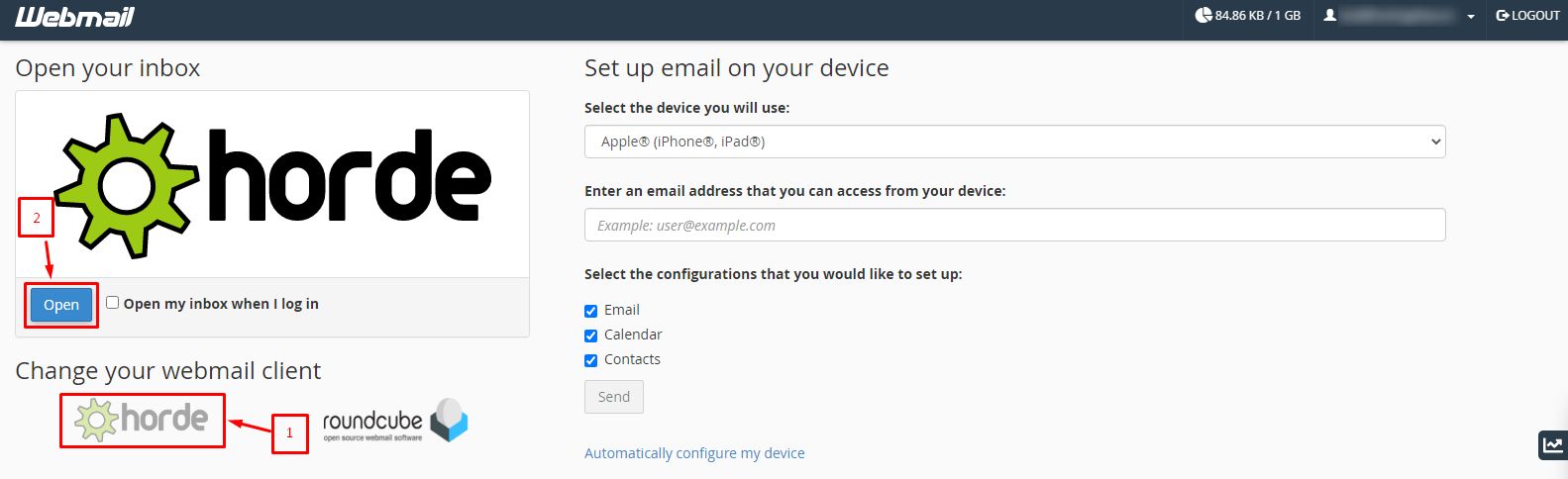
- Sign in with your full email address and password.
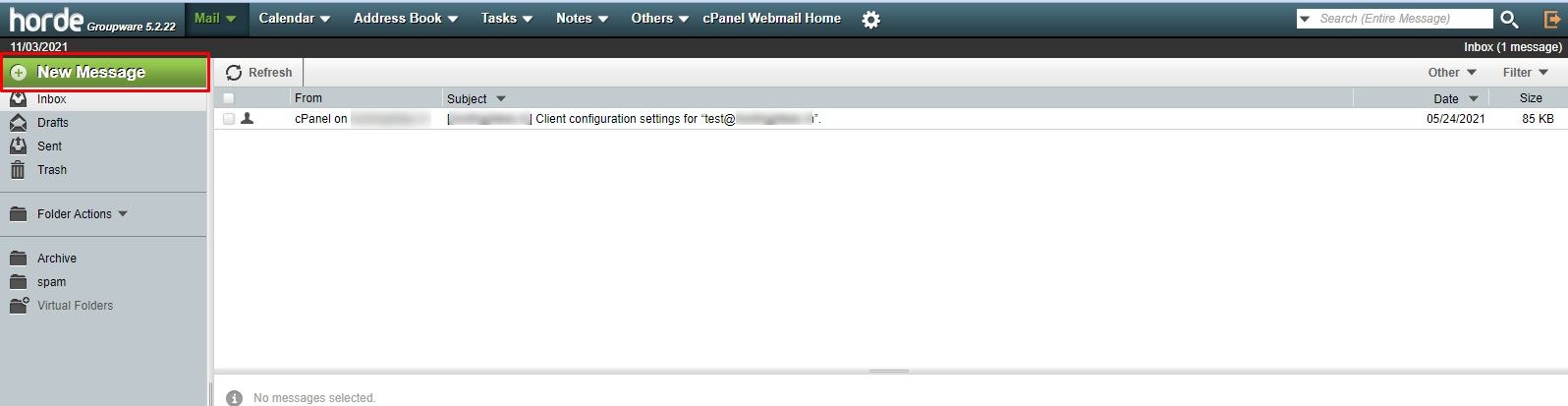
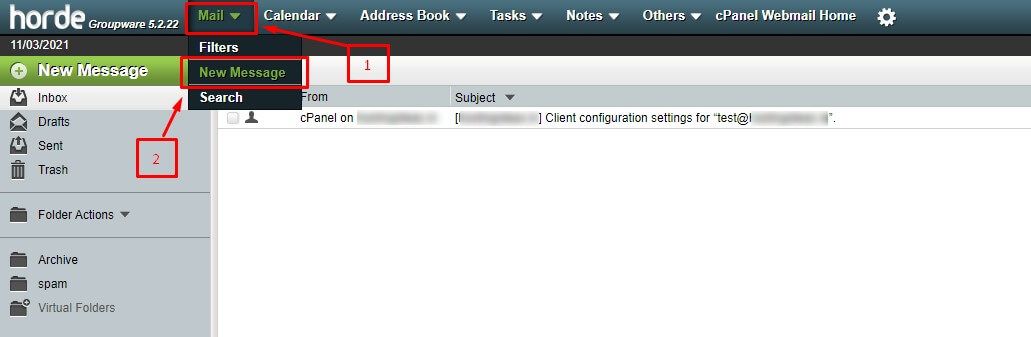
- Click Mail in the top menu if your inbox is not already open.
- Click New Message on the left side.
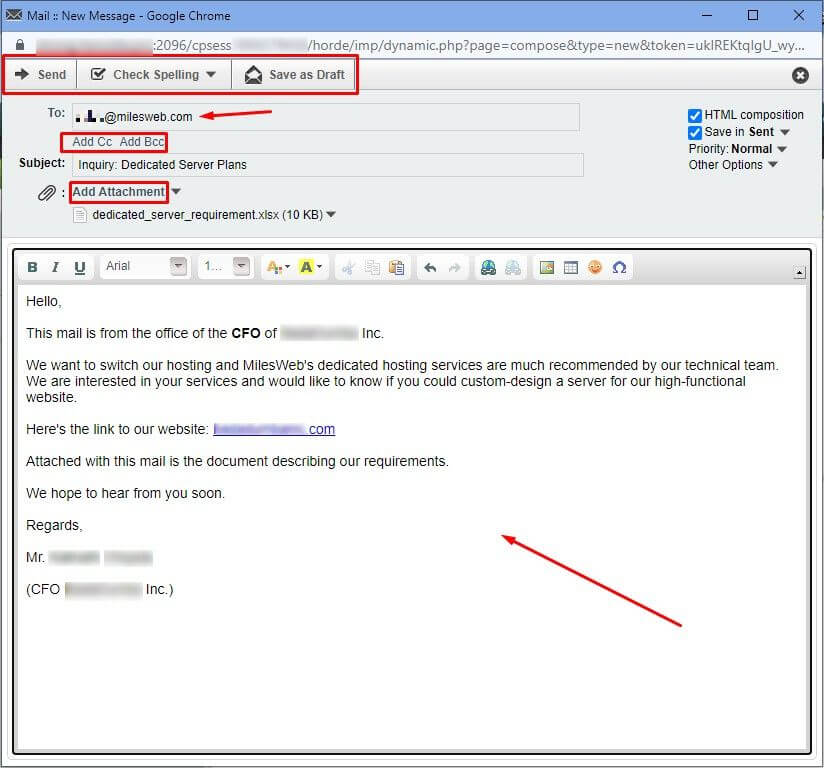
- In the To box, type the address of the person you are writing to. To send to more people, put a comma between the addresses.
- Click Cc or Bcc if you need them. Cc sends a copy that everyone can see. Bcc sends a copy that stays hidden from the others.
- Type a short title in the Subject box. It tells the reader what the mail is about.
- Click in the big box below and type your message.
- Click Send.
A copy of the sent message usually goes to the Sent folder.
Steps to add an attachment
An attachment is a file that travels with your email, like a photo or a document.
- While writing your message, find the attachment area under the message box.
- Click Browse or Choose File.
- Pick the file on your computer.
- Click Open.
- Wait until the file name appears in the list.
- Click Send.
Very large files may be refused. If this happens, try a smaller file, or ask Hostvento support about the limit on your plan.
Save a message for later
- While writing, click Save Draft.
- Later, open the Drafts folder and click the message to carry on.
Tip: Check the address before you click Send. One wrong letter sends the mail to the wrong place, and you cannot take it back.
Quick recap
- Horde is a webmail program you use in a browser.
- Click New Message, fill in To, Subject and the message, then click Send.
- Add files with Browse or Choose File.
- Use Save Draft to finish later.
- Always double-check the address.