

What is an identity?
An identity is the "from" card for your emails. It holds your name, your sending address and your signature. A signature is a few lines that are added to the end of every message, such as your name and job title.
You may want more than one. For example, you might have one for work and one for a club. Each can have its own signature.
Steps to create a new identity
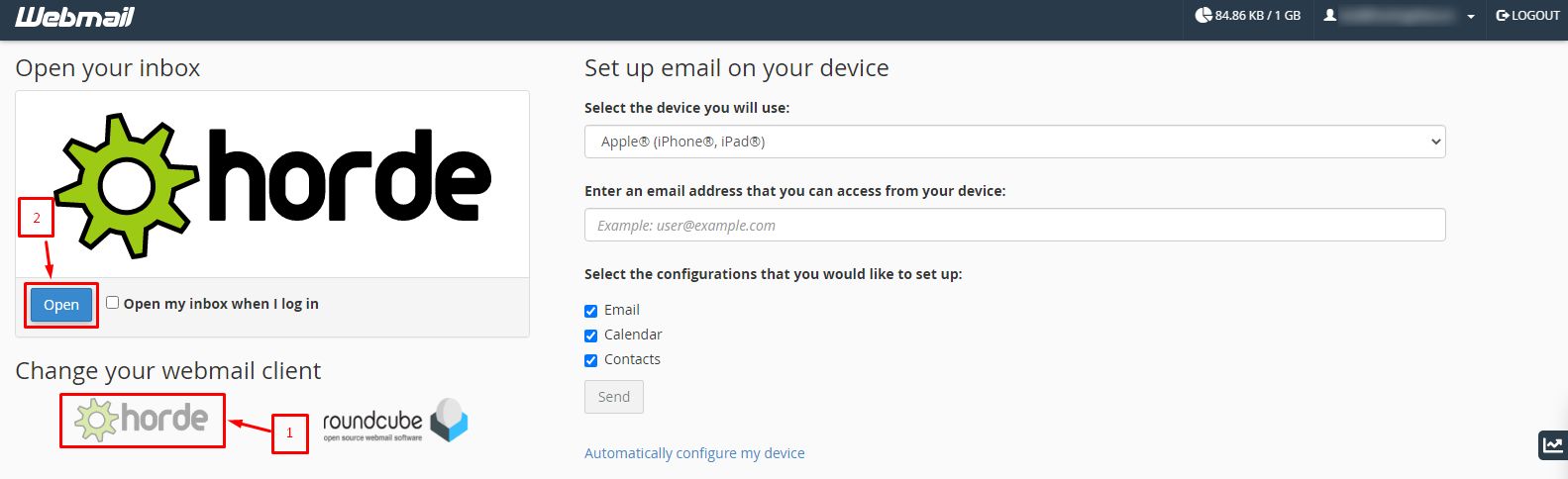
- Sign in to Horde.
- Click Mail in the top menu.
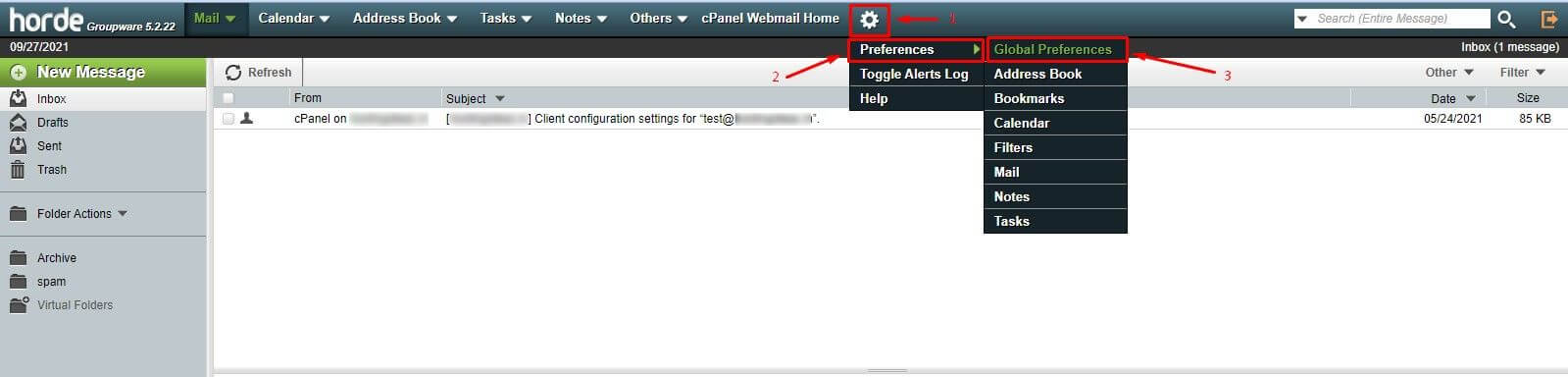
- Click Options and then Personal Information. In some versions, it is found under the settings gear icon, then Mail, then Personal Information.
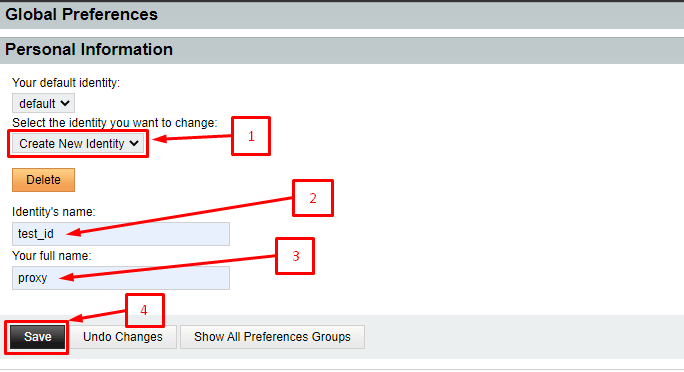
- Look for the Identity list at the top. Choose New Identity.
- Type a name for the identity in the Identity name box, such as "Work".
- Type the name people should see in the Your name box.
- Type the sending address in the From address box.
- Type a Reply-to address if replies should go somewhere else. This is optional.
- Type your signature in the signature box.
- Click Save.
Only use an address that belongs to you. Some mail systems will refuse to send mail from an address that you do not own.
Steps to use an identity when writing
- Click New Message.
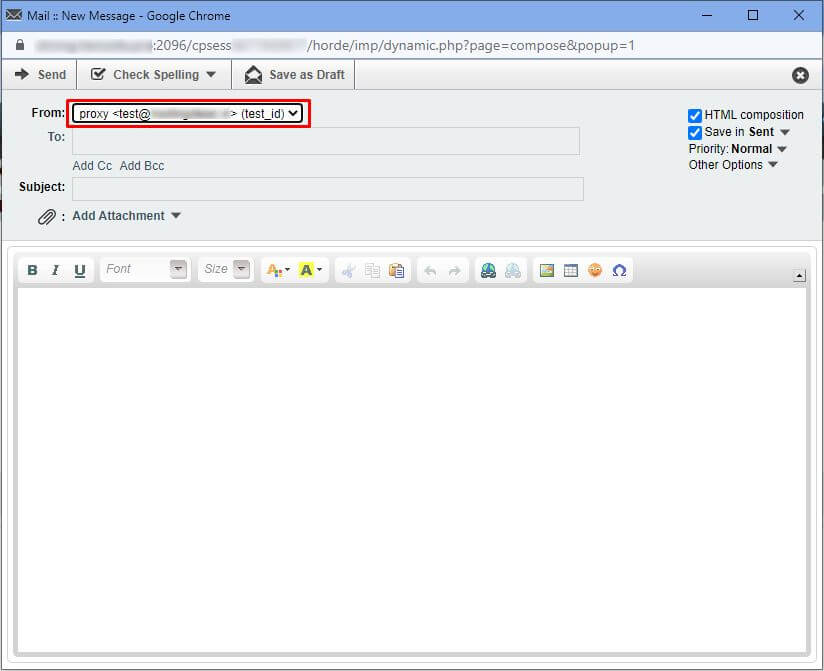
- Find the From or Identity drop-down list above the To box.
- Click it and pick the identity you want.
- Check that the signature changed.
- Write your message and click Send.
Make one the default
- Go back to Personal Information.

- Choose the identity from the list.
- Tick Default identity if that box appears.
- Click Save.
Tip: Send a test message to yourself with each identity. This makes sure the right name and signature show up. Menu names can differ a little between Horde versions.
Quick recap
- An identity holds your name, sending address and signature.
- Add one in Personal Information with New Identity.
- Choose it from the From list when writing a message.
- Set one as the default for everyday use.