

Read this first
Deleting an email account removes the mailbox and every message inside it. This cannot be undone. Take a backup first if you might need the mail later. You can save mail by opening it in an email program such as Outlook and exporting it, or by downloading it with an IMAP connection.
An email account is a mailbox with its own address and password, like name@yourdomain.com. cPanel is the control panel where you manage your hosting.
Before you delete
- Make sure nobody still uses the address.
- Check if any form or website uses it to send mail.
- If you want to keep receiving the mail, make a forwarder to another address first. A forwarder is a rule that passes mail on to a different address.
Steps
- Log in to your client area at https://secure.hostvento.com/clientarea.php.
- Open your hosting service from the Services menu and log in to cPanel.
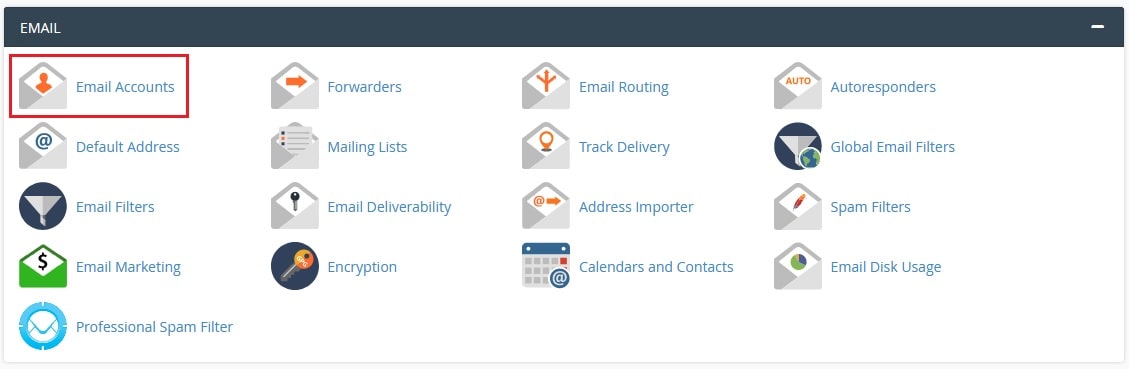
- In the Email section, click Email Accounts.
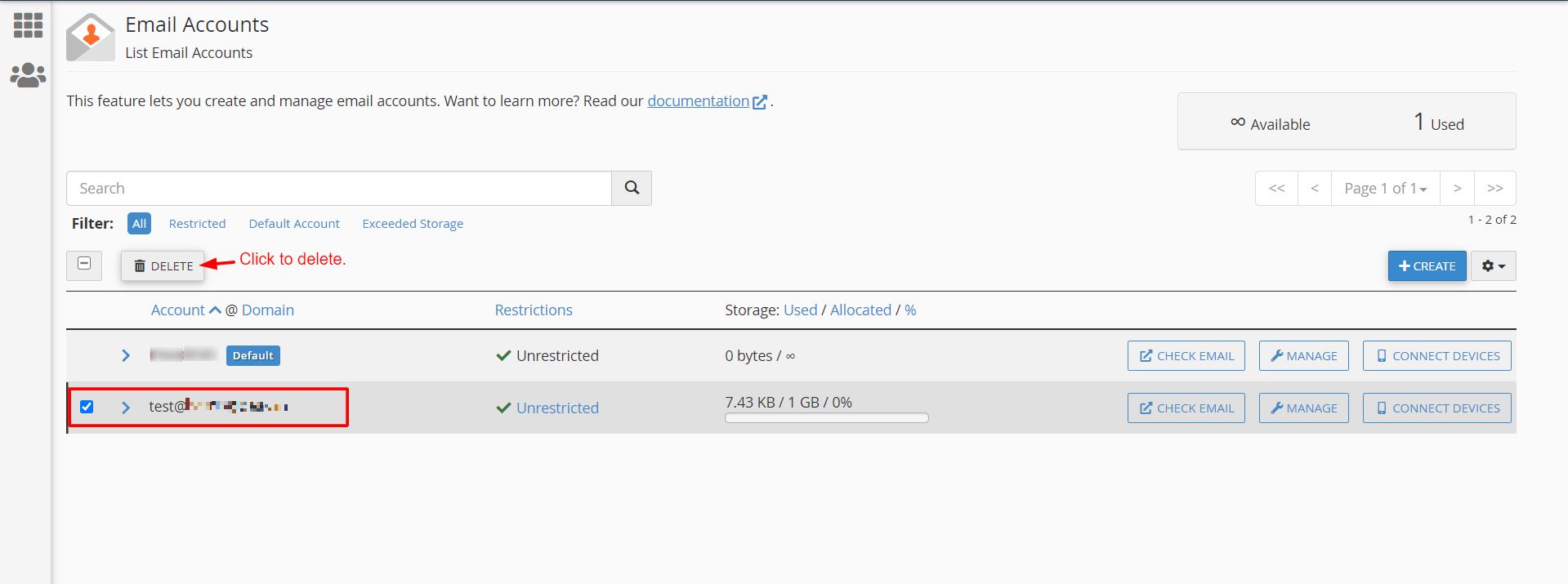
- Find the account in the list. You can use the search box.
- Click Manage next to the account.
- Scroll down and click Delete Email Account.
- A message asks you to confirm. Read it.
- Click Delete to confirm.
In older cPanel versions, the list shows a Delete link right next to the account. Click it and confirm.
What happens next
- The address stops working. Anyone who writes to it gets an error message.
- All saved mail in that mailbox is gone.
- Email programs and phones that used this account will show login errors. Remove the account from those devices as well.
Tip: If you are not sure, do not delete yet. Change the password and wait a few weeks. If nobody complains, delete it then.
If you deleted it by mistake
You can create the same address again, but the old mail will not come back on its own. Open a ticket at https://secure.hostvento.com/submitticket.php and ask whether a backup is available for your plan.
Quick recap
- Deleting an email account also deletes its messages.
- Back up the mail first if you need it.
- Go to cPanel, Email Accounts, Manage, then Delete Email Account.

- Remove the account from phones and email programs after.