

What is an SSL certificate?
An SSL certificate is a digital lock for your website. It shows the padlock in the browser and keeps visitor data private. Certificates do not last forever. When one is close to its end date, cPanel sends a warning email so you can renew it.
Should you turn these emails off?
Think before you do it. These emails help you avoid an expired certificate. An expired certificate makes browsers show a scary warning to your visitors. Turn the emails off only if you are sure something else renews the certificate for you, or if the mails go to an address nobody reads.
Steps
cPanel keeps its alert settings in the contact area. Names can vary a little by version.
- Log in to cPanel. You can reach it from your client area at https://secure.hostvento.com/clientarea.php.
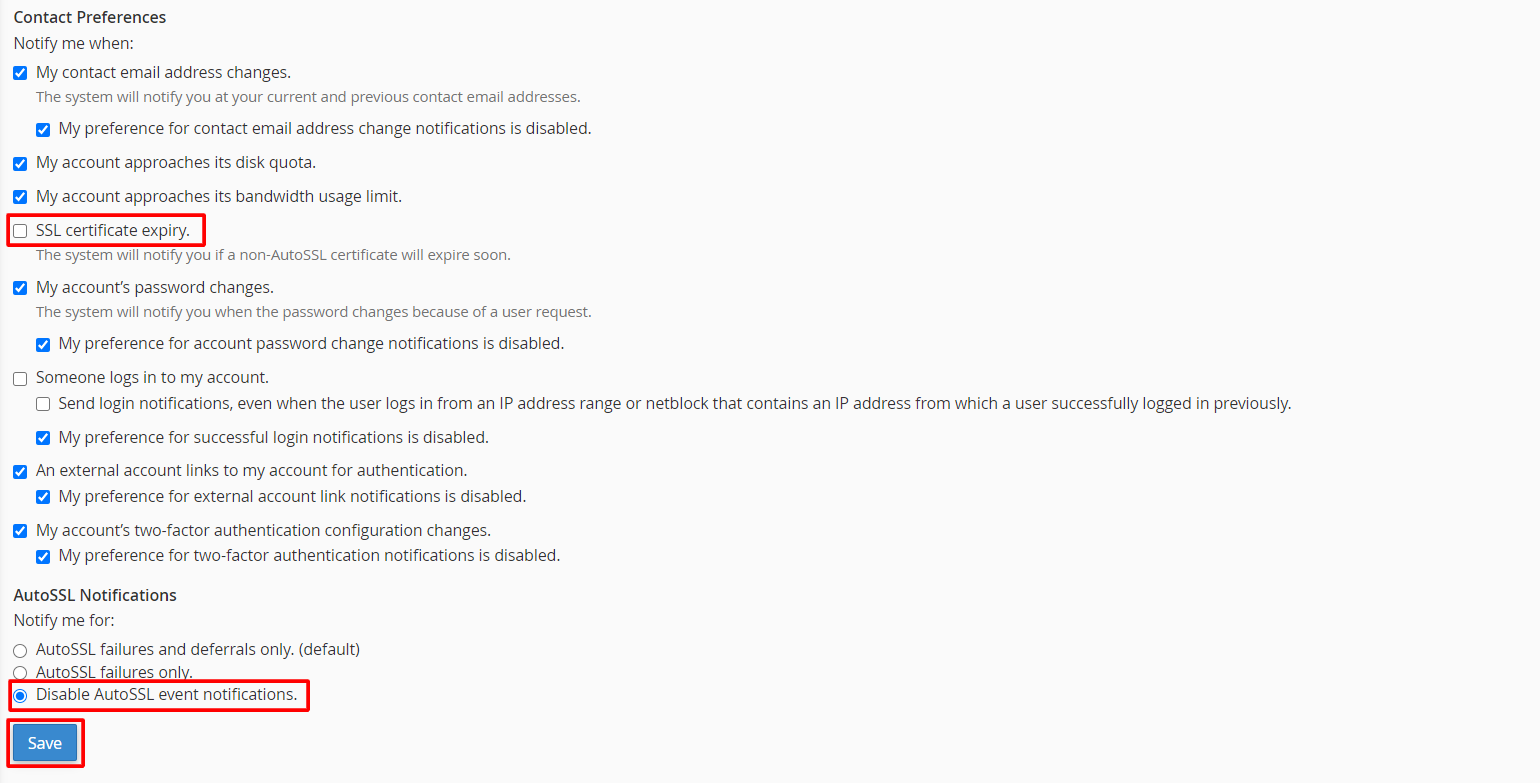
- In the Preferences section, click Contact Information. In some versions, it is under the profile menu in the top right.

- Look at the list of notification types. Each one has a tick box.
- Find the entries about SSL or certificate expiry or renewal. They may be named something like SSL Certificate Expiration or AutoSSL.
- Untick the boxes for the notices you do not want.
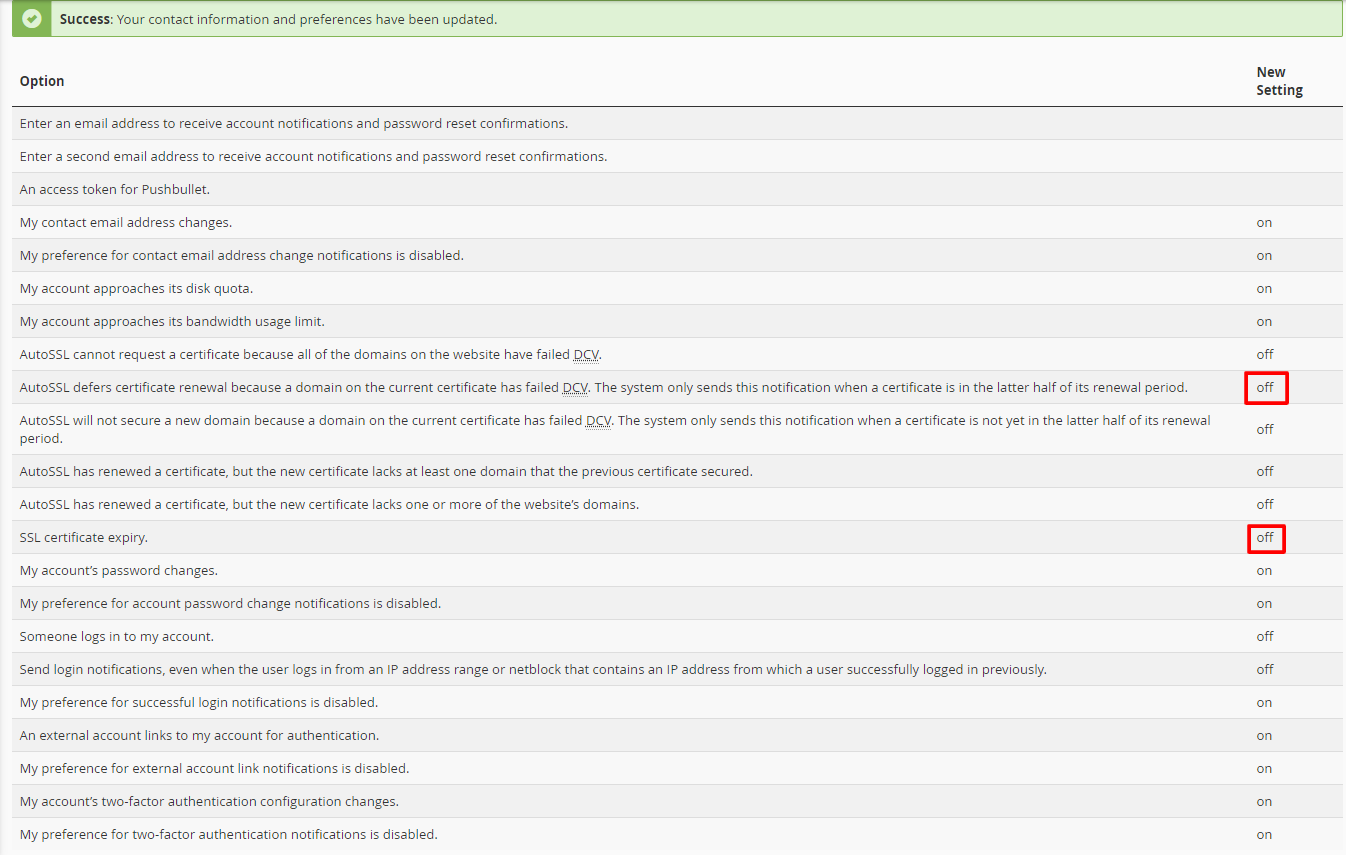
- Click Save.
If you do not see these options, your hosting account may not allow you to change them. Notices can then be controlled at the server level only.
Another option: change where the emails go
- On the same Contact Information page, find the Email box.
- Type an address you check often.
- Click Save.
This way the notices still reach you and you can ignore the ones you do not need.
Quick recap
- SSL expiry emails warn you before a certificate ends.
- Turning them off can lead to an expired certificate if you forget to renew.
- In cPanel, open Contact Information and untick the SSL notices.
- Click Save.
- Ask support if the option is missing.