

What is Webuzo?
Webuzo is a control panel. A control panel is a web page where you manage your hosting, like the dashboard of a car. Not every hosting plan uses Webuzo. Ask Hostvento support if you are not sure whether your plan has it.
Steps to open the email list
- Log in to your client area at https://secure.hostvento.com/clientarea.php.
- Open your hosting service and sign in to Webuzo. Your welcome email shows the panel address and login details.
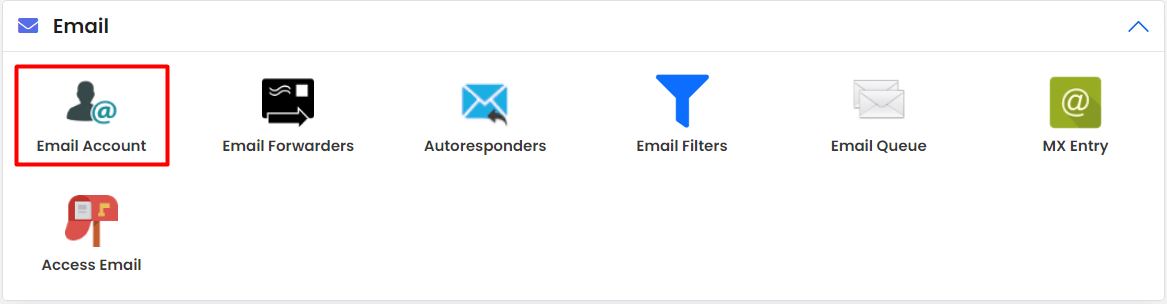
- In the main screen, find the Email section.
- Click Email Accounts. A list of your mailboxes appears.
Menu names may be a little different in your Webuzo version. Look for the email area if you do not see these exact words.
Steps to change a password
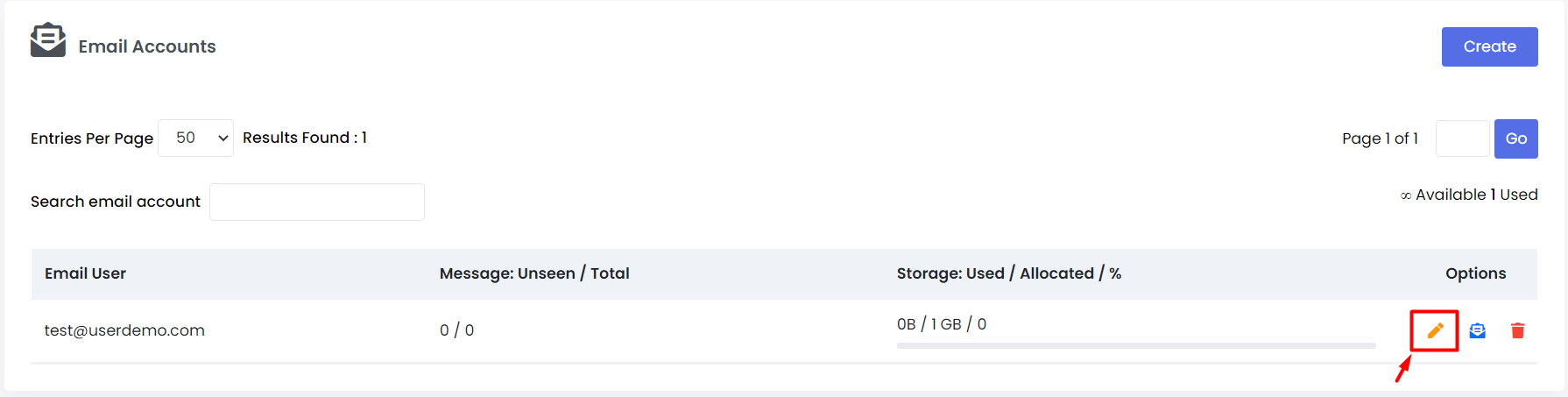
- In the list, find the email account you want to change.
- Click the Edit icon, which often looks like a pencil, next to it.
- Find the Password box.
- Type a new password. Use at least 12 characters with letters, numbers and symbols.
- Type it again in the confirm box if there is one.
- Click Save or Edit Email Account.
Other things you can edit
On the same screen you may see more options.
- The mailbox size limit, called a quota. A quota is the most space the mailbox may use.
- The account name or display name.
Change only what you need. A quota that is too small can make mail bounce when the box is full.
After you change the password
- Update the password on your phone.
- Update it in any email program, such as Outlook.
- Update it in any website form or plugin that sends mail with this account.
If you skip this, those places will fail to log in and mail may stop.
Tip: Test the new password by signing in to webmail. If it works there, it is set correctly.
Quick recap
- Webuzo is a control panel for hosting.
- Open the Email section and then Email Accounts.
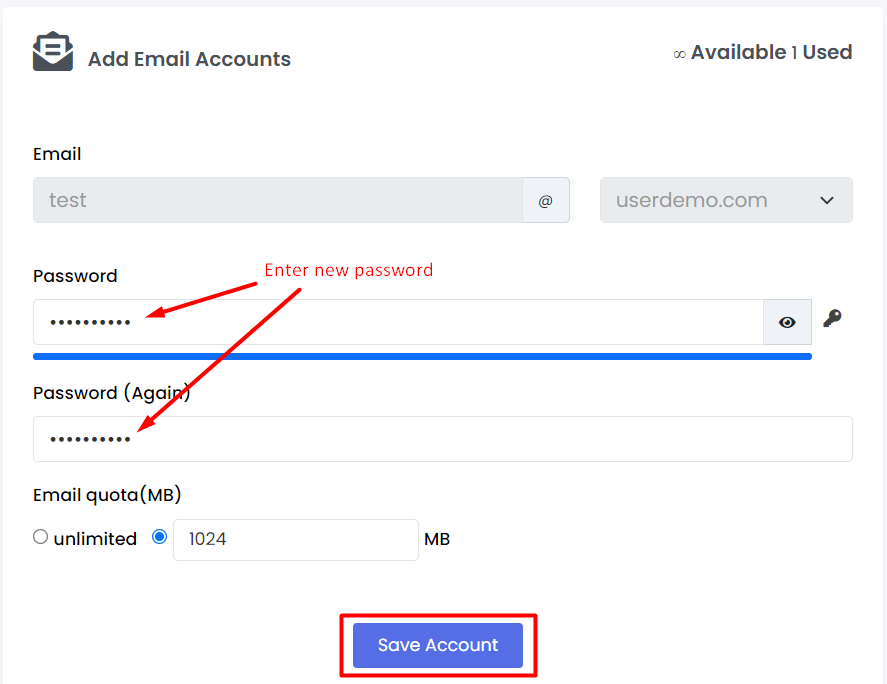
- Click the edit icon, type a new password and save.
- Update the password on every device and tool that uses the mailbox.