

What is email routing?
Email routing decides which computer receives the mail for your domain. Think of a post office that must know where to deliver letters for your street. Your domain's MX records say which mail server handles your mail. An MX record is a line in your domain's DNS that points to a mail server. DNS is like a phone book for the internet.
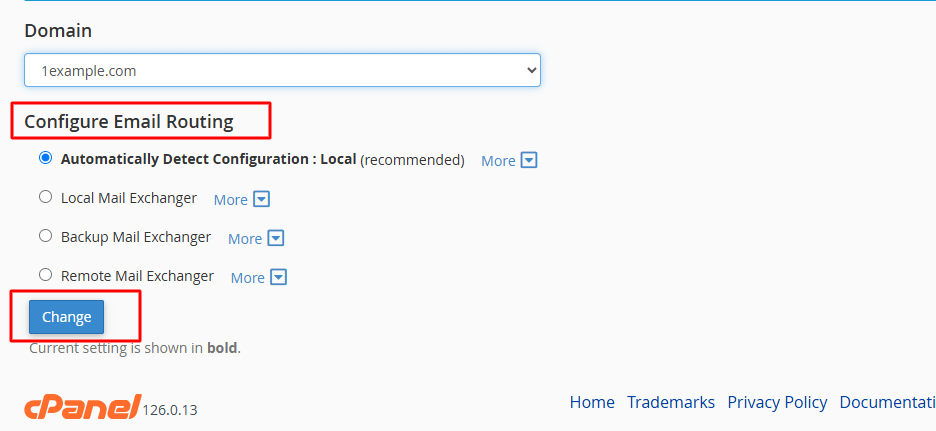
cPanel gives you four routing choices:
- Automatically Detect Configuration. cPanel looks at your DNS and picks the right option.
- Local Mail Exchanger. Mail is kept on this server. Use this when your mailboxes live here.
- Backup Mail Exchanger. This server holds the mail only if the main mail server is down. It passes it on later.
- Remote Mail Exchanger. Mail is sent to another service, such as an outside mail provider. Use this if your mailboxes live elsewhere.
Warning
A wrong setting can stop your email from arriving. Make a note of the current setting before you change it. If you are not sure, leave it on automatic.
Steps
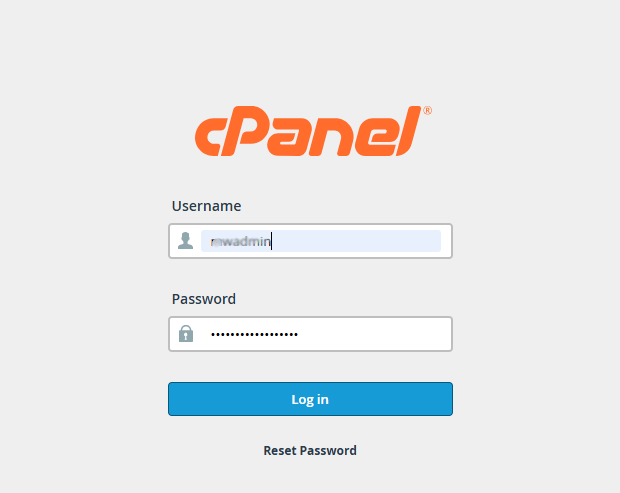
- Log in to cPanel. You can reach it from your client area at https://secure.hostvento.com/clientarea.php.
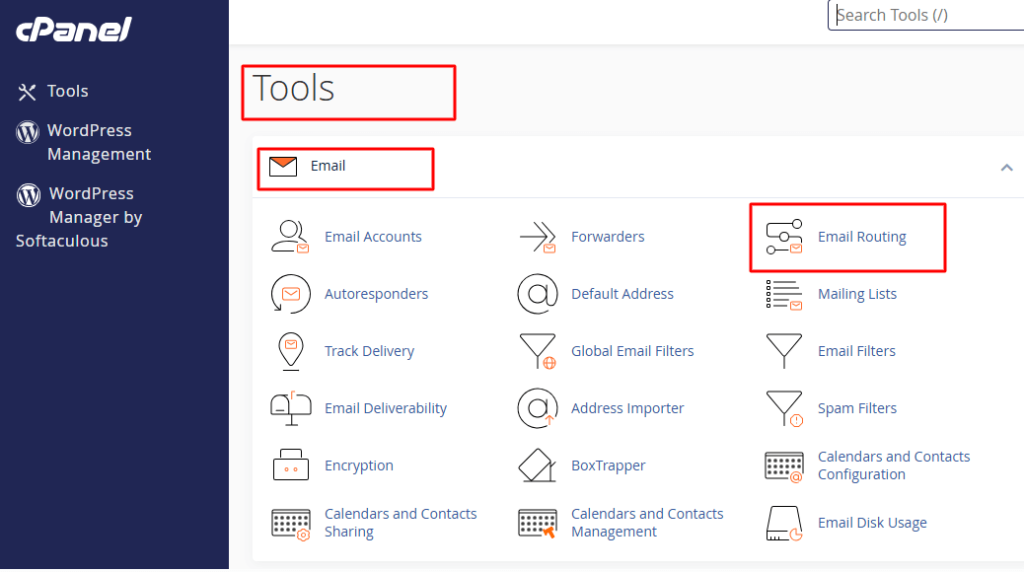
- In the Email section, click Email Routing.
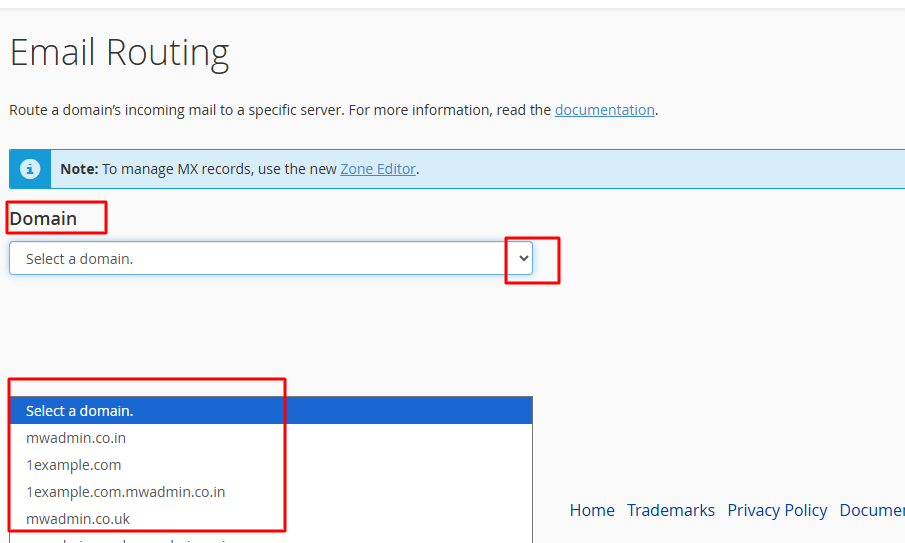
- If you have many domains, pick the domain from the list.
- Read the option that is currently selected. Write it down.
- Choose the option you want.
- Click Change.
- Wait for the green success message.
Which option should I pick?
- If your mail boxes are on this hosting, choose Local Mail Exchanger.
- If your mail is at another provider, choose Remote Mail Exchanger.
- If you do not know, choose Automatically Detect Configuration.
Tip: Routing and MX records must agree. If your MX records point to another provider, set routing to Remote. If they point here, set it to Local. Otherwise mail from your own website may not reach your own mailboxes.
Check that it works
- Send a message from another email service to your domain address.
- Send a message from your domain address to the outside address.
- Check both arrive.
If something is wrong, open a ticket at https://secure.hostvento.com/submitticket.php.
Quick recap
- Email routing tells the server where your domain's mail lives.
- Find it in cPanel under Email, Email Routing.
- Local means mail stays here. Remote means it goes to another service.
- Match the setting to your MX records and test.