

What is Plesk?
Plesk is a control panel. A control panel is a web page for managing your hosting, like a dashboard. Ask Hostvento support if you are not sure your plan uses Plesk.
What is email routing?
Email routing decides where your domain's mail goes. Think of a post office that must know the right house for each letter. In Plesk you can choose to keep the mail on this server, or send it to a different mail service.
The mail service your domain uses is set in DNS with MX records. DNS is like a phone book for the internet. An MX record names the mail server for your domain. Plesk routing should match those records.
Warning
A wrong choice can stop mail from arriving. Write down your current setting before you change it.
Steps
- Log in to your client area at https://secure.hostvento.com/clientarea.php and open Plesk.
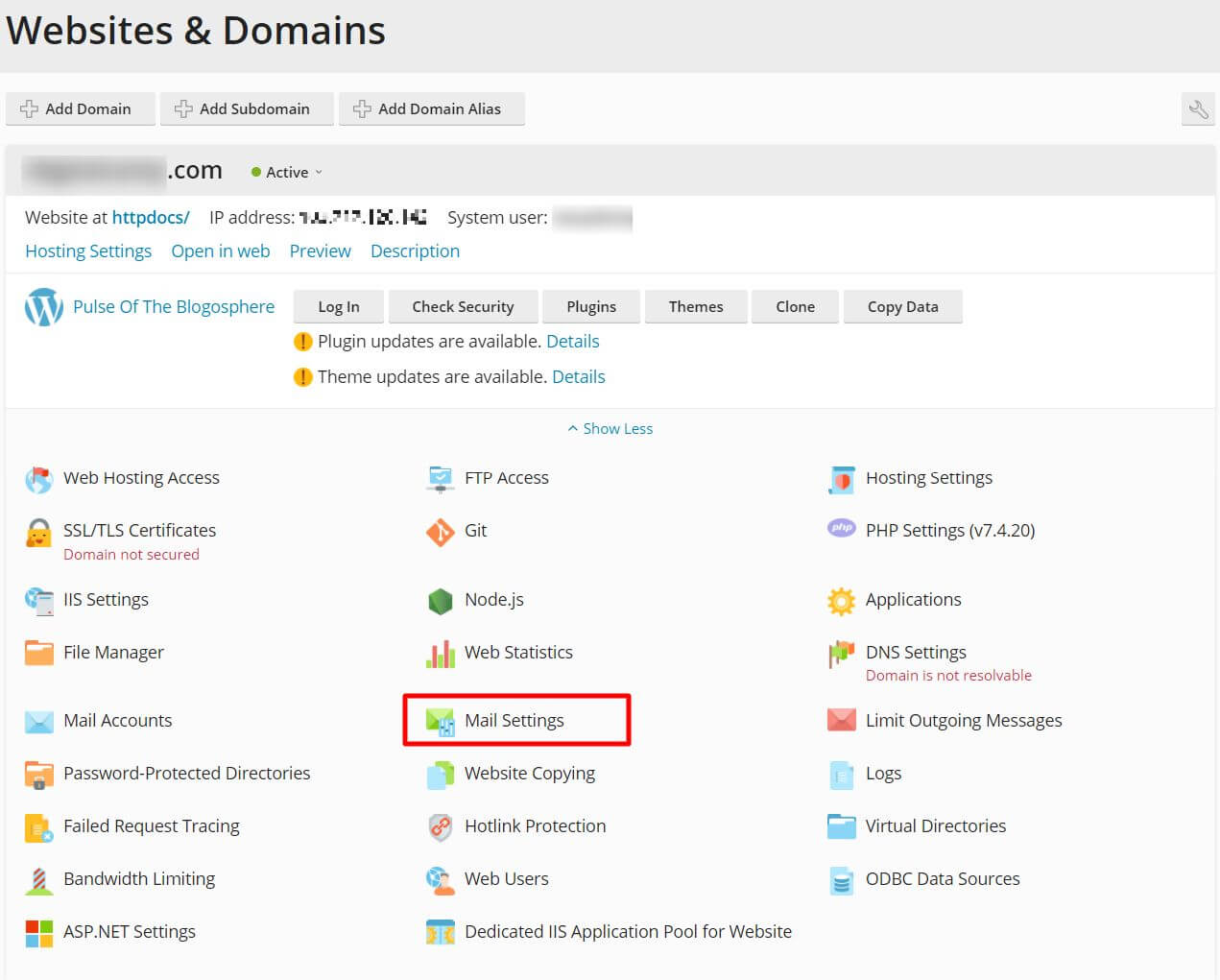
- Click Domains in the left menu.
- Click the name of your domain.
- Click Mail.
- Click the Mail Settings tab.
- Click your domain name in the list.
- Look for the section that sets how mail is handled for the domain. It may be called Mail service or have a box such as Activate mail service on this domain.
- To keep mail on this server, leave the mail service activated.
- To send mail to another service, turn the mail service off for this domain. Then update your MX records to point to the other provider.
- Click OK or Apply.
Menu names can differ between Plesk versions. Look near the mail settings if you do not see these exact words.
Update the MX record
- Go back to the domain page and click DNS Settings.
- Find the MX lines.
- Edit them to match your mail provider. The provider tells you the right values.
- Click OK.
DNS changes can take several hours to spread across the internet.
If you get stuck, open a ticket at https://secure.hostvento.com/submitticket.php.
Quick recap
- Email routing decides where your domain's mail goes.
- In Plesk, open Domains, your domain, then Mail and Mail Settings.
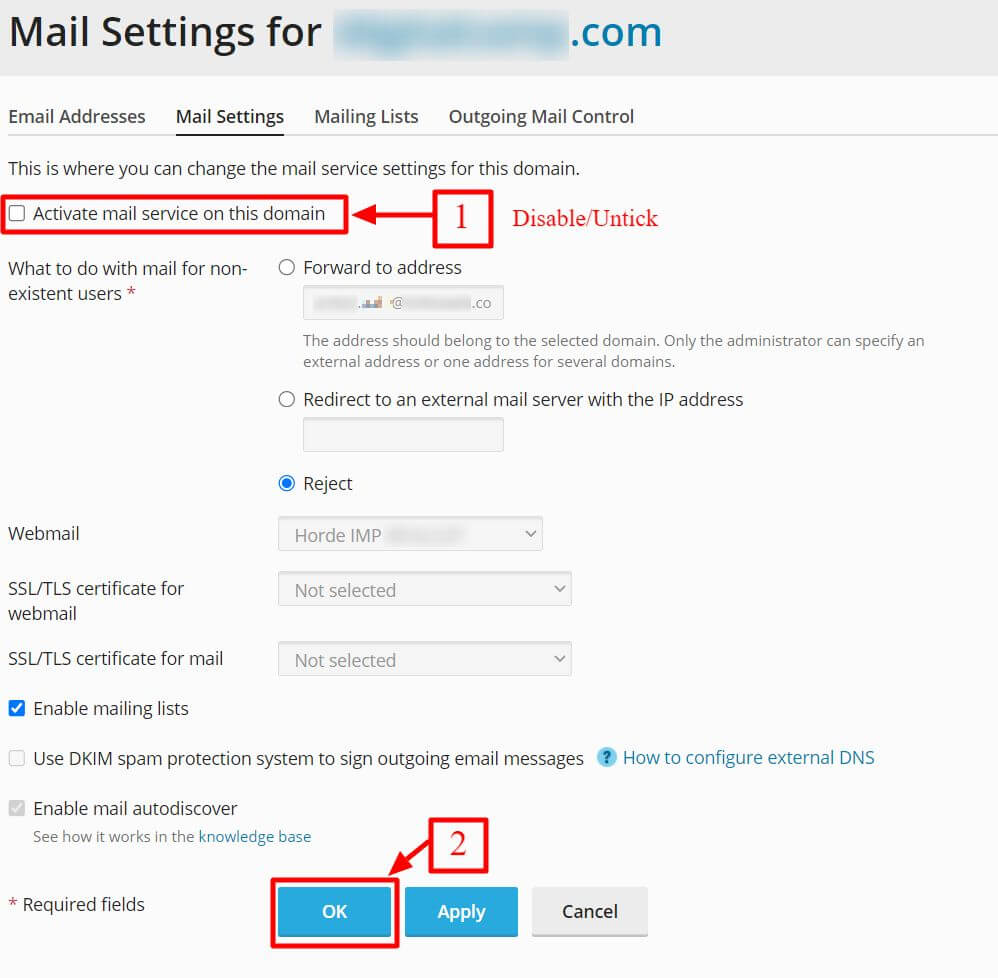
- Keep the mail service on for local mail, or turn it off for an outside provider.
- Make the MX records match, then send test mails.